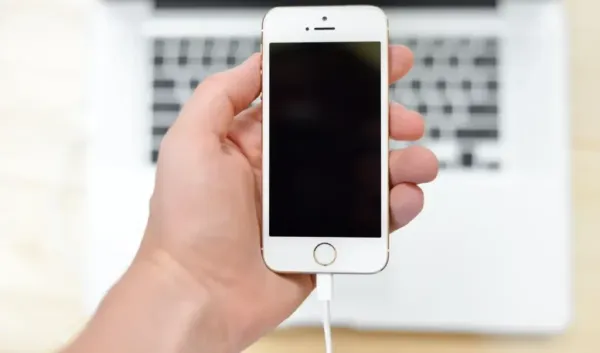
Importance of Type-C port
Most people consider the Type-C port at the bottom of their smartphone only for charging the battery. Their thinking is to put the phone on charging and then take it out. But do you know that the usefulness of this port is much more than this? This port can perform many functions that previously required separate cables, ports, or devices. Its features are not hidden in expensive accessories, rather you just need to know about its 5 best uses.
use as power bank
Do you know that you can reverse charging your smartphone using its Type-C port? For this you will need Type-C to Type-C cable. With this you can charge wireless earbuds, fitness band or any other phone in emergency. This feature proves to be very useful in difficult times.
fast data transfer without internet
While wireless options like Quick Share or AirDrop are convenient, large video or file transfers can take time. You can now transfer data by directly connecting two phones with a cable using the Type-C port. Without internet, one phone accesses the other’s storage, allowing files to be copied faster.
phone as mini computer
With the help of Type-C port, you can add external devices to your phone. Keyboard and mouse can be connected via USB or Bluetooth dongle. This setup is helpful for writing long emails or editing documents. Some smartphones also provide a desktop-like interface when connected to an external display.
Movies and series on the big screen
The Type-C port also supports video output. By connecting the phone to a TV or monitor with an HDMI to Type-C cable, you can watch movies or series on the big screen. This mirrors the phone screen and you can easily watch the content without any casting.
better audio experience
Although the 3.5mm headphone jack has now disappeared from most phones, the wired audio experience is not gone. With the help of Type-C port, you can enjoy great music. Wired audio can be listened to using Type-C earbuds or a Type-C to 3.5mm adapter.
-
Big announcement of Modi government, loan up to Rs 5 lakh without interest and guarantee, 8th pass can also apply – News Himachali News Himachali
-
BMC elections brought Thackeray brothers along, Shiv Sena announced alliance of UBT and MNS – News Himachali News Himachali
-
Almanac of December 28, 2025: How many auspicious times today? Note down everyone’s timing and compass information. Panchang of 28 December 2025 Today Shubh Muhurat Disha Shul In Hindi
-
Ashes 2025: Aakash Chopra Claims Double Standards After Pace Dominates Boxing Day Test With No Spin Bowled In 1.5 Days

-
Rule Change: From Aadhaar to car prices, many major changes will take place from January 1, 2026. Find out how it will affect you.