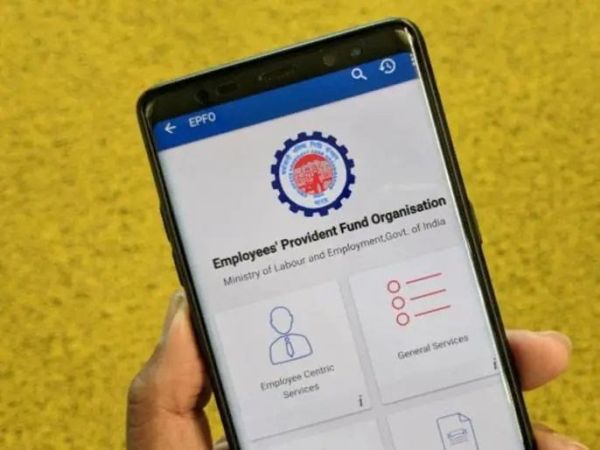
EPFO: If your bank account has changed after joining a new job, it is very important for you to update your new bank account details in the Employees Provident Fund Organization records. If you do not do this, you may face difficulty in withdrawing, transferring money from PF or receiving interest amount.
EPFO maintains the bank account linked to your UAN, and that's where your PF withdrawals, advances, final settlements and EPS pension payments go. If you have changed your primary banking relationship, it is prudent to update this EPFO bank record as well, so that future payments reach the right place.
The process is completely online and can be easily done through the Unified Member Portal.
Know whether the new account is active or not
Before visiting the EPFO portal, confirm that your new bank account is fully active, KYC-compliant and in your own name, and has the same name format as on your Aadhaar and EPFO profile. It's best to keep the joint account as "ether or survive." Check that mobile banking and SMS alerts are working, as both EPFO and your bank will be dependent on OTPs and alerts until the change is processed. Minor errors in spelling or initials are one of the most common reasons for KYC rejection and claim delay.
Updating bank details on EPFO member portal
Once the new account is created, log in to the EPFO Member e-Seva portal with your UAN, password and captcha. Go to “Manage” menu and select “KYC”. On the KYC page you will see many options like Bank, Aadhaar and PAN. Under "Bank", enter your new account number, your name as it appears in bank records and the correct IFSC, then save. The new bank entry will first appear with the status "Pending". Earlier, this meant waiting for digital approval from your employer, after which EPFO would verify with the bank before marking the account as “approved”. In fact, many places still work this way.
How Aadhaar-based seeding is changing the process
Over the past year, EPFO has been simplifying Aadhaar-based KYC and giving members more control over their profiles, including in situations where the employer is closed or unresponsive. Some of these changes allow members to directly add or correct Aadhaar and bank details using OTP authentication, either on the member portal or through the UMANG app, with fewer layers of employer approval than before. In other words, if your UAN is already properly linked to Aadhaar and your mobile, you may find that bank updates happen with minimal transactions with HR.
Using UMANG app for EPFO updates
If you are more comfortable on your phone, you can also use the UMANG app to access EPFO services. After logging in with your UAN and OTP, you can view and occasionally update KYC details, including Aadhaar and bank, and then track the approval status. EPFO is continuously introducing routine profile changes, claim tracking and even a “passbook lite” view into the app to reduce the need to log in multiple times and make claim handling faster. For anyone in the process of switching banks, this makes it easy to see if the new account has actually been approved.
What if your employer is closed off or uncooperative?
Many salaried employees discover the bank mismatch only when they leave the job and are unable to contact the employer. Even in such cases you have options. EPFO lets members use Aadhaar-based composite claim forms and updated KYC guidelines, especially for those associated with closed locations or where the digital signature of the employer is no longer active. You may need to visit your regional EPFO office with proof of identity, the new account cancellation check and the completed form so that the staff can verify and process the change on your behalf. This is slower than online updates but better than getting the settlement money back because it was sent to a dead account.
If your employer is active and responsive, a simple online bank change usually appears approved in a few days and appears correctly in your passbook and claims screen soon after. While EPFO is verifying further with the bank or fixing the name mismatch, the process may take a few weeks. Red flags to look out for are “Rejected” KYC status with name, IFSC or account number mismatch, or a claim that has gone to “Returned” status due to the bank refusing to grant credit. In both cases, you will need to correct the details and resubmit, rather than assume that the money will somehow get transferred to your new account.
A Quick Checklist Before Submitting
The practical way to think about it is simple: wherever your main savings account is now, that account should reflect in your EPFO profile. Before filing any withdrawal, advance or transfer request, double check your KYC page and passbook to confirm that only the new bank account is active, your Aadhaar is linked, and your mobile number is current. Doing this housekeeping when you switch your salary account means that, years down the road, your PF money will quietly end up where you actually bank it today – instead of disappearing into some forgotten, almost defunct account from an old job.
Easy process to update new bank account in EPFO
Step 1: Login to the portal
Visit the official website of EPFO Unified Member Portal (https://unifiedportal-mem.epfindia.gov.in/memberinterface/).
'Log In' by entering your UAN (Universal Account Number), password and captcha code given on the screen.
Step 2: Go to KYC section
After successful login, click on 'Manage' tab in the menu bar above.
Select the 'KYC' option from the drop-down menu.
Step 3: Enter new bank details
On the 'KYC' page, you have to go to the 'Add KYC' section.
Select the 'Bank' option here.
Now fill the following information carefully:
Bank Account Number: Enter your new bank account number.
Name: Your name as recorded in the bank account (this should match the name as recorded in the UAN).
IFSC Code: Enter the 11 digit IFSC code of your new bank.
After entering the information, click on the 'Save' button.
Step 4: Approval by Employer
After saving the details, your information will be visible under the 'Pending KYC' section.
This information will now go to your employer for digital approval.
You should contact your employer (HR/Admin department) and submit a copy of your canceled check or first page of bank passbook to them by email or physically so that they can approve your KYC through Digital Signature (DSC) as soon as possible.
Step 5: Verification of KYC update
Once your employer approves your bank details, the KYC status will change from 'Pending for Approval' to 'Digitally Approved KYC' section.
This means that your new bank account has been successfully linked to your EPFO/PF account. You may also get a confirmation message from EPFO.