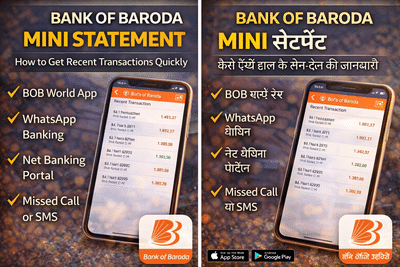
Keeping track of your bank transactions has become easier than ever thanks to digital banking services. Customers of Bank of Baroda can now check their recent account activity instantly through several online and offline options without visiting a bank branch. One of the most commonly used services is the mini statement, which gives a quick overview of the latest transactions in your account.
A mini statement typically displays your recent debit and credit entries, helping you monitor your spending, verify payments, and stay updated on account activity. Bank of Baroda provides multiple ways to access this information, including the BOB World mobile app, internet banking, WhatsApp banking, missed call service, and SMS banking.
In this guide, we explain the different methods to check your Bank of Baroda mini statement step-by-step, so you can choose the option that suits you best.
What Is a Bank of Baroda Mini Statement?A mini statement is a brief summary of your most recent bank transactions. It usually includes the latest five to ten entries from your account.
The mini statement can help you:
- Track recent withdrawals and deposits
- Verify online transactions or payments
- Monitor your spending habits
- Detect any suspicious activity in your account
Bank of Baroda allows customers to access this information using both digital platforms and offline banking services, ensuring convenience even without internet access.
How to Check Bank of Baroda Mini Statement OnlineBank of Baroda customers can easily view their latest transactions through digital channels. The BOB World mobile application is one of the quickest ways to check account activity, while internet banking offers a more detailed view of recent transactions.
Additionally, the bank has introduced WhatsApp banking, enabling customers to request mini statements through a simple chat conversation.
Method 1: Using the BOB World Mobile AppThe BOB World app allows customers to access their account details instantly.
Steps to follow:
You will now see the latest transactions displayed on the screen.
Method 2: Using WhatsApp BankingBank of Baroda also provides WhatsApp banking services, allowing customers to request account information through chat.
Steps:
You will receive the last five transactions directly in the chat window.
Method 3: Using Bank of Baroda Net BankingCustomers who use internet banking can check their mini statement through the bank’s official portal.
Steps:
Net banking generally allows customers to view up to the last 10 transactions.
Method 4: Using Missed Call ServiceIf you do not have internet access, you can still check your mini statement using the missed call facility.
Steps:
Another offline option is SMS banking.
Steps:
You will receive a message containing your recent account transactions.
Final ThoughtsBank of Baroda offers several convenient ways to access your mini statement, ensuring that customers can check their account activity anytime. Whether you prefer using mobile banking apps, WhatsApp services, internet banking, or offline methods like missed calls, the bank provides flexible options to suit every user.
Regularly checking your mini statement helps you stay informed about your financial activity and quickly detect any unusual transactions.
-
'Why Do Indians Love Pakistan So Much': Aniruddhacharya Over IPL Team Facing Backlash

-
'Sab Samay Ka Khel Hai': Hansika Motwani's Ex-Sister-In-Law Nancy James Takes Subtle Dig At Her After Divorce From Sohael Khaturiya

-
Did India Invent The Telescope? Foreigner’s Claim Goes Viral; Take A Look!

-
Galgotias University Basketball Team Shines at IIT Delhi Sports Fest

-
The Remarkable Journey of a Tea Seller Gaining Fame Among Bollywood Stars