- It is imperative to backup all important photos, videos and documents before selling the smartphone.
- It is necessary to logout from Google, Apple, Banking and UPI accounts and delete sensitive information.
- A factory reset can completely erase personal data from the phone and protect privacy.
Smartphone Selling Tips: Buying a new smartphone and selling or exchanging an old smartphone is very common these days. But while selling smartphones some people make very common mistakes and ignore some things. Due to which the data in the smartphone is not deleted properly and the privacy of the users may be at risk. Also common mistakes by users can lead to incidents like bank fraud, account hacking and identity theft.
India stings around the world! Apple gives top honor to this Indian app; Know the special features
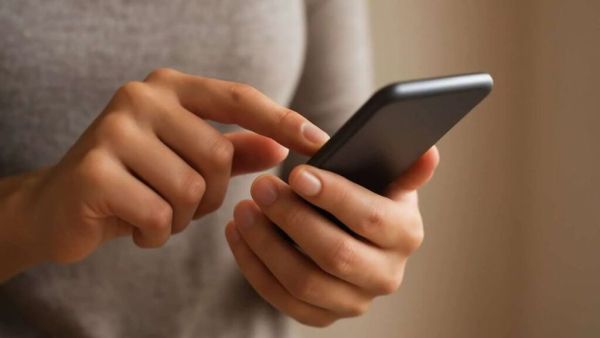
From photos, videos, contacts to emails, banking apps, passwords and social media logins, all your information is saved in the smartphone. If you don’t delete this data from your smartphone properly and this data falls into the wrong hands, you may face many big problems. So before selling or exchanging a smartphone, some important things need to be done. (Photo Courtesy – Pinterest)
First of all take a data backup
Before deleting all the data in the phone, it is necessary to take a backup. First of all save all important data in your smartphone in a safe place. You can use cloud storage like Google Drive, iCloud or OneDrive to save the data in the phone. Can transfer data from phone to laptop/hard drive. This will keep your memories and important files safe and won’t cause any problems later.
Don’t forget to logout from all accounts
Deleting all data from the phone is not enough. It is also necessary to logout from the account. Signing out of Google account is very important for Android users. Turn off Find My Device. Delete all accounts. If you are an iPhone user, log out from your Apple ID. Turn off Find My iPhone. Remove the iCloud account from the device. Skipping this step may cause difficulty in activating the phone for new users.
WhatsApp Update: The privacy of users will increase! Personal messages will not be visible as soon as the chat is opened… Blur Spoiler Tool coming soon
Delete banking and UPI apps
Banking and payment apps on your smartphone are the most sensitive. So it is necessary to delete these apps from the smartphone and delete all the information in them. Logout from banking apps. Close UPI and Digital Wallet Accounts. Also delete saved passwords. Just uninstalling the apps doesn’t delete the data completely, so logging out is also necessary.
Do a factory reset
When the full backup and logout is complete, do a factory reset. This will delete all the photos and videos from the phone. Apps and settings will be deleted. Account and system data are completely wiped. For better security, some people even do this twice to ensure that no data is left behind.
-
Woman’s 30-year journey raising four stepdaughters with love

-
Woman’s 30-year journey raising four stepdaughters with love

-
Sania Saeed questions society’s double standards on marriage

-
Do not make these mistakes while boiling potatoes, otherwise the taste and texture may get spoiled.

-
You Can Tell How Lucky Someone Is By What They Say When Things Go Wrong, According To Chinese Astrology