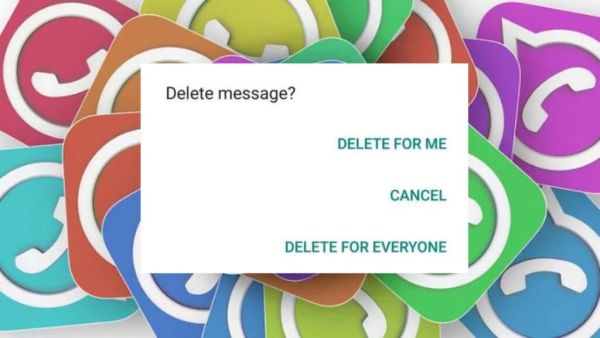
WhatsApp Tips For Delete For Everyone: WhatsApp Today it has become one of the most popular messaging apps in the world. It has not only made people’s work easier but has also improved the chatting experience with many new features. One such feature is ‘Delete For Everyone’, through which users can delete any message sent by mistake. While this feature has helped many people, it also becomes a cause of trouble for some users as they are unable to read the deleted messages.
Smart way to read deleted messages
Although WhatsApp has not yet released any official feature by which deleted messages can be read, but Android users have a special trick. Through this trick, you can also see those messages which the sender has deleted from your chat.
Notification History will reveal the secret
This is possible through the ‘Notification History’ feature present in Android smartphones. Through this feature, all the notifications coming on your phone are saved, which can also include deleted messages of WhatsApp. If this feature is already enabled in your phone, then you can easily read deleted messages.
Easy steps to read deleted messages
If you also want to know how to use this feature, then follow the steps given below:
- First of all go to Settings of your phone.
- Now go to Notifications section and click on Advanced settings.
- Here you will get the option of Notification history, enable it.
- Now whenever someone sends a message and deletes it, you will be able to see it in the Notification history.
- Keep in mind that for this trick to work, this feature must already be on in your phone.
Beneficial trick for users
This trick is especially useful for those users who want to know which message was sent and deleted. However, this feature is not available in all Android devices, so it is important to check whether Notification History is available in your phone’s settings or not.
-
Sunday Rose Kidman Urban sides with Nicole Kidman at 2026

-
Woman Notices Difference In The Way Men & Women React To Her Being Divorced

-
RCB vs MI: Suryakumar Yadav Breaks Silence On Heartbreaking Last-Ball Loss

-
4 Zodiac Signs Attract Abundance & Luck On Monday, May 11, 2026

-
RCB vs MI: Surprising win on the last ball of Bengaluru, Mumbai Indians eliminated from IPL 2026