In today’s digital age, Gmail account is not only a medium for sending e-mails, but has also become an important identity card to almost every service including banking, social media, online shopping. In such a situation, it is very important to keep the security of the account strong. Mobile number is considered to be the biggest link in this security system. If for some reason your number has changed or the old number is no longer in use, then it becomes necessary to update it in the Gmail account. The good thing is that Google has made this process very simple and it takes less than two minutes to complete.
Experts say that keeping the mobile number updated helps features like account recovery, two-factor authentication and security alerts work better. If your old number has been switched off and OTP comes on the same number, then you may face difficulty in logging into the account. Therefore, it is considered a wise move to check the number from time to time and make changes as necessary.
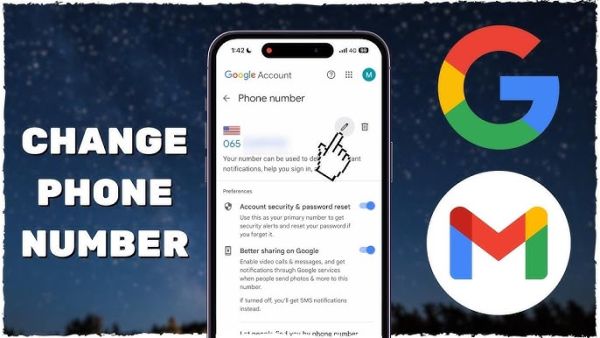
To change the mobile number in Gmail account, first open Gmail on your mobile or computer. Click on the profile icon visible on the right side of the screen and go to your ‘Google Account’ settings. Here a section called ‘Personal Info’ opens, in which your name, date of birth and contact information is visible. ‘Phone Number’ option is available in this section. After tapping on this, Google may ask you to enter the password for security verification.
After reaching the personal information page, click on the ‘Edit’ button present in front of the old mobile number. Now enter the new mobile number and select ‘Update’ option. After this an OTP is sent to your new number. Your number is successfully updated once you enter the correct OTP. This entire process is very easy and does not require any technical knowledge.
Google advises users to update security from time to time. Cyber security experts also believe that having an active and current mobile number proves to be the biggest security shield for account recovery. It has been seen in many cases that people change their phone number, but do not update it in time in Gmail or other digital services. In such a situation, if the account gets blocked or the password is forgotten, a big problem arises.
With the increasing scope of technology, cases of cyber fraud have also increased rapidly. Platforms like Google are constantly improving security, but carelessness of users sometimes increases the risk. Therefore, keeping security settings updated is no longer just an option but a necessity. If your mobile number has recently changed, updating it immediately in Gmail and other online accounts is essential for your digital security.
Know how papaya leaves cure many serious diseases
-
GMAAA Inter-school Swimming: Saanvi Deshwal, Myra Jhadwani Emerge Best IN Girls Category

-
Bigg Boss 19 EXCLUSIVE: Shehbaz Badesha Addresses Rumours Of Being Overshadowed By Amaal Mallik, 'Logon Ko Lag Raha Hai'

-
Ajit Agarkar under spotlight as Kohli, Rohit domestic cricket debate heats up, ‘Never told MS Dhoni…’

-
IRCTC Tatkal Ticket New Rule: OTP verification now mandatory at reservation counters in India

-
EU lays out plan to fund Ukraine using frozen Russian assets but Belgium say it’s too risky