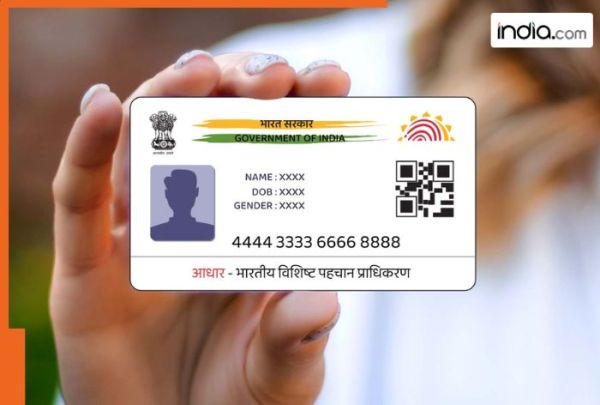
Aadhaar Card the 12-digit unique identification number issued by the Government of India to every citizen is one of the most important identity-proof documents. Starting from banking operations to online transactions the Aadhaar card is one of the most essential documents for every official work. The Aadhaar Card contains the demographic and biometric data of the cardholder and is essential for availing government benefits and other official work. Aadhaar Card latest update: What is the step-by-step online guide to retrieve it? Losing or misplacing your Aadhaar card can create major inconvenience. Without an Aadhaar card an individual will no longer be able to perform essential tasks concerning banking mobile connections property documents and government schemes. As this number is linked to your biometric and demographic data it is extremely important to keep your Aadhaar safe. Those who lose or misplace their Aadhaar card may face challenges in a number of important areas including opening or operating bank accounts acquiring or reactivating mobile services filing or executing real estate documents and receiving government subsidies or welfare services. In this article we will discuss the step-by-step guide to easily retrieve your Aadhaar details online using the ‘Retrieve UID/EID’ option on the UIDAI website. An individual can retrieve their Aadhaar details online by using the Retrieve UID/EID option on the official website of UIDAI. The individual will need your registered mobile number or email for verification. If you have a cellphone number that has been linked to your Aadhaar getting your UID or EID is very easy to do. The lost/forgotten Aadhaar number can be retrieved online by visiting the following link https://myaadhaar.uidai.gov.in/retrieve-eid-uid Enter your Name (as Registered) your Mobile Number or Email Address (which is linked to your Aadhaar account) and complete the Captcha. Once the captcha is completed you will receive a One-Time Password (OTP) via SMS to the linked mobile number. Complete the OTP verification process and you will receive an SMS with your Aadhaar Number/EID. This service is free of cost. What is the process to find the lost/forgotten Aadhaar number in case the mobile number is not linked with Aadhaar? Option 1: Aadhaar number can be retrieved with the help of an operator at the Aadhaar enrolment centre using the Print Aadhaar service. Aadhaar number holder to visit an Aadhaar enrolment centre in person. Provide the following mandatory information: Name gender district or PIN code as per the Aadhaar-generated enrolment. In case the requirement could not be traced due to the presence of multiple records additional available demographic details such as year of birth C/O State etc. may also be provided for narrowing the search. Please provide Biometric authentication using a single fingerprint or single iris (RD device). If a match is found the operator will provide a printout of the e-Aadhaar letter. The operator can charge Rs 30/- for providing this service. Option 2: Retrieving Lost/forgotten Aadhaar number by calling the UIDAI Helpline number 1947 Stage 1 One can call 1947 (Toll-free) Provide demographic details required by the executive as per your request If a match is found EID will be provided on call by the executive. This service is free of cost. Stage 2 (IVRS) Call 1947 again. After selecting the Language option – Key-in option 1 (request status) followed by option 2 (request of Aadhaar enrolment status) Provide the available EID number of the Aadhaar-generated enrolment to IVRS Provide the Date of Birth and PIN code as per the Aadhaar-generated enrolment to IVRS If a match is found IVRS shall communicate the Aadhaar number. This service is free of cost. For more details visit the official website of UIDAI.
-
15 shops gutted in fire near temple in Nalgonda

-
Mehbooba Mufti targets Yogi over Jauhar University demotion order
-
Assam flood situation improves as water levels recede

-
ABP LIVE Pet First | 4 Easy Homemade Dog Popsicles To Keep Your Pet Cool, Hydrated And Happy This Summer

-
Pralhad Joshi Takes Charge As Education Minister After Pradhan Resigns