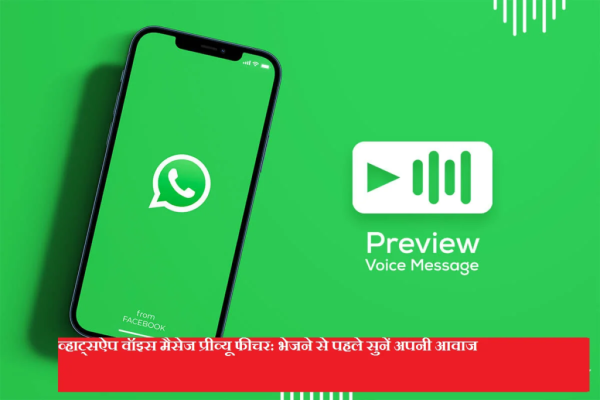
WhatsApp keeps introducing new features from time to time to improve the user experience. In this context the company Voice message preview feature Has launched, through which users can now listen to their recorded voice note before sending it.
Earlier, voice messages had to be sent directly after recording them. If there was any mistake in the recording, there was no option other than deleting the message. With this new update, WhatsApp has given more control and convenience to the users.
What is the voice message preview feature?
This feature allows users to listen, pause, replay, send or delete a voice message after recording it. The feature works in both personal and group chats and is available for Android and iPhone users.
How to preview voice messages on WhatsApp
Follow the simple steps given below:
- in your smartphone Open WhatsApp app
- That chat or group Open where to send the voice note
- given below microphone icon press the
- Slide finger up to start hands-free recording
- Record your voice message with ease
- When recording is complete stop button press
- Voice message player will appear on the screen
- play button Tap to listen to the voice note
- if you like it Send do it, otherwise Delete do it
Why is this feature beneficial
- Avoid sending incorrect or incomplete recordings
- Useful for office and professional use
- reduces misunderstandings
- Saves time and effort
Availability
This feature is available in the latest version of WhatsApp. For a better experience, users are advised to keep the app updated regularly.
-
Iran Releases Satellite Images Claiming Massive Damage To US Military Bases

-
T20 Mumbai League 2026 And Inaugural Women’s League To Be Held From June 1-13 At Wankhede Stadium
-
Skyroot Aerospace Becomes India’s First Space-Tech Unicorn With $60 Million Raise, Valuation Hits $1.1 Billion

-
King Recalls First Heartbreak At 20 After He Paid Girlfriend's College Fees: 'She Didn't Even Look Back At Me'

-
Hundreds of TVK supporters return disappointed from cancelled swearing in ceremony venue