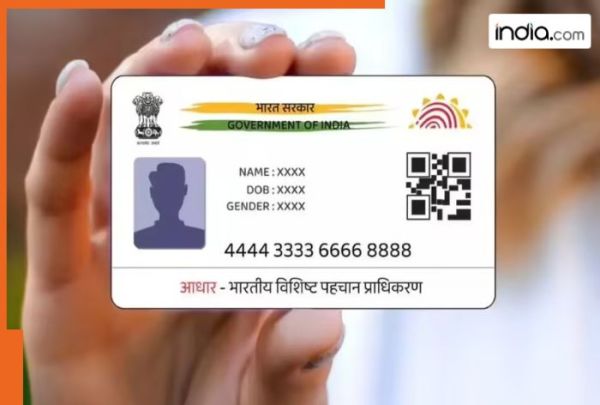
Aadhaar is a distinct 12-digit identification number assigned to residents of India by the Unique Identification Authority of India (UIDAI). Aadhaar is used for many government services such as pensions subsidies applying for mobile service a passport and opening bank accounts. The Government of India is moving towards Digital India rapidly with the introduction of another very important initiative to facilitate the accessibility of the services provided by the Government. Individuals will no longer have to go to the UIDAI website or open the DigiLocker mobile application to download their Aadhaar card. The Government of India has provided a new facility where users can now obtain an Aadhaar card directly via WhatsApp. Aadhaar cards may be downloaded via the official MyGov Helpdesk WhatsApp chatbot and this makes accessing ones Aadhaar more convenient and faster. Before the WhatsApp service was introduced obtaining an Aadhaar card was quite a hassle for many. Many users had to log into the UIDAI website wait for an OTP and then download their Aadhaar card in PDF format which took time. With the introduction of WhatsApp to receive Aadhaar cards this process has been made much simpler as most users already utilise WhatsApp daily thereby speeding up the time taken to access their Aadhaar cards and improving user experience when using the Governments services. To begin using this new service you must fulfill several essential requirements. You will need to provide your Aadhaar number and link it to your mobile device along with creating an active DigiLocker account and saving the MyGov Helpdesk WhatsApp number (+919013151515) on your phone. Once these requirements are in place you can easily access and download your Aadhaar card directly through WhatsApp. The procedure for downloading your Aadhaar is as follows: 1. Save the number +91-9013151515 to your contacts in your mobile phone. 2. Open the WhatsApp application and send Hi or Namaste to this number. 3. The chatbot will display a menu of DigiLocker services. Choose DigiLocker. 4. You will be asked to confirm the creation of an account with DigiLocker. 5. Upon confirming the successful creation of your DigiLocker account you will need to enter your unique 12-digit Aadhaar identification number. 6. You will receive an OTP (One Time Password) via SMS to the mobile number you provided at the time of registering your Aadhaar card. This OTP will be needed to verify your identity. 7. After verification a list of all the documents associated with your Aadhaar will appear. Select Aadhaar to download it in a PDF file format and it will automatically save directly into your WhatsApp application. Keep in mind that this service allows you to download just one pdf or document/book at a time. It is also a requirement to have your Aadhaar number linked with DigiLocker before you can use the WhatsApp download option. However if your Aadhaar does not currently show on your DigiLocker account you can link it there through the DigiLocker app or on the official website prior to using the WhatsApp feature.
-
IIHS के मुताबिक Waymo की ड्राइवरलेस कारों का क्रैश रिकॉर्ड इंसानों से बेहतर है

-
मासेराती की नई जीटी2 स्ट्राडाले वन-ऑफ में एमसी12 की विरासत जीवित है

-
नई होंडा रिडगलाइन अब विकास में, ज्यादा मजबूत लुक और 2028 लक्ष्य के साथ

-
फोर्ड अपनी 30,000 डॉलर की इलेक्ट्रिक पिक-अप में सीधे ऐप्पल मैप्स जोड़ रही है

-
Miss going to Puri on the contrary? Forget the regrets and make a lot of ‘Sreekshetra Khwaja’ at home.