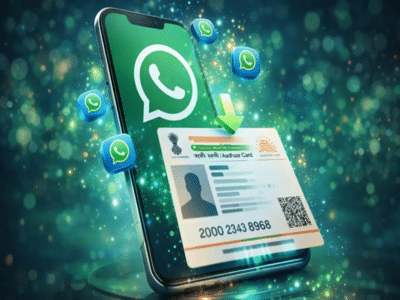
The Aadhaar card is an essential document required everywhere, whether for government or private work. Sometimes, situations arise where an Aadhaar card is needed, but we don't even have a copy of it, causing delays. But now you don't need to worry. Today, we will tell you how you can download your Aadhaar card via WhatsApp without visiting the official UIDAI website.
You can easily download your Aadhaar card using the MyGov Helpdesk chatbot on WhatsApp. This government service is linked to DigiLocker, and in just a few minutes, you can securely obtain a password-protected PDF version of your Aadhaar card using this service.
Aadhaar Card Download on WhatsApp
Save the official MyGov Helpdesk WhatsApp number +91-9013151515 on your phone.
After saving the number, open WhatsApp and send 'Hi' or 'Namaste' to this number.
Once you receive a reply from the chatbot, select the DigiLocker Services option.
If you don't have a DigiLocker account, create one using the DigiLocker website or app. Note that the account must be linked to your Aadhaar.
If you have a DigiLocker account, enter your 12-digit Aadhaar number and send it.
You will receive an OTP on your Aadhaar-registered mobile number. Enter the OTP for verification.
After the OTP is verified, if your Aadhaar is already saved in DigiLocker, you will see Aadhaar in the list of documents. Send the number corresponding to Aadhaar in the list.
Your Aadhaar will be immediately received on WhatsApp in PDF format.
Note: This method of downloading Aadhaar via WhatsApp will only work for those who have already saved their Aadhaar card in DigiLocker.
Disclaimer: This content has been sourced and edited from TV9. While we have made modifications for clarity and presentation, the original content belongs to its respective authors and website. We do not claim ownership of the content.
-
Mother’s diet is the strength of the child, definitely include these nutritious things in your diet!

-
The Only Mango Cocktail Recipes You Need This Summer

-
Ram Charan’s ‘Peddi’ transformation: 12 hour fasting, cheat meal and strict diet revealed

-
Tumor mapping can be a game changer! A thorough study of the structure will make treatment selection more accurate
-
Anthropic turns to Elon Musk-owned SpaceX for AI compute as Claude demand surges