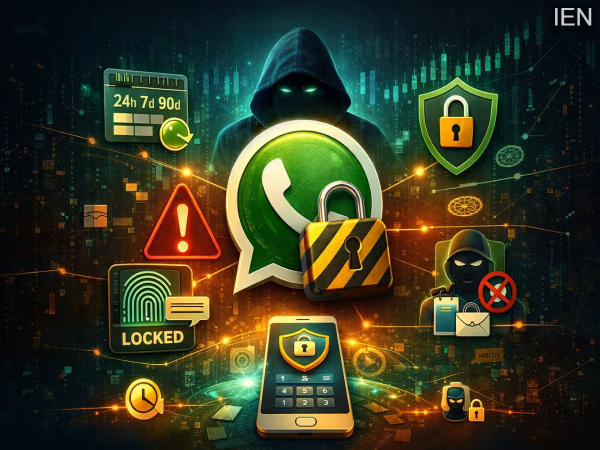
Today, WhatsApp has become the world's most widely used messaging app, but the more popular this platform becomes, the more it becomes a target for scammers and hackers. Even though WhatsApp offers end-to-end encryption features, this alone is not enough for security. If someone accidentally gains access to your phone, you fall for a scam, or your WhatsApp privacy settings are not configured correctly, your account could be at risk. Therefore, staying alert and using the right settings is crucial to keeping your WhatsApp safe.
WhatsApp Security Features: In this era of increasing cybercrime, WhatsApp is constantly improving its security. Features like encrypted backups, AI tools focused on privacy, and collaborations with security experts help keep users safer. But true privacy depends not only on these features but also on how you configure the app's settings. When you combine strong account protection with encryption, limited visibility of your profile and status, and proper use of advanced privacy controls, WhatsApp becomes a much more secure communication tool than a normal chat app. In today's digital age, where data leaks are becoming increasingly common, a few small settings can help protect your data and privacy.
Confirm Who Can See Your Last Seen
The best way to easily secure your privacy on WhatsApp is through the Privacy Checkup Tool. This feature can be found in Settings under Privacy, where you can confirm who can and cannot see information such as your profile picture, bio, status, and last seen.
Additionally, you can also control who can call you, who can add you to groups, and automatically mute calls from unknown numbers. If you set your Last Seen and Status to “Nobody,” your activity remains hidden even when you receive messages from unknown people.
Turn on Disappearing Messages
End-to-end encryption offers security when sending messages, but messages saved on your phone can still be at risk, especially if the device is compromised in any way. To mitigate this risk, WhatsApp's Disappearing Messages feature is very useful, as it automatically deletes messages after a set time.
In WhatsApp, you can set messages to disappear automatically after 24 hours, 7 days, or 90 days. You can do this for a specific chat or for all new chats. You can also enable it by default in Settings > Privacy > Default Message Timer. However, it's important to note that the other person can still take screenshots, screen recordings, or save the messages as soon as you send them.
Enable Two-Step Verification and a Security PIN
Your phone number is the biggest key to your WhatsApp account, and therefore, it's the most sensitive. If someone tries to log in to your number on a new device, Two-Step Verification acts as a strong barrier. It requires not only an OTP but also your own created PIN, significantly reducing the risk of your account being hacked.
To enable this feature, go to Settings > Account > Two-step verification. Here you can set a PIN and optionally add an email address, which makes it easier to recover your account if your phone is lost or you lose access. Additionally, WhatsApp now offers Passkey support, adding another advanced layer of security. If you want your account to be completely secure, ignoring Two-Step Verification is not advisable. Keep your chats completely safe with App Lock and Chat Lock.
Even though WhatsApp messages are end-to-end encrypted, if someone else gains access to your phone, they might still be able to see message previews. To protect against this risk, WhatsApp's App Lock feature is incredibly useful. When enabled, the WhatsApp app will only open with Face ID, Touch ID, or a fingerprint, keeping your private conversations safe from prying eyes.
If you want even more security, you can also use the Chat Lock feature. This allows you to move specific chats to a separate Locked Folder, which requires biometric authentication to open. Furthermore, in an emergency, you can instantly delete the messages in this locked folder. These features transform WhatsApp from just a messaging app into a robust guardian of your privacy.
Enable Advanced Security Settings
WhatsApp offers several advanced privacy and security features that most users are unaware of because they are turned off by default. You can find all these settings in the Advanced section under Privacy, and enabling them will take your security to the next level.
Among the most important features are blocking messages from unknown numbers to protect you from spam and fraudulent messages, hiding your IP address during calls to safeguard your location and network details, and turning off link previews to reduce the risk of unwanted data sharing. While enabling these settings might slightly affect convenience or call quality, the trade-off is significantly enhanced privacy and data security.
-
Horrific road accident in Dabra, Gwalior, two friends burnt alive

-
Chandramohan Patowary Wins 2026 Assam Election Again, Veteran Leader Triumphs Sixth Time as BJP MLA from Tihu

-
Will AIADMK and DMK come together to stop victory in Tamil Nadu? understand the numbers game

-
Panic over discovery of abandoned Pakistani boat in Kutch: Security of sea border increased, BSF search continues

-
Vietnam’s Prez To Lam accorded ceremonial welcome at Rashtrapati Bhavan