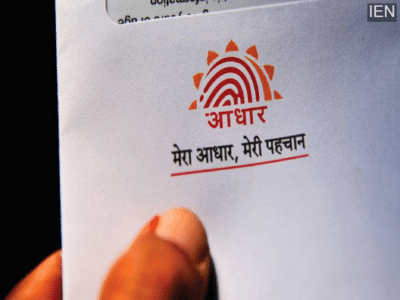
A masked Aadhaar card is a safer version of the regular Aadhaar card. The first 8 digits of the Aadhaar number are hidden, and only the last 4 digits are visible. However, it contains all the necessary information such as name, address, and QR code.
Today, the Aadhaar card has become the most important identity document for every Indian citizen. Whether it's for banking transactions, availing government schemes, or proving your identity, Aadhaar is required everywhere. However, sharing your complete 12-digit Aadhaar number can sometimes pose a threat to your privacy and security. Keeping this in mind, UIDAI has provided people with the option of a masked Aadhaar card to reduce the risk of Aadhaar-related fraud and identity theft.
What is a masked Aadhaar card?
A masked Aadhaar card is a safer version of the regular Aadhaar card. In this version, the first 8 digits of the Aadhaar number are hidden, and only the last four digits are visible. For example, if your Aadhaar number is 1234 5678 9123, the masked Aadhaar will appear as xxxx-xxxx-9123. However, it contains all the necessary information such as name, address, date of birth, gender, and QR code. Due to the UIDAI's digital signature, it is considered completely valid.
Where can a masked Aadhaar card be used?
According to UIDAI, a masked Aadhaar card can be used in several places. For example, it can be used in KYC and verification processes, for job applications, as identification for hotel bookings, and as ID proof at train stations and airports. It can also be used for personal loans or banking-related work. However, where complete identification is required, a regular Aadhaar card may be requested.
How to download a masked Aadhaar card on your mobile?
To download a masked Aadhaar card on your mobile, first download the mAadhaar app on your mobile phone. Then log in with your registered mobile number.
- Now complete the OTP verification.
- Then go to Get Aadhaar - Download Aadhaar.
- Select the Masked Aadhaar option.
- Now enter your Aadhaar number or VID and verify with OTP.
- After verification, the masked Aadhaar will be saved on your mobile phone in a few seconds.
How to download a masked Aadhaar from the UIDAI website?
- To download a masked Aadhaar from the UIDAI website, first go to the myaadhaar.uidai.gov.in website.
- Then click on the Download Aadhaar option.
- Now enter your Aadhaar number, VID, or EID.
- Fill in all the details, enter the captcha, and then enter the OTP.
- After entering the OTP, tick the "Do you want a masked Aadhaar?" option.
- Now click on Verify and Download.
- After this, your masked Aadhaar card will be downloaded.
-
Pakistan PM's Instructions To PCB Revealed After Mohsin Naqvi Meeting

-
T20 World Cup 2026: ICC Set To Announce Warm-Up Match Schedule As India A, USA Set For Games

-
India At ICC T20 World Cup 2026: Washington Sundar In Doubt, Riyan Parag In Contention As Bishnoi Makes Claim With IND Vs NZ 3rd T20I Show

-
MP Police Constable Result 2025 Declared At esb.mp.gov.in, Over 59,000 Candidates Qualify For PET, PST
-
BSEB Releases D.El.Ed JEE 2026 Dummy Admit Cards At bsebdeled.com; Correction Window Open Till Feb 2