5
New Aadhaar app: Easy way to update mobile number and address
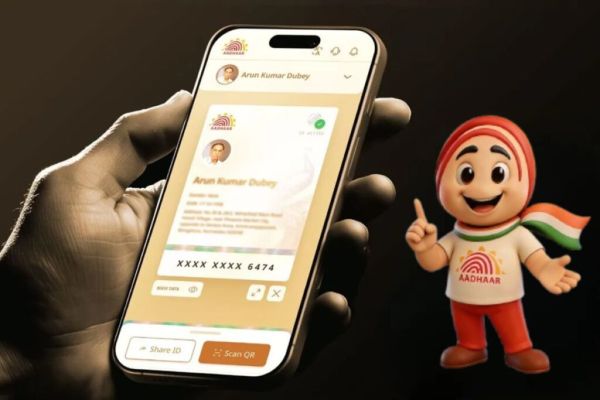
UIDAI (Unique Identification Authority of India) has introduced the new Aadhaar app, which will allow users to easily update their Aadhaar details. This app comes with many important functionalities, which facilitates the user to perform Aadhaar work on a single platform. If you were thinking of updating your mobile number or address in your Aadhaar, now you do not need to go to any Aadhaar service center for this.
How to update mobile number with the new Aadhaar app?
A new feature has been added in the new Aadhaar app, through which you can update your mobile number through OTP and biometric verification. Its main advantage is that now you do not need to go to the Aadhaar center and stand in long queues.
- Download the Aadhaar app on your Android or iOS phone from Google Play Store or App Store.
- Open the app and log in by entering your Aadhaar number.
- Sign in by doing biometric verification.
- Go to the Services section on the home page.
- Select the Mobile Number Update option, read the process and tap Continue.
- Enter the new mobile number and verify through OTP.
- Perform biometric verification through Face Authentication and deposit processing fee of ₹75.
- Your mobile number will be updated within 15 days.
How to update address with the new Aadhaar app?
The process of updating address in the Aadhaar app has also been simplified. There are two options available for this. First, when you have valid address proof in the name of Aadhar card holder. Address proof can include voter ID, electricity bill, gas connection bill, or Indian passport.
Under the second option, you can also update your address with the help of a family member’s Aadhaar.
- Download the Aadhaar app on your phone and log in.
- Go to the Services section and select the Address Update option.
- You will get two options here:
- Through valid address proof: Upload valid documents and verify the information.
- Complete face authentication and deposit processing fee of ₹75.
- With the help of family member’s Aadhaar: Enter family member information.
- Do face authentication and make payment.
- Once the request is submitted, the family member will receive a notification via SMS and app.
- They will have to go to the Aadhaar app to accept it.
- After approval, the update process may take approximately 15 days.
Have any thoughts?
Share your reaction or leave a quick response — we’d love to hear what you think!
-
Bridgerton Season 4 X (Twitter) Review: 'Pure Perfection', 'Amazing'; Netizens Impressed With Netflix's Show

-
'Bahot Saari Gaaliyan Khaayi Maine': The 50 Contestant Shiv Thakare On Doing A Prank About His Wedding | Exclusive

-
US State Department Issues Level 3 Travel Warning For Pakistan Amid Security Concerns

-
IND vs NZ 4th T20I: India Wins Toss! Here’s What Suryakumar Yadav Chose

-
Gold Price January 30: Check 18, 22, 24 carat gold prices in Chennai, Mumbai, Delhi, Kolkata, and other cities of India