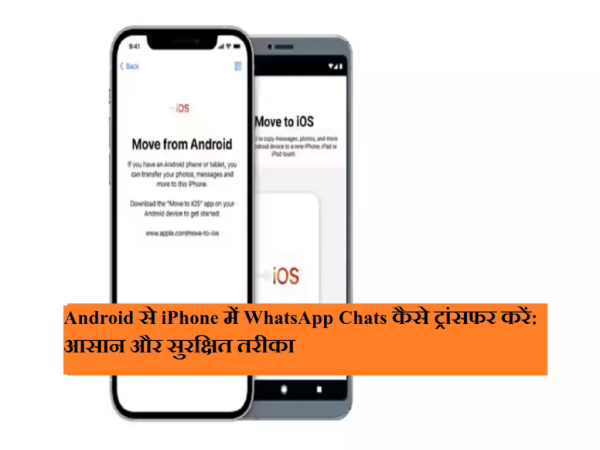
Switching from Android phone to iPhone is exciting, but transferring WhatsApp chats becomes a matter of concern for many users. Old messages, photos, videos and group chats on WhatsApp are often very valuable. The good thing is that now WhatsApp has made it possible to transfer chats from Android to iPhone. official way Has been made available.
Apple’s Move to iOS ऐप This makes the process easy and secure, allowing chats to be transferred without any cables or third-party apps.
Which WhatsApp data will be transferred?
This data is transferred during WhatsApp chat migration:
- Personal and group chats
- Photos, Videos, Documents and Voice Messages
- account settings
keep in mind that WhatsApp call history and payment data is not transferred।
Necessary conditions before transfer
Keep these things in mind before transferring WhatsApp chats:
- in android phone Android 5 or above should be
- iPhone must be new or factory reset
- in android phone Move to iOS ऐप must be installed
- both devices same Wi-Fi network be connected to
- both phones on charging be
- Use the same mobile number in WhatsApp
Steps to Transfer WhatsApp Chats from Android to iPhone
- Turn on iPhone and start setup.
- On the “Apps & Data” screen Move Data from Android Select.
- in android phone Move to iOS ऐप Open.
- Enter the code shown on iPhone into Android phone.
- Continue Tap on and follow the instructions.
- from the list WhatsApp select and Start Tap on.
- The transfer will begin once the WhatsApp data is ready.
- Let the process complete.
- Install WhatsApp on iPhone, verify number and Restore Tap on.
important tips
- Do not close the app during transfer
- Do not disconnect Wi-Fi
- The process may take time if there is a lot of chat
Now there is no need to worry about losing WhatsApp chats when switching from Android to iPhone. With the help of Move to iOS app, users can safely transfer their old messages and media to the new iPhone. With proper preparation and following the steps, this process becomes completely easy and reliable.
-
Every 6th BJP MP in LS won through ‘vote chori’: Rahul Gandhi

-
HC seeks comprehensive plan for crowd management in Mathura

-
Samsung crosses USD 1 trillion valuation as AI boosts demand for chips
-
Rahul Gandhi–Vijay Govt In Tamil Nadu? Congress Offers Support To TVK

-
Top 10 | ABP LIVE Afternoon Bulletin: Top News Headlines from 6 May 2026 - Afternoon