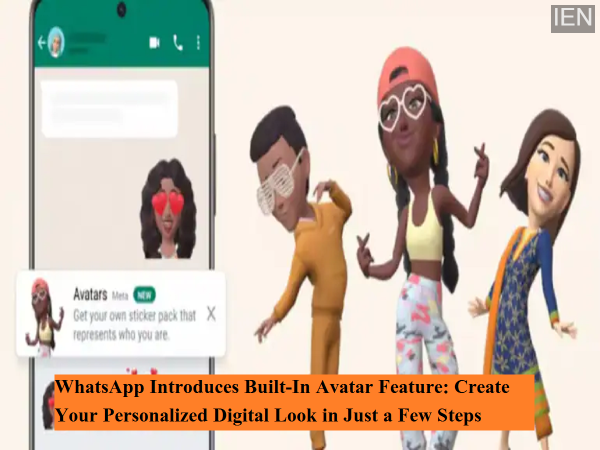
WhatsApp continues to enhance user experience by rolling out new and interactive features. In its latest update, the popular messaging platform has introduced a built-in Avatar creation feature, allowing users to design a personalized digital version of themselves directly within the app. This feature enables users to express their identity more creatively through custom avatar stickers and even set their avatar as a profile photo.
The new WhatsApp Avatar feature is now available for users on Android and iOS devices, including those in India and other global markets. With easy customization options and privacy-focused design, this update adds a fun and personal touch to everyday conversations.
What Is WhatsApp Avatar and Why It Matters
The Avatar feature lets users create a digital character that closely resembles their physical appearance. From facial structure and hairstyle to skin tone and body type, users can personalize their avatar in detail. Once created, the avatar can be used across chats in the form of stickers, reactions, and profile images.
This feature is especially useful for users who prefer not to use real photos but still want a personalized representation on WhatsApp.
How to Create a WhatsApp Avatar Manually
Users can create their avatar manually by following these simple steps:
-
Open WhatsApp and tap on the three-dot menu on the top-right corner.
-
Go to Menu > Settings > Avatar.
-
Tap on Create your Avatar and then select Get Started.
-
Choose Create Manually.
-
Select details such as skin tone, hairstyle, face shape, and body type.
-
Follow the on-screen steps to customize the avatar further.
-
Tap Save once you are satisfied with your avatar.
Create an Avatar Directly From a Chat
WhatsApp also allows users to create an avatar directly from the chat window:
-
Open any chat.
-
Tap on the Sticker icon.
-
Select Avatar.
-
Follow the prompts to begin avatar creation.
Create Avatar Using a Selfie
Another convenient option is creating an avatar using a selfie:
-
Go to Settings > Avatar.
-
Tap on Create your Avatar > Get Started.
-
Choose Create from Selfie.
-
Allow camera access if prompted.
-
Position your face in the center of the frame and take a photo.
-
Customize the generated avatar as per your preference.
-
Tap Save and Continue, then Save.
WhatsApp uses the selfie only to generate the avatar and deletes the image afterward to ensure user privacy.
Important Things to Know About WhatsApp Avatar
-
Avatars can be deleted at any time, but deletion is permanent.
-
The selfie used for avatar creation is not stored or reused.
-
There is no gender selection option for avatars.
-
Avatars are currently not available on linked devices or companion phones.
Why This Feature Is a Big Update
With digital communication becoming more expressive, WhatsApp’s Avatar feature brings creativity, privacy, and personalization together. It aligns with Meta’s broader vision of immersive digital identity while keeping the interface user-friendly.
-
Every 6th BJP MP in LS won through ‘vote chori’: Rahul Gandhi
-
HC seeks comprehensive plan for crowd management in Mathura

-
Samsung crosses USD 1 trillion valuation as AI boosts demand for chips

-
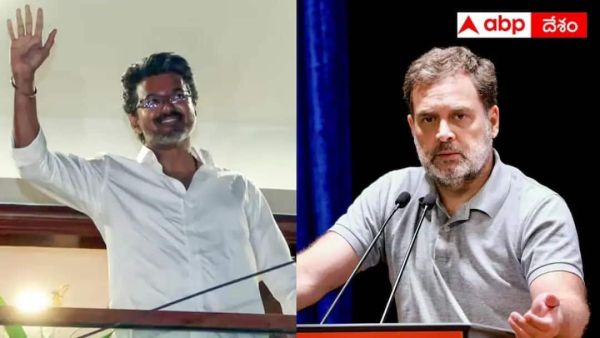
Rahul Gandhi–Vijay Govt In Tamil Nadu? Congress Offers Support To TVK
-
Top 10 | ABP LIVE Afternoon Bulletin: Top News Headlines from 6 May 2026 - Afternoon