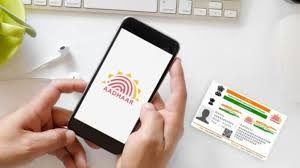
News India Live, Digital Desk: In today’s digital era, Aadhaar Card is not just an identity card but has become the key to almost every government and financial service. From opening a bank account to filing income tax returns, it is mandatory to link Aadhaar with your mobile number everywhere. Often people forget which mobile number is registered with Aadhaar or whether the number is linked or not. To end this confusion, UIDAI has started a very easy online process. Now you can verify it in just a few minutes with your smartphone without visiting the Aadhaar centre.1. Why is it important to have an Aadhaar-mobile link? Updating the mobile number with Aadhaar is very important from the security point of view: OTP authentication: For most of the Aadhaar based services, OTP comes on the same number which is linked. Online update: It is necessary to have a mobile link to update the address or other information sitting at home. Protection from fraud: You get information through alerts whether your Aadhaar is being misused. 2. How to do online verification? (Step-by-Step Guide)According to the Times Bull report, you can verify your mobile number by following the simple steps given below: Visit the official website: First of all, log in to the official website of UIDAI myaadhaar.uidai.gov.in. Select Aadhaar Services: Go to the ‘Aadhaar Services’ section on the homepage and click on the option ‘Verify Email/Mobile Number’. Fill in the details: Your 12 digit Aadhaar number and that Enter the mobile number you want to check. Captcha Code: Carefully fill the captcha code shown on the screen and click on ‘Send OTP’. Answer: If that number is already linked, a message will appear on the screen – “The mobile number you have entered is already verified with our records.” If the link is not there, it will inform you.3. What to do if the number is not linked? According to UIDAI rules, you cannot add a new mobile number online due to security reasons. For this you will have to go to your nearest Aadhaar Enrollment Center (Aadhaar Seva Kendra). However, you can book an appointment online to visit the center so that you do not have to stand in the queue.4. Security Tip: Be alert! UIDAI has cautioned citizens not to share their Aadhaar number or OTP with any unknown person or unauthorized website. Always use the official government portal or ‘mK穩haar’ app for Aadhaar verification.
-
US slaps 10 per cent tariffs on goods imported from India on issue forced labour

-
New Developments in Nancy Guthrie Kidnapping Case: Ransom Note Details Revealed

-
US Secretary of State Issues Stark Warning to Iran Amid Rising Tensions

-
'Ramayana' stars Ranbir Kapoor and Yash ARRIVE at San Diego Comic-Con 2026 for grand trailer launch - PICS

-
Removing Dharmendra Pradhan is the strictest action: CJP to Modi