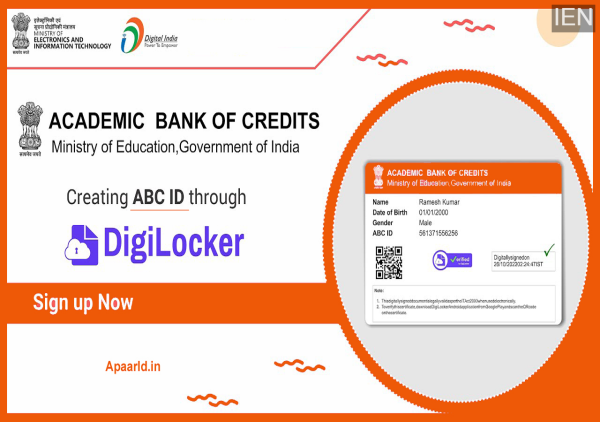
Many students who have applied for an APAAR ID are unsure about where and how to download it online. While DigiLocker is the most recommended platform for accessing APAAR ID, a growing number of students report that their APAAR ID or college records are not visible on DigiLocker or even on the Academic Bank of Credits (ABC) website.
If you are facing a similar issue, this guide explains what APAAR ID is, how to download it online, and what to do if your record is missing on both DigiLocker and ABC.
What Is APAAR ID?
APAAR ID (Automated Permanent Academic Account Registry ID) is a unique digital identity for students, created to store and manage their academic records online. Under India’s New Education Policy (NEP), APAAR ID is being made mandatory for students to ensure that their educational achievements, certificates, and academic history are stored securely in digital form.
The main goal of APAAR ID is to:
-
Digitally store academic credentials
-
Enable easy access to education records anytime
-
Support credit transfers and academic tracking
-
Reduce paperwork and simplify student verification
APAAR ID is being issued through schools, colleges, and online platforms, making it an important digital document for every student.
How to Download APAAR ID from DigiLocker
The easiest and most reliable way to download APAAR ID is through the DigiLocker app or website.
Step-by-Step Process:
-
Install DigiLocker on your mobile phone (or visit the DigiLocker website).
-
Create a DigiLocker account using your Aadhaar card and mobile number.
-
After setting a security PIN, log in to your account.
-
Go to the Search option inside DigiLocker.
-
Type “APAAR ID” in the search bar.
-
Alternatively, you can search for “Academic Bank of Credits.”
-
-
Enter the required details such as student information or institution details.
-
Click on “Get Document.”
-
Once the APAAR ID is generated, you will see an option to download it as a PDF.
-
Save the file on your device for future reference or printing.
This method works for most students whose academic records have already been uploaded to the DigiLocker system.
How to Download APAAR ID from the ABC (Academic Bank of Credits) Portal
If you do not have DigiLocker installed or cannot find your record there, you can try downloading APAAR ID from the Academic Bank of Credits (ABC) portal.
Steps to Follow:
-
Visit the Academic Bank of Credits website
-
Look for the “APAAR ID Download” option
-
Enter your student or academic details
-
Download your APAAR ID
-
You can also print the ID directly from the portal
The ABC portal serves as an alternative platform to access your academic identity and credit records.
What If APAAR ID Is Not Showing on DigiLocker or ABC?
Several students have shared complaints on social platforms such as Reddit, stating that their APAAR ID does not appear on either DigiLocker or the ABC website. This situation can occur due to:
-
Delayed record uploads
-
Incorrect student data
-
Institutional processing delays
-
Technical syncing issues between portals
Recommended Solution:
If your APAAR ID is missing from both platforms, the best course of action is to:
👉 Contact your school, college, or university directly
👉 Ask the institution to verify and generate your APAAR ID
👉 Request them to update your records on DigiLocker or ABC
Educational institutions have the authority and access to retrieve or regenerate APAAR ID records, making them the most reliable source when online platforms fail.
Why APAAR ID Is Important for Students
APAAR ID is expected to play a major role in the future of digital education, including:
-
Easy verification of academic records
-
Simplified college admissions and credit transfers
-
Secure digital storage of certificates and marksheets
-
Faster access to educational history
With increasing emphasis on digital academic infrastructure, having an APAAR ID will become essential for students across India.
Final Takeaway
If you want to download your APAAR ID online, start with DigiLocker, and if it’s unavailable there, check the Academic Bank of Credits portal. If your ID is not visible on either platform, reach out to your college or university for assistance. Staying proactive will ensure you get your APAAR ID without unnecessary delays.
-
BRS, BJP obstructing Telangana projects, alleges Revanth Reddy

-
Telangana Model Schools invite applications for academic year 2026-27
-
The 'breathtaking' sunshine island that's 30C in March with direct flights from the UK

-
Qualcomm India achieves 2nm chip design tape-out: What it means?

-
NHS says 'memory problems' could be sign of vitamin deficiency