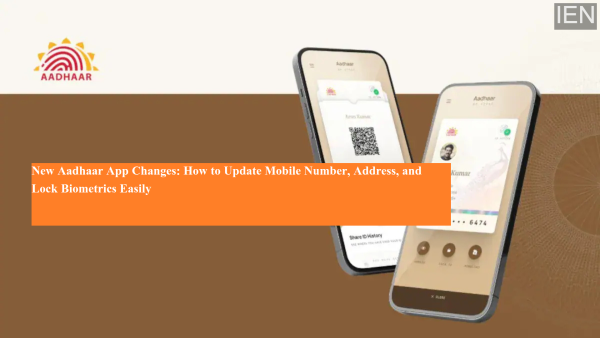
The UIDAI has recently launched the full version of its Aadhaar mobile app, introducing a refreshed interface and reorganized features. With this update, several options—especially those related to updating mobile numbers, addresses, and biometric security—have been relocated within the app. While the core services remain the same, the process flow and navigation have been improved, making Aadhaar updates more streamlined and user-friendly.
If you are wondering whether the method to update your phone number or address has changed in the new Aadhaar app, the answer is yes—slightly. Below is a complete guide explaining registration, mobile number updates, address changes, and biometric lock/unlock features in the new app.
How to Register on the New Aadhaar App
Although the design and feature placement in the Aadhaar app have changed, the registration process remains largely the same.
If you are a first-time user, download the Aadhaar app from the Google Play Store or App Store, then follow these steps:
-
Open the app and tap on “Continue to Register.”
-
Enter your Aadhaar number.
-
Accept the terms and conditions.
-
Tap “Continue to Send SMS” to link your SIM card with the app.
-
Once your mobile number is verified, tap “Continue.”
-
Proceed with Face Authentication by tapping “Continue to Face Authentication.”
-
The app will fetch and verify your Aadhaar details.
-
Finally, set a secure PIN to complete registration.
After completing these steps, your Aadhaar account will be successfully activated, and you can start using all app services.
How to Update Mobile Number in the New Aadhaar App
In the updated version, the mobile number update option has been moved to the Services tab located at the bottom of the home screen.
Follow these steps to change your linked mobile number:
-
Go to the Services section.
-
Tap on “Mobile Number Update.”
-
Select “Continue to Update Mobile Number.”
-
Enter your new mobile number.
-
An OTP will be sent to the new number—enter it for verification.
-
Complete the authentication process as guided in the app.
-
After successful OTP verification, your update request will be submitted to UIDAI.
Processing Time & Fee:
-
Up to 15 days
-
₹75 service fee
How to Update Address in the New Aadhaar App
The address update feature is also available under the Services tab.
Option 1: Update Address Using Documents
You can use valid documents such as electricity bills, phone bills, or other proof of address.
Steps:
-
Open Services → Address Update
-
Choose “Using Your Documents.”
-
Tap “Continue to Update Address.”
-
Select and upload the required address proof document
-
Verify your new address details
-
Complete Face Authentication
-
Make the payment and submit your request
Option 2: Update Address Using a Family Member’s Aadhaar
You can also update your address by referencing the Aadhaar card of a family member.
Steps:
-
Select “Using Family Member’s Aadhaar.”
-
Tap “Continue to Update Aadhaar.”
-
Enter the family member’s Aadhaar details
-
Complete Face Authentication
-
Submit the request after payment
Processing Time & Fee:
-
Up to 15 days
-
₹75 service charge
How to Lock or Unlock Biometrics in the New Aadhaar App
The updated Aadhaar app has made biometric security easier to access. You no longer need to search through multiple sections—the biometric lock feature is now available directly on the home screen.
Steps to Lock Biometric Data:
-
Open the app and go to the Home Page
-
Locate the Biometrics Unlocked option under your Aadhaar QR code
-
Tap “Confirm Biometric Lock”
-
Select “Yes, Confirm”
Once enabled, your fingerprint and iris data will be locked, preventing misuse and enhancing security.
Why the New Aadhaar App Update Matters
The redesigned Aadhaar app aims to:
-
Improve user experience
-
Make updates faster and simpler
-
Enhance data security
-
Centralize essential services in one place
With clearer navigation, face authentication integration, and quicker access to key services, users can now manage their Aadhaar details more efficiently than ever before.
-
BRS, BJP obstructing Telangana projects, alleges Revanth Reddy

-
Telangana Model Schools invite applications for academic year 2026-27

-
The 'breathtaking' sunshine island that's 30C in March with direct flights from the UK

-
Qualcomm India achieves 2nm chip design tape-out: What it means?

-
NHS says 'memory problems' could be sign of vitamin deficiency