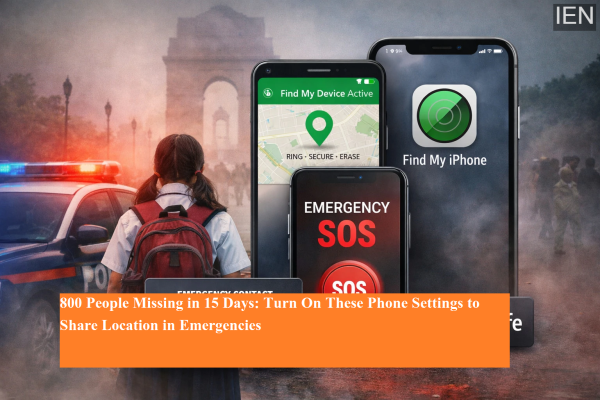
Reports revealing that around 800 people went missing in the first 15 days of 2026 have raised serious safety concerns across the country. This means more than 50 people disappearing every day, with women and children forming a large share of the victims. In such an alarming situation, your smartphone can become a powerful safety tool — if you enable the right settings.
Both Android and iPhone devices come with built-in Emergency & SOS features that allow users to quickly share their real-time location, alert emergency contacts, and contact emergency services with just a few button presses. These tools can prove life-saving during danger, accidents, or suspicious situations.
Here’s a complete guide on how to enable Emergency SOS and safety features on your smartphone to stay prepared in critical moments.
Why Emergency SOS on Your Phone Matters
The Emergency SOS feature is designed to help users instantly seek help without unlocking their phone or navigating menus. Once enabled, it can:
-
Send your live location to trusted contacts
-
Call emergency services automatically
-
Share medical and personal details
-
Record emergency video (on supported devices)
-
Alert family members in urgent situations
In times of distress, every second counts, and these features can make a real difference.
How to Enable Emergency SOS on iPhone
iPhone users can activate Emergency SOS by configuring it in the phone’s settings. This feature allows users to trigger emergency calls and share location by pressing the power button three times.
Steps to Enable Emergency SOS on iPhone:
-
Open Settings on your iPhone
-
Search for Emergency SOS
-
Turn on “Call with 3 Button Presses”
-
This will call emergency numbers when the power button is pressed three times
-
-
If you want a silent emergency call, enable “Call Quietly”
-
If you frequently travel by car, enable “Call After Serious Car Crash”
-
This option can automatically contact emergency services after detecting a severe accident
-
These settings ensure help is just one quick action away.
Set Emergency Contacts on iPhone (Health App)
For Emergency SOS to work effectively, you must add emergency contacts in the Health app.
How to Add Emergency Contacts:
-
Open the Health app
-
Go to Emergency SOS settings
-
Select “Set Up Emergency Contacts in Health”
-
Add family members, friends, or trusted contacts
-
Save your medical details and personal information
This allows emergency responders and contacts to access vital information even if your phone is locked.
How to Enable Safety & Emergency Settings on Android
Android smartphones also offer Safety & Emergency features that allow users to send alerts, share location, and contact emergency services quickly.
Steps to Set Up Emergency SOS on Android:
-
Open Settings
-
Go to Safety & Emergency
-
Add your emergency contacts
-
Save important medical details
-
Turn on Emergency SOS
-
Set the shortcut to activate SOS by pressing the power button three times
Once enabled, your phone can send alerts and location instantly during emergencies.
Enable Additional Emergency Features on Android
To maximize safety, scroll down in the Emergency SOS settings and turn on:
-
Call Emergency Services
-
Share Info with Emergency Contacts
-
Record Emergency Video
These features ensure maximum information is shared when help is needed urgently.
How Your Smartphone Becomes a Safety Shield
By activating Emergency & SOS settings, your smartphone transforms into a personal security device that can:
-
Help during kidnapping risks or unsafe situations
-
Assist during road accidents
-
Protect women, children, and elderly individuals
-
Send alerts when someone feels threatened
-
Provide quick emergency communication
With increasing safety concerns, keeping these features active can add an extra layer of protection to your daily life.
Final Thoughts
With hundreds of people reported missing in just a few weeks of 2026, personal safety has become more important than ever. Turning on Emergency SOS and safety settings on your smartphone is a simple yet powerful step toward protecting yourself and your loved ones.
Whether you use an iPhone or an Android device, enabling these features ensures that help, location sharing, and emergency communication are available instantly when it matters most.
Taking a few minutes to configure these settings today could save lives tomorrow.
-
BRS, BJP obstructing Telangana projects, alleges Revanth Reddy

-
Telangana Model Schools invite applications for academic year 2026-27

-
The 'breathtaking' sunshine island that's 30C in March with direct flights from the UK

-
Qualcomm India achieves 2nm chip design tape-out: What it means?

-
NHS says 'memory problems' could be sign of vitamin deficiency