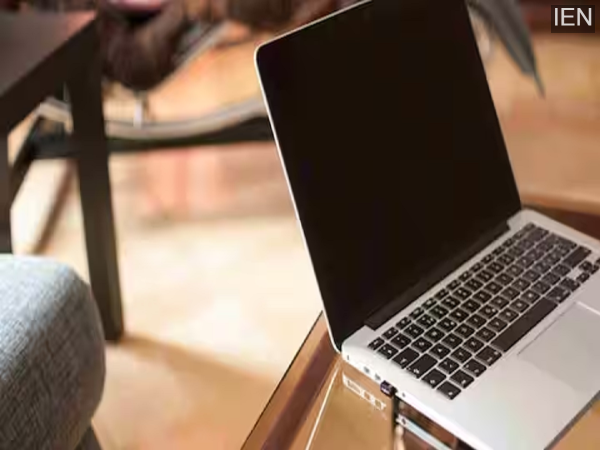
Laptop Sleep Mode: Nowadays, most people prefer putting their laptops in sleep mode instead of shutting them down. The reason is simple: work resumes instantly from where it was left off.
Nowadays, most people prefer putting their laptops in sleep mode instead of shutting them down. The reason is clear: work resumes instantly from where it was left off. But the question arises: how much power does a laptop consume in sleep mode, and is it good for the battery or the device's health?
When you put your laptop in sleep mode, most of its activities stop. The screen turns off, the processor is not actively working, and the hard drive or SSD also goes into an inactive state. However, a small amount of power is continuously supplied to keep the system's memory running so that your work appears instantly when you open the laptop again.
Typically, a laptop in sleep mode consumes only 0.5 to 2 watts of power. In comparison, the same laptop can consume 20 to 60 watts during normal use, depending on the task and hardware. The power consumption in sleep mode overnight is so low that its impact on the electricity bill is almost negligible.
Completely shutting down the laptop results in almost zero power consumption, but it takes time for the system to restart each time. Sleep mode, on the other hand, offers the convenience of resuming work instantly by simply opening the lid. For short breaks or overnight, sleep mode is considered a much better and more economical option than leaving the laptop on.
Technology experts believe that using sleep mode regularly is completely safe. Today's modern laptops and operating systems are designed this way. Less heat is generated in sleep mode, which reduces the strain on the fan and processor, helping to extend the lifespan of the hardware.
The battery drains very slowly in sleep mode, so it doesn't cause any significant damage to the battery. Yes, if a laptop remains in sleep mode for several days without being charged, the battery can completely discharge, which is not considered good in the long run.
If you won't be using your laptop for several days or need to install a major system update, it's better to shut it down. Restarting occasionally also helps maintain optimal system performance.
-
T20 World Cup 2026: Tim Seifert’s heroics help New Zealand beat Afghanistan by five wickets

-
Kritika Kamra-Gaurav Kapur to marry in Mumbai in early 2026? Here’s what we know so far

-
Want to Keep Your Aadhaar Safe from Fraud? Follow These 5 Security Steps Shared by UIDAI

-
Oldest road in UK goes back 5,000 years and is still used today

-
Treasury issues update on plans for 'review' of road tax