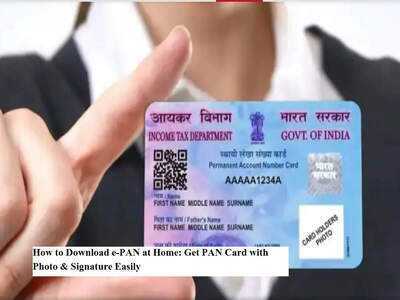
In the current digital age, having essential government documents accessible on your mobile device is crucial. Following Aadhaar, the PAN card stands out as a vital identity document necessary for various financial activities, including opening bank accounts and filing tax returns.
But what happens if you need your PAN urgently and can't find the physical card? This is where the e-PAN card proves to be invaluable. The good news is that you can conveniently download your e-PAN from home and even make updates to your photo and digital signature if required.
Here’s a comprehensive guide on what you need to know.
Understanding the e-PAN Card
An e-PAN card is the digital equivalent of your physical PAN, issued by the Income Tax Department of India. It holds the same validity and can be utilized wherever a PAN is necessary for identity verification or financial transactions.
Thanks to the Digital India initiative, the e-PAN alleviates concerns about losing or damaging your physical card. You can securely store it on your mobile or computer and access it whenever needed.
Updating Your Photo and Signature
Absolutely. If your existing PAN features a blurry photo or an outdated signature, you can easily update it online through Protean eGov Technologies (previously known as NSDL) or UTI Infrastructure Technology and Services Limited.
The process is straightforward:
- Upload a recent passport-sized photograph
- Provide your updated signature
- Submit the necessary supporting documents
- Pay the required correction fee
Once verified, your updated PAN, including the e-PAN, will be issued.
Steps to Download Your e-PAN Online
To download your e-PAN quickly, follow these steps:
Step 1: Navigate to the official e-filing portal of the Income Tax Department.
Step 2: Locate the Quick Links section and select Instant e-PAN.
Step 3: Enter your Aadhaar number.
Step 4: Verify using the OTP sent to your Aadhaar-linked mobile.
Step 5: After verification, download your e-PAN in PDF format.
Your digital PAN will be ready in just a few minutes.
Applying for Updated Photo and Signature
If you wish to have a PAN with an updated photo or signature, follow these steps:
Essential Security Tips
- Always use official government or authorized websites.
- Never share your Aadhaar OTP with strangers.
- Avoid clicking on dubious links that claim to offer PAN downloads.
- Store your e-PAN securely.
Password tip: Most e-PAN PDFs are password-protected. Typically, the password is your date of birth in DDMMYYYY format.
Advantages of the e-PAN Card
- ✅ Instant digital access
- ✅ Legally valid everywhere
- ✅ Environmentally friendly
- ✅ Easy to store and share
- ✅ Quick correction process
As digital services continue to grow, the e-PAN card simplifies the management of your financial identity, making it quicker and safer. If you haven't downloaded yours yet, now is the ideal time to do so from the comfort of your home.
-
Who Is Laila Faisal? Rumours About Abhishek Sharma's Love Life

-
India Exploring Oil Supply Options, Says US Envoy Sergio Gore Amid Pax Silica Push

-
‘Grips And Chokes On PM’: Rahul Gandhi Uses Jiu-Jitsu Analogy To Target Government Over US Trade Deal

-
ICC T20 World Cup 2026, Super 8 Group 1 Analysis: India, South Africa, West Indies & Zimbabwe Ready For High-Stakes Battles

-
Radha Yadav's All-Round Brilliance Takes India A To Women's Rising Stars Asia Cup Final