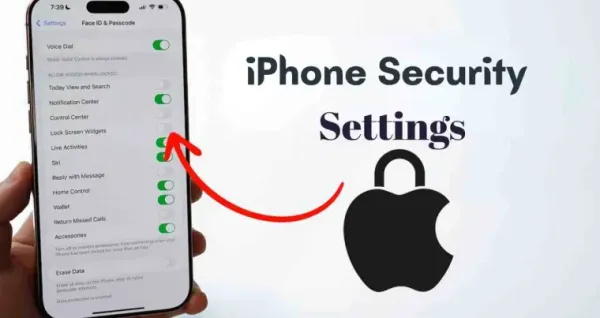
After purchasing a new iPhone, it is important to immediately turn on three important settings for better security and privacy. Attention Awareness, Find My iPhone and Two-Factor Authentication features in Face ID play an important role in protecting the device from unauthorized access, data theft and account hacking.
iPhone Security Settings: Immediately after getting a new iPhone, users should activate features like Face ID Attention Awareness, Find My iPhone and Two-Factor Authentication in their device. These settings are important for preventing unauthorized access to Apple devices, tracking a lost phone, and providing additional security to your Apple ID. Whether you are at home or away, turning on these features is an important step to keep your personal data, banking details and important documents safe.
Be sure to turn on Attention Awareness in Face ID
Face ID is already a strong security feature of iPhone, but turning on “Require Attention for Face ID” takes its security even further. When this feature is activated, the phone will unlock only when you are looking directly at the screen.
The advantage of this is that if you are sleeping or your attention is somewhere else, no one will be able to unlock your iPhone by bringing it in front of your face. To turn it on, go to Settings, tap on Face ID & Passcode and activate the “Require Attention” option.
Find My iPhone
Losing iPhone can become a big problem for any user. In such a situation, the “Find My iPhone” feature allows you to track your device, remotely lock it and delete data if needed.
To turn on this feature, tap your name in Settings, then go to “Find My” and activate “Find My iPhone.” This setting helps track your phone’s location securely and prevents data from falling into the wrong hands.
Give double security to Apple ID with Two-Factor Authentication
Two-Factor Authentication i.e. 2FA is considered the strongest way to keep Apple ID secure. Even if someone knows your password, they will still not be able to log into your account, as an additional verification code will be required.
To turn on this feature, tap your name in Settings, then go to “Sign-In & Security” and activate Two-Factor Authentication. This setting increases your security manifold from online fraud and unauthorized access.
Why are these settings important?
In today’s time, smartphones are not limited to just calls or messages. These contain banking apps, personal photos, office documents and many sensitive information. In such a situation, ignoring iPhone security settings can be risky.
By turning on these three features as soon as you buy a new iPhone, you not only ensure better privacy, but also get a secure and reliable user experience in the long run.
-
March Indian nonfiction: Six new titles that take a sharp look at India's past and future

-
ICAI CA Final January 2026 Results Announcement

-
Karnataka: Govt opens barber shop in Gadag for Dalits

-
UPSSSC Junior Assistant 2023 Typing Test Results Announced

-
PM Modi Ajmer visit: Rs 16,686 crore development push, HPV vaccination drive to be launched today (Ld)