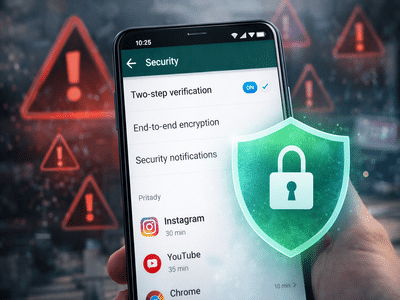
WhatsApp has become an integral part of daily communication, whether for office work, personal conversations, video calls, or sharing important documents. With billions of users worldwide, the messaging platform holds sensitive personal and professional information. However, as its popularity grows, so does the risk of cyber fraud.
Cybercriminals are increasingly targeting WhatsApp accounts, and in some cases, users report unauthorized access even without sharing an OTP (One-Time Password). While OTP-based verification is a key security feature, hackers often use social engineering, phishing links, SIM swap fraud, or device-level vulnerabilities to gain access.
To prevent potential account compromise, users should enable important security settings and remain cautious. Here are five crucial steps you can take immediately to safeguard your WhatsApp account.
1. Enable Two-Step Verification ImmediatelyOne of the most effective ways to secure your WhatsApp account is by turning on Two-Step Verification. This feature adds an extra layer of protection beyond the standard OTP login process.
When enabled, you are required to create a six-digit PIN. Even if someone attempts to log in using your phone number and manages to obtain the OTP, they will not be able to proceed without entering this PIN.
How to enable it:
- Open WhatsApp
- Go to Settings
- Tap on Account
- Select Two-step verification
- Tap Enable and set a 6-digit PIN
This additional step significantly reduces the risk of unauthorized access.
2. Restrict Your Privacy Settings to “My Contacts”Many users unknowingly keep their profile photo, last seen, and online status visible to everyone. This public visibility can make it easier for scammers to gather personal information and target users.
To enhance privacy:
- Go to Settings
- Tap Privacy
- Set options like Profile Photo, Last Seen, and About to My Contacts
Limiting visibility ensures that only saved contacts can view your activity, reducing exposure to unknown users.
3. Control Who Can Add You to GroupsBeing added to random WhatsApp groups by unknown individuals is not just annoying—it can also be risky. Fraudsters often circulate malicious links or phishing messages in fake groups to trick users.
To prevent this:
- Open Settings
- Tap Privacy
- Select Groups
- Choose My Contacts or My Contacts Except…
This setting ensures that only trusted individuals can add you to groups, lowering the chances of encountering harmful links.
4. Use App Lock for Additional ProtectionIf your phone is lost, stolen, or accessed by someone else, enabling app-level security can prevent unauthorized access to your chats.
WhatsApp offers fingerprint or face lock features on supported devices.
To activate it:
- Go to Settings
- Tap Privacy
- Scroll to App Lock (or Fingerprint Lock)
- Enable biometric authentication
This ensures that only you can open the app, even if someone unlocks your phone.
5. Keep WhatsApp Updated and Avoid Suspicious LinksRegular app updates often include important security patches that fix vulnerabilities. Running an outdated version of WhatsApp can leave your account exposed to known security risks.
Additionally, avoid clicking on suspicious links sent from unknown numbers. Many hacking attempts start with phishing messages designed to trick users into sharing sensitive details or installing malware.
Remember:
- Never share your OTP with anyone
- Do not click on unfamiliar links
- Verify unknown callers before responding
- Report and block suspicious accounts
With cyber threats evolving rapidly, proactive security measures are essential. While WhatsApp provides built-in safety features, users must enable and use them properly to stay protected.
By activating two-step verification, tightening privacy settings, controlling group access, enabling app lock, and staying alert against suspicious links, you can significantly reduce the risk of hacking.
Taking these precautions today can help you avoid major inconvenience or data loss in the future.
-
Is Iran’s Oil Industry Near Breaking Point Under US Naval Blockade? | Explainer

-
ICC ODI Rankings: Bangladesh bowlers make big gains after NZ series win

-
Good news from Sukma forests, tendu leaf collection intensifies, income of thousands of forest dwellers will increase. Sukma Tendu Leaf Collection 35 Thousand Bags Procurement Continues

-
What benefit do oil selling countries get from OPEC? Question raised if UAE separates

-
A minor cough can hollow out the lungs! These symptoms indicate early signs of TB – News Himachali News Himachali