
WhatsApp continues to improve the way users share media on the platform. One of the latest updates allows users to send high-definition (HD) photos in chats and group conversations. Previously, images shared through WhatsApp were automatically compressed to reduce file size and improve delivery speed. While compression helped save data and storage, it often resulted in a noticeable loss of image quality.
With the introduction of the HD photo option, users can now share clearer and more detailed pictures without losing significant visual quality. The feature ensures that photos maintain better resolution while still being protected by end-to-end encryption, which means only the sender and the recipient can access the media.
According to Meta, the parent company of WhatsApp, the HD photo feature is being rolled out globally for users. This update is particularly useful for those who frequently share important photos, travel pictures, event images, or professional visuals where maintaining clarity matters.
If you want to send images with better quality on WhatsApp, here’s a detailed guide explaining how to use the HD photo feature.
What Is WhatsApp’s HD Photo Feature?WhatsApp’s HD photo option allows users to share images in higher resolution compared to standard photo sharing. Normally, WhatsApp compresses images heavily to reduce file size, which can make photos look blurry or lose details.
With the HD option enabled:
- Photos retain more clarity and details
- Image resolution remains significantly higher
- The photo still remains secure through end-to-end encryption
This feature works in individual chats as well as group chats.
Resolution Difference: Standard vs HD PhotosWhen sending photos through WhatsApp, users can choose between two quality options.
Standard Quality
- Approximate resolution: 1600 × 1052 pixels
- File size is smaller
- Faster sending and downloading
HD Quality
- Resolution can go up to 4096 × 2692 pixels
- Much clearer and more detailed images
- Slightly larger file size
Standard quality images are typically under 3 megapixels, while HD photos can reach around 12 megapixels.
How to Send HD Photos on WhatsAppFollow these steps to send high-quality photos through WhatsApp.
Step 1: Open WhatsApp ChatLaunch the WhatsApp application and open the chat or group where you want to send the photo.
Step 2: Select or Capture a PhotoTap the camera icon or attach media from your phone’s gallery.
You can either:
- Capture a new photo using the camera
- Select an existing image from your phone
After selecting the photo, WhatsApp will open the editing preview screen.
Here you will see an HD icon at the top of the screen.
Tap the HD icon and select High Quality instead of Standard Quality.
Step 4: Confirm Your SelectionTap Done to confirm the HD setting.
Step 5: Send the PhotoPress the Send button.
Once sent, the image will display a small HD badge in the chat, indicating that it was shared in high definition.
Important Things to RememberThere are a few key points users should keep in mind when sending HD photos.
- HD quality must be selected manually each time you send media
- The default option remains Standard Quality
- HD photos require more storage space
- Larger files may take longer to upload or download
This ensures that users with limited internet speed or storage can still choose standard quality if needed.
Managing Storage and Data Usage on WhatsAppBecause HD photos are larger in size, they may consume more storage on your phone. To manage this, users can adjust media auto-download settings.
Follow these steps:
This helps control how media is downloaded when using mobile data, Wi-Fi, or roaming.
The introduction of HD photo sharing on WhatsApp is a significant improvement for users who want to share clearer and more detailed images. By giving users the option to choose between standard and high-quality photos, WhatsApp balances media quality with data and storage efficiency.
Whether you are sharing family memories, travel photos, or professional images, the HD photo feature ensures that your pictures look better and preserve important details.
-
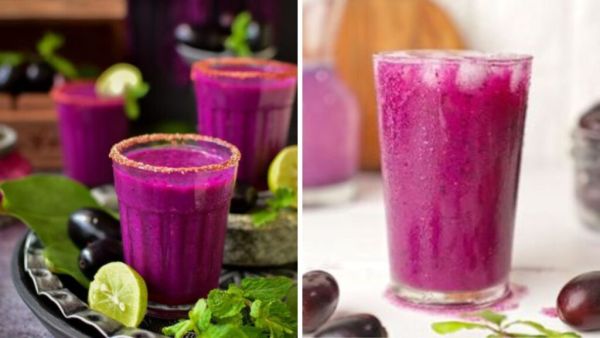
Summer Drink: A refreshing sweet and sour drink will be prepared in 10 minutes, it will cool the body in the hot sun.
-
Samsung And Apple Gain Market Share Despite Memory Crisis, While Chinese Smartphone Makers Struggle With Limited Supply And Rising Costs

-
CoreWeave hints at AI empire beyond OpenAI – Who’s the mystery power player?

-
There will be a big explosion in the auto market! This company will launch as many as 6 electric cars in the next 2 years, customers will get new options

-
Hyundai Ioniq 5 Facelift Debuts with a Massive 690 KM Range, Meet the New King of Premium EVs in India: