With rising concerns about cooking gas supply and increasing demand for LPG cylinders, many households are looking for faster ways to book their gas refills. The government has recently extended the minimum waiting period for LPG refill booking from 21 days to 25 days to ensure fair distribution and prevent panic buying.
However, authorities have clarified that LPG supply in the country remains sufficient, and domestic consumers will continue to receive priority. Even with the revised waiting period, there are several convenient methods that allow consumers to book their LPG cylinders quickly and easily.
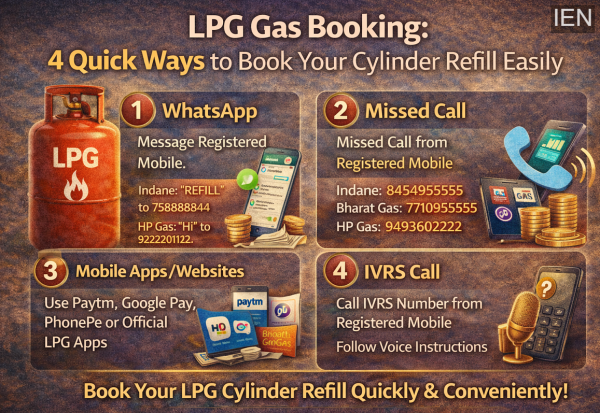
Here are four simple ways to book an LPG cylinder refill in India.
1. LPG Booking Through WhatsApp
Many LPG providers now allow customers to book their cylinders directly through WhatsApp, making the process quick and convenient.
To book a refill using WhatsApp, send a message from your registered mobile number to the following numbers:
-
Indane: Send “REFILL” to 7588888824
-
Bharat Gas: Send “Hi” to 1800224344
-
HP Gas: Send “Hi” to 9222201122
Once the message is sent, the system registers your booking and sends a confirmation.
It is important to note that the message must be sent from the same mobile number registered with your LPG distributor.
2. Booking LPG Cylinder via Missed Call
If you do not have internet access, you can still book your cylinder easily by giving a missed call.
After placing the missed call from your registered mobile number, your booking is automatically registered and a confirmation message is sent.
Missed call numbers for LPG providers:
-
Indane: 8454955555
-
Bharat Gas: 7710955555
-
HP Gas: 9493602222
This method is especially useful for customers in areas with limited internet connectivity.
3. Booking Through Mobile Apps and Websites
Digital payment apps and official LPG company apps also allow users to book LPG refills.
You can book your cylinder through popular payment platforms such as:
-
Paytm
-
Google Pay
-
PhonePe
To do this:
-
Open the app and go to the Recharge & Pay Bills section
-
Select Book a Cylinder
-
Choose your LPG provider
-
Enter your consumer number or registered mobile number
In addition, official LPG apps provide even more features such as booking, tracking delivery, and managing accounts.
Some of these official apps include:
-
IndianOil One
-
Hello HP
-
BharatGas App
4. Booking LPG Cylinder via IVRS Call
Another convenient method is through the IVRS (Interactive Voice Response System), which allows you to book a cylinder through an automated phone call.
For example, Indane customers can call 7718955555 from their registered mobile number.
After calling, simply follow the voice instructions and select the refill booking option. Your request will be recorded, and you will receive a confirmation message shortly afterward.
Important Things to Keep Ready While Booking
Before booking an LPG cylinder, make sure you have the following information ready:
-
Your mobile number registered with the gas distributor
-
Your 16-digit LPG ID or consumer number
-
The OTP or Delivery Authentication Code that may be required during delivery
These details help ensure smooth booking and delivery verification.
Multiple Booking Options Make the Process Easier
With digital platforms, automated call systems, and messaging services, LPG companies now offer multiple booking options to make the process easier for customers.
By choosing the method that suits you best—whether WhatsApp, missed call, mobile apps, or IVRS—you can book your LPG refill quickly and avoid delays in getting your cylinder delivered.
-
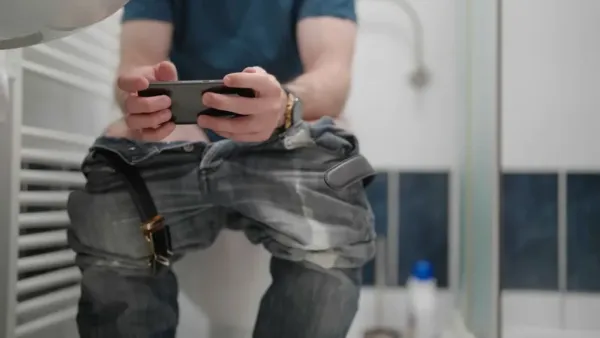
Taking a mobile phone to the toilet can lead to serious illness. An elderly man who had been treated for constipation for 35 years was found to have ODS.
-
Taking a mobile phone to the toilet can lead to serious illness. An elderly man who had been treated for constipation for 35 years was found to have ODS.
-
The risk of diabetes is increasing, children are also becoming victims

-
Early Menopause and High Blood Pressure: Understanding the Role of Estrogen

-
If your dark jeans start to lose color, try this trick and the color won’t fade for years.