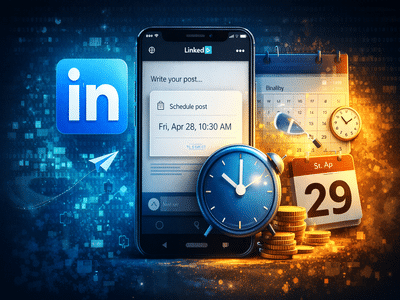
In the fast-paced world of professional networking, staying active online can significantly improve visibility and engagement. One platform that plays a major role in career growth and professional connections is LinkedIn. Whether you are a job seeker, recruiter, entrepreneur, or content creator, posting regularly can help you build authority and expand your professional network.
However, maintaining a consistent posting schedule can be challenging, especially when work commitments or time differences come into play. To address this issue, LinkedIn provides a post scheduling feature that allows users to prepare content in advance and publish it automatically at a chosen time.
If you want to plan your posts ahead of time and keep your profile active even when you are offline, this guide explains how to schedule posts on LinkedIn step by step.
What Is LinkedIn Post Scheduling?LinkedIn’s scheduling tool enables users to create posts and set a future date and time for them to be published automatically. This feature is particularly useful for professionals managing personal branding, businesses promoting content, or marketers planning social media campaigns.
By scheduling posts in advance, users can maintain a consistent posting routine without needing to log in at the exact time of publication. Additionally, LinkedIn allows users to view, modify, reschedule, or delete scheduled posts before they go live.
However, it’s important to note that the scheduling option is currently available only for standard posts. Certain content formats cannot be scheduled through this feature. These include:
- Event announcements
- Job postings
- Services listings
- Polls
- Carousel posts
- Reshared content
- Group posts
Despite these limitations, the scheduling tool still provides significant flexibility for managing regular updates and professional content.
How to Schedule a LinkedIn Post on DesktopIf you prefer working on a computer, scheduling posts through the desktop version of LinkedIn is straightforward. Follow these steps:
Once completed, LinkedIn will automatically publish the post at the selected time without requiring any further action.
How to Schedule a LinkedIn Post Using the Mobile AppLinkedIn’s mobile application also allows users to plan posts easily. The steps are similar to the desktop version.
Your content will now be queued for publication at the selected time.
Managing Your Scheduled LinkedIn PostsOne of the most useful aspects of LinkedIn’s scheduling feature is the ability to manage posts before they are published. Users can access a list of scheduled posts and make changes whenever necessary.
Before the scheduled time arrives, you can:
- Edit the content of the post
- Reschedule it to a different time
- Delete the scheduled post entirely
This flexibility helps ensure that your content remains accurate and relevant.
Why Scheduling Posts on LinkedIn Is UsefulPlanning posts ahead of time offers several advantages, especially for professionals and businesses that rely on consistent online engagement.
1. Maintains ConsistencyScheduling ensures that your profile remains active even when you are busy or unavailable.
2. Supports Content PlanningMarketers and creators can organize their content calendar weeks or months in advance.
3. Reaches the Right AudienceBy choosing optimal posting times, users can increase the chances of their content being seen by more people.
4. Saves TimeInstead of posting manually every day, you can prepare multiple posts in one sitting.
Final ThoughtsThe post scheduling feature on LinkedIn is a practical tool for anyone looking to stay active on the platform without constantly logging in. By allowing users to prepare and schedule content in advance, the feature supports better content planning and consistent engagement.
Whether you are building a professional brand, promoting a business, or sharing industry insights, scheduling posts can help you maintain visibility and reach your audience at the right time. With just a few simple steps on desktop or mobile, LinkedIn users can streamline their posting strategy and focus more on meaningful professional connections.
-
Heartbreak as Emmerdale star's mum dies on Mother's Day after Alzheimer's battle

-
Excitement Builds for the 98th Academy Awards: Key Details and Voting Process

-
Michael Carrick asked if Man Utd will perform Casemiro U-turn after Aston Villa goal

-
Oscars 2026 predictions: Who will win as DiCaprio takes on Chalamet tonight

-
Concerns Rise Over Video of Crowds Fleeing Daytona Beach During Spring Break