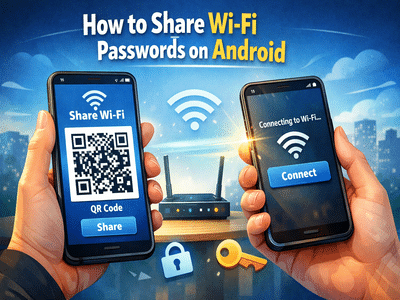
Sharing your Wi-Fi access with friends, family, or colleagues often turns into an inconvenience—especially when you can’t recall the password or simply don’t want to reveal it. Thankfully, modern Android smartphones come with a built-in feature that makes this process quick, secure, and hassle-free.
Instead of manually entering long and complex passwords, Android allows users to share Wi-Fi credentials instantly using a QR code or direct display. This feature not only saves time but also ensures your password remains protected while still granting internet access to others.
Here’s a complete, easy-to-follow guide on how to share Wi-Fi passwords on Android devices, along with key details you should know.
Check Compatibility Before You BeginBefore using this feature, it’s important to confirm whether your smartphone supports it. Wi-Fi password sharing is available on devices running Android 8 (Oreo) or newer versions.
Additionally, make sure:
- Your phone is already connected to the Wi-Fi network you want to share
- The device has a secure lock method enabled (PIN, fingerprint, or face unlock)
Once these conditions are met, you’re ready to proceed.
Step-by-Step Guide to Share Wi-Fi Password on AndroidFollow these simple steps to share your Wi-Fi connection effortlessly:
1. Open Device SettingsStart by unlocking your phone and launching the Settings app from your home screen or app drawer.
2. Go to Network SettingsScroll down and tap on the Network & Internet option. On some devices, this may appear as Connections or Wi-Fi & Network.
3. Select Your Connected Wi-FiTap on Wi-Fi and choose the network you’re currently connected to—the one you wish to share.
4. Tap the Share OptionLook for a Share button on the screen. It is usually located below the network details.
5. Verify Your IdentityFor security reasons, your phone will ask you to authenticate using your PIN, password, fingerprint, or facial recognition.
6. Generate QR CodeOnce verified, a QR code will appear on your screen. This code contains all the necessary network details.
How Others Can Connect Using the QR CodeThe person you’re sharing the Wi-Fi with can connect in seconds by following these steps:
- Open the camera app on their smartphone
- Switch to standard photo mode
- Point the camera at the QR code displayed on your phone
- Wait for a prompt to appear on the screen
- Tap Connect to join the network instantly
This eliminates the need to type the password manually, making the process faster and error-free.
Alternative Method: Share Password ManuallyIn some cases, your phone may also display the Wi-Fi password in plain text along with the QR code. You can choose to:
- Read it out loud
- Copy and send it via message
- Let the other person type it manually
However, this method is less secure compared to QR-based sharing.
Important Points to Keep in Mind- Not all Android devices offer identical menus or features, so steps may slightly vary
- QR code sharing may not be available on older devices or heavily customized Android versions
- Always ensure your phone is updated to the latest software version for best compatibility
- Avoid sharing passwords in public places to maintain network security
The Wi-Fi sharing feature on Android is designed with both convenience and privacy in mind. It allows users to grant access without exposing sensitive information. This is especially helpful in situations where:
- You have a complex password
- Multiple people need quick access
- You want to maintain control over your network credentials
Android’s Wi-Fi password sharing feature is a simple yet powerful tool that removes the frustration of remembering or typing long passwords. With just a few taps, you can securely connect others to your network using a QR code.
If your device supports this function, it’s definitely worth using for a smoother and safer experience.
-
Wrinkles on the face will be gone forever! Make natural face serum at home in an easy way, skin will glow

-
Beware of fake ghee! Identify adulteration in these easy ways

-
Jackie Chan’s Thoughts: Inspiration and Guidance

-
NYC singles are turning to pricey matchmakers to find love

-
Kerala Assembly Elections 2026: Congress releases first list of 55 candidates, former CM’s son also gets ticket