3
Complete news at a glance
- You can check LPG cylinder booking status through website, mobile app and WhatsApp.
- Without internet, you can also know your booking status through call or SMS.
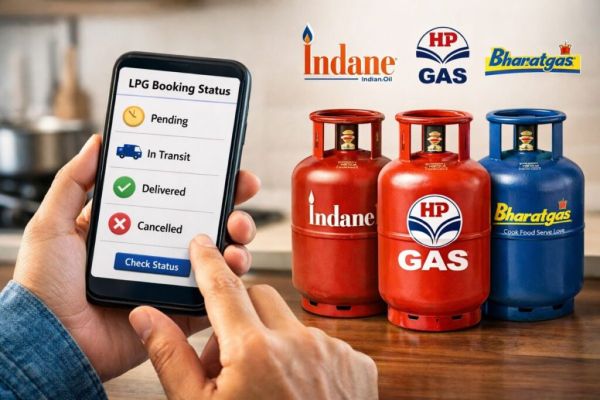
- There are four main booking statuses: Pending, In Transit, Delivered, and Cancelled.
How to check LPG cylinder booking status?
If you have recently booked an LPG cylinder and want to know what is the status of your booking, then you no longer need to worry. Petroleum companies have made the method of checking booking status very simple. You can get information about your booking status through website, mobile app and WhatsApp. Here we will discuss those methods in detail.
How to check LPG booking status online
By website:
You can check the status by visiting the website of your gas company. For this take the following steps:
- Open the web browser in your mobile or computer.
- Go to the official website of the gas company.
- Sign in with your login details.
- Click on Booking Status or Order Tracking option.
- Submit by entering customer ID or reference number.
You will now be able to view the status of your booking, such as:
- Pending: Booking has been done but processing has not been done.
- In Transit: The cylinder has left for your home.
- Delivered: The cylinder has been delivered.
- Cancelled: The booking has been cancelled.
Check status from mobile app
You can also check the status through mobile app. For this follow the following procedure:
- Open Play Store or App Store.
- Download your gas company’s app (like IndianOil ONE, HP PAY, Hello BPCL).
- Login with your registered mobile number.
- Go to LPG section or Refill History.
- Fill in the information and submit.
Checking status through WhatsApp
You can also know the booking status through WhatsApp:
- Open WhatsApp application.
- Send a message to your gas company number:
- Indane Gas: 7588888824
- Bharat Gas: 1800224344
- HP Gas: 9222201122
- Send by writing “Hi”.
- Select your language and select the Order Tracking option.
- You will get the status on WhatsApp itself.
How to check LPG status without internet?
Even if you don’t have internet, you can check the status of your booking:
Check status through call
You can call the gas company number:
- Indane Gas: 7718955555
- Bharat Gas: 7715012345
- HP Gas: 8888823456
Choose the language as per your convenience and follow the instructions.
Checking status through SMS
You can also know the status through SMS:
- Open the Messages app.
- Type “STATUS”.
- Send to your gas company number:
- Indane Gas: 7718955555
- Bharat Gas: 7715012345
- HP Gas: 8888823456
You will receive the status via SMS.
Other news to this news
Have any thoughts?
Share your reaction or leave a quick response — we’d love to hear what you think!
-
Career: An Impressive Profile Opens Up Numerous Job Opportunities, Employers Are Paying Special Attention; Learn the Essential Tips..

-
GATE 2026 Answer Key: GATE Exam Answer Key and Master Question Paper Released, Download Now, Results Coming Soon..
-
Rajasthan Board 10th Result: Major Update on RBSE Class 10 Results, Results May Be Released on March 23..

-
CUET PG 2026 Admit Card: Admit Cards Released for CUET PG Exams Scheduled from March 24 to 27; NTA Issues Notice..

-
LPG Cylinder Booking: How to Book an Indane Gas Cylinder via WhatsApp? Here is the Step-by-Step Process..