
Bihar Board 12th Result 2026: The wait is finally over for more than 13 lakh students across Bihar. The Bihar School Examination Board (BSEB) is officially declaring the Class 12 Intermediate Results 2026 today, March 23, at 1:30 PM. Bihar Education Minister Sunil Kumar, along with BSEB Chairman Anand Kishore, will release the scores for the Science, Commerce, and Arts streams during a press conference in Patna.
As soon as the results go live, the official portals will experience a massive surge in traffic. To ensure you don't get stuck with a "Server Busy" error, we have compiled the direct download links and alternative methods to access your scorecard instantly.
Official BSEB 12th Result 2026 Important Links
The Bihar Board has activated multiple servers to handle the load. You can click on any of the following official links to view your results:
1. Check via SMS Service
This is the fastest way to check your result without an active internet connection. To get your scorecard on your phone, follow this format:
Open your messaging app.
Type: BIHAR12 [Space] ROLL-NUMBER (e.g., BIHAR12 26010001).
Send it to 56263.
You will receive an automated reply with your subject-wise marks and final division.
2. Digilocker Integration
BSEB also uploads digital marksheets to DigiLocker. This is a government-verified document that can be used for immediate college admissions.
Log in to your DigiLocker account.
Go to 'Education' and select 'Bihar School Examination Board'.
Select 'Class XII Marksheet' and enter your Roll Number and Year (2026).
Download the verified PDF copy.
How to Download Your BSEB Inter Scorecard Step-by-Step
To avoid errors, follow this simple process once the link is active at 1:30 PM:
Keep your Admit Card ready: You will need your Roll Code and Roll Number.
Visit the Portal: Go to results.biharboardonline.com.
Enter Credentials: Input your Roll Code and Roll Number in the specified boxes.
Security Captcha: Solve the simple math problem (e.g., 10+5=15) shown on the screen.
View & Save: Click the ‘View’ button. Your scorecard will appear. Download the PDF and take a printout for your records.
Important Details to Verify on Your Scorecard
Once you have downloaded the result, double-check the following information for any discrepancies:
Candidate’s Name and Father’s Name (Spelling)
Roll Code and Roll Number accuracy
Subject-wise Theory and Practical marks
Aggregate Marks and Final Division (1st, 2nd, or 3rd)
Pass/Fail status
-
Three zodiac signs set for a quiet and peaceful life thanks to their good nature

-
Rajab Butt responds to divorce backlash online

-
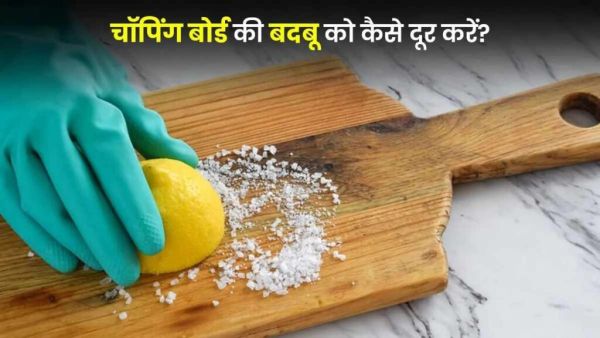
Chopping Board Cleaning Tips: Are you troubled by the smell of chopping board? How to clean with lemon in minutes
-
Someone Has An Unusually High IQ If They Get Excited About These 3 Odd Things

-
How Mercury Direct Affects Your Zodiac Sign The Week Of March 23 – 29, 2026