#TechBytes: Points to note before factory resetting your smartphone
26 Mar 2026
Factory resetting a smartphone is the most common way to prepare it for a new user. It wipes all personal data and settings, giving the device a clean slate.
However, the process can be tricky if you don't follow the right steps.
Here's a guide to help you navigate the factory reset process smoothly, ensuring all your data is backed up and the reset is done correctly.
Backing up your data
Tip 1
Before you factory reset your smartphone, make sure all your important data is backed up. This includes contacts, photos, videos, and documents.
Use cloud services or external storage devices to save this information. Most smartphones have built-in options for backing up data to cloud services like Google Drive or iCloud.
Ensure that all necessary files are securely stored before proceeding with the reset.
Understanding factory reset options
Tip 2
Smartphones usually provide different options for factory resetting. You can either do a full reset or a partial reset, depending on what you want to achieve.
A full factory reset will wipe everything from the device, while a partial one may only clear certain types of data, like app settings or cached files.
Knowing these options can help you choose the right method for your needs.
Steps for performing a factory reset
Tip 3
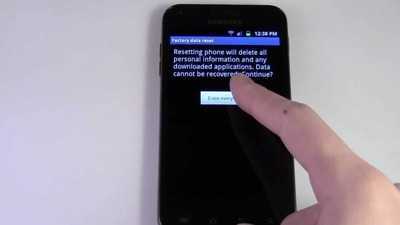
To perform a factory reset, go to your phone's settings menu and look for "System" or "General Management."
From there, select "Reset" and then "Factory Data Reset."
Follow the prompts on-screen carefully to complete the process.
Make sure your phone is charged adequately before starting this procedure to avoid interruptions.
Post-reset considerations
Tip 4
After performing a factory reset, check that all personal accounts have been removed from the device to prevent unauthorized access by future users.
Also, check that any removable storage cards have been taken out before handing over or selling the phone.
This step is crucial to protect your personal information and ensure a smooth transition to the new user.
-
You won’t have to suffer severe burns, decorate your rooftop garden with these 10 flower plants

-
Whose fate will change with the grace of Mother Siddhidatri on Ram Navami?

-
Hanuman Jayanti 2026: Hanuman birth anniversary on 2nd April, definitely do these measures to please Bajrangbali

-
Ashtami Special: Make Halwa Puri Chana In Just 10 Minutes

-
What are the benefits of vinegar, how and how much should it be used?