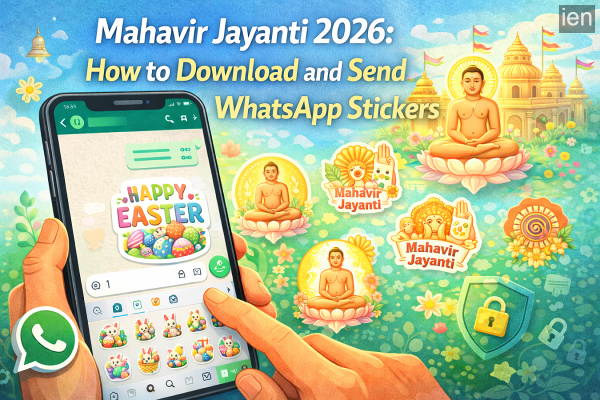
Mahavir Jayanti is one of the most important festivals in Jainism, celebrated to mark the birth anniversary of Mahavira, the 24th and last Tirthankara. The festival holds deep spiritual significance for followers of Jainism and is observed with prayers, processions, charity, and acts of kindness.
In the digital era, people also celebrate festivals by sharing greetings through messaging platforms. One of the most popular ways to send festive wishes is through WhatsApp stickers, which allow users to express emotions and greetings in a fun and visual way.
If you want to send Mahavir Jayanti wishes to your friends and family, WhatsApp stickers can make your greetings more engaging. Here’s a complete guide explaining how to download and share Mahavir Jayanti WhatsApp stickers on Android and iPhone devices.
Why WhatsApp Stickers Are Popular for Festival Greetings
WhatsApp stickers have become one of the most widely used features on the messaging platform. Instead of sending simple text messages, users can communicate their emotions with colourful illustrations and themed graphics.
During festivals like Mahavir Jayanti, stickers often include:
-
Spiritual quotes and blessings
-
Images related to Jain culture and traditions
-
Festive greeting messages
-
Artistic illustrations representing the occasion
Using stickers allows users to share wishes quickly while adding a creative touch to their messages.
How to Download Mahavir Jayanti WhatsApp Stickers (Android)
Android users can easily download festival-themed sticker packs using the built-in WhatsApp sticker store or third-party apps.
Follow these steps:
Step 1: Open WhatsApp on your smartphone.
Step 2: Open any chat conversation with a contact.
Step 3: Tap the emoji (smiley) icon in the message typing area.
Step 4: Switch to the Stickers tab, located next to the GIF option.
Step 5: Tap the “+” icon in the top-right corner of the sticker panel.
Step 6: Scroll down and select “Get more stickers.”
Step 7: In the app store search bar, type “Mahavir Jayanti WhatsApp stickers.”
Step 8: Download a sticker pack that you like.
Step 9: Open the sticker pack and tap “Add to WhatsApp.”
Once the sticker pack is added, it will appear in your WhatsApp sticker library.
How to Send Mahavir Jayanti Stickers on WhatsApp
After installing the sticker pack, sending stickers is simple.
-
Open WhatsApp and go to any chat.
-
Tap the emoji icon in the message bar.
-
Select the Stickers tab.
-
Browse the Mahavir Jayanti sticker pack you downloaded.
-
Tap the sticker you want to send.
The sticker will instantly be shared in the chat.
Can iPhone Users Download These Stickers?
Apple devices have stricter rules regarding third-party sticker packs. Because of this, many external WhatsApp sticker apps available for Android cannot be directly installed on iPhones.
However, iPhone users can still use these stickers in another way:
-
Receive the sticker from someone else on WhatsApp
-
Tap the sticker and save it as a favourite
-
Reuse and send the sticker in other chats
You can also ask a friend using an Android phone to download the sticker pack and send the stickers to you.
Final Thoughts
Mahavir Jayanti is a time for reflection, compassion, and spiritual celebration. Sharing greetings with loved ones through WhatsApp stickers is a simple and modern way to spread positivity and festive joy.
By following the steps above, you can quickly download Mahavir Jayanti sticker packs and send colourful greetings to friends, family, and colleagues through WhatsApp chats.
Festive stickers not only make conversations more lively but also help users share meaningful wishes in a creative way during special occasions.
-
Donald Trump suggests US could take Iran’s Kharg Island

-
Delhi riots: Sharjeel Imam to surrender at Tihar as interim bail about to end

-
Bengal polls: Congress announces candidates for 284 Assembly seats

-
Over 170 Police Station Heads Transferred In Bengal Ahead Of Elections

-
Trump Hints At Seizing Kharg Island, Says 'Favourite Thing Is To Take Iran's Oil'