
In today’s digital age, WhatsApp is no longer just a messaging app, but has become a huge storehouse of our personal and important information. Even Aadhar card, PAN card and other important documents are saved in it. In such a situation, if your WhatsApp account is logged in on an unknown device, it can become a cause of serious danger. Hackers can easily access your chats and sensitive data. Therefore, it is very important to check from time to time whether your account is active anywhere else.
Awareness regarding the security of WhatsApp is increasing and users are now keeping a vigilant eye on their account activities. Experts believe that by regularly using the linked device feature, you can protect your account from unwanted logins.
How to check where your WhatsApp account is logged in
If you suspect that your WhatsApp is running on some other device then it can be easily checked. Open WhatsApp on your Android or iOS phone. Click on the three dots on the top right and then select the ‘Linked Device’ option. Here you will see the complete list of all the devices where your account is logged in. You can also see the activity details of every device. This feature gives users complete control over their accounts and helps in immediately identifying any suspicious logins.
Log out the suspicious device immediately
If you see a device in the list that you don’t recognize, remove it immediately. Click on that device and select the ‘Log Out’ option. This will immediately disconnect that device from your account. If you have ever used WhatsApp in a cyber café or on someone else’s computer, then do not forget to log out immediately after completing the work. This keeps your data safe and the risk of fraud or hacking is reduced to a great extent.
where to be careful
Extra caution should be taken while using WhatsApp on a public or unknown computer. Completely avoid sharing personal information or important documents at such places. Do not download any suspicious link, photo or video as it may put your entire data at risk. Always use your mobile data and do not scan any QR code without thinking. Stay away from suspicious OTP or login requests. With these small precautions, you can effectively protect your WhatsApp account.
-
Rajasthan Royals In Big Trouble! BCCI Confirms Anti-Corruption Action

-
RCB Vs MI, IPL 2026 At Wankhede Stadium In Mumbai: Here's How To Cut Through Massive Rush, Tickets & Everything You Should Know

-
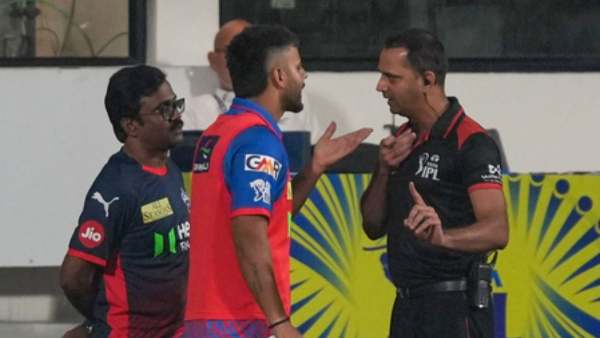
IPL 2026: Delhi Capitals' Nitish Rana Fined 25% Match Fee For Code Of Conduct Breach
-
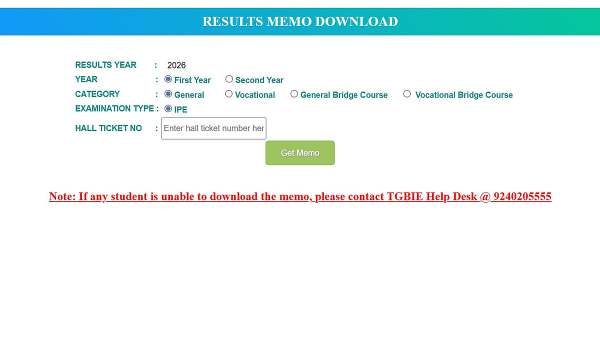
TS Inter Results 2026: Supplementary Exams From May 13; Marks Memo Download Today At 5 PM
-
Punjab Govt Releases ₹13 Crore Pre-Matric Scholarship For 92,000 SC Students