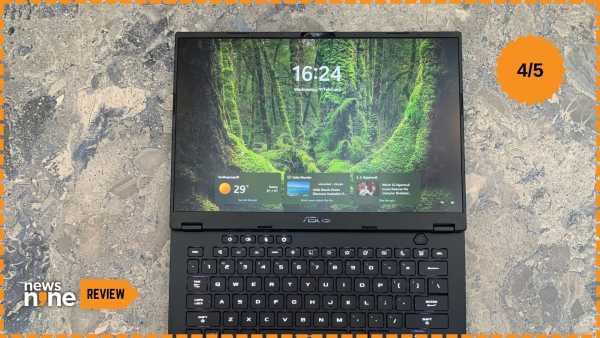
New Delhi: The TUF Gaming A14 was introduced as part of the Creative Lineup for 2026 by Asus. This lineup consists of three spectacular devices, the beautifully crafted ROG Flow Z13-KJP, a limited-edition laptop made in collaboration with Kojima Productions, the ProArt GoPro Edition PX13, made in collaboration with GoPro for adventure creators, and the TUF Gaming A14. Even when showcased next to these incredibly droolworthy laptops, the TUF Gaming A14 holds its own as a portable gaming solution that does a whole bunch of unique things. Despite how attractive the other two devices were, the TUF Gaming A14 is the one that appealed to me the most. This is because the device is aimed squarely at entry-to-mid-level creators and gamers, a small package that packs in quite a punch.
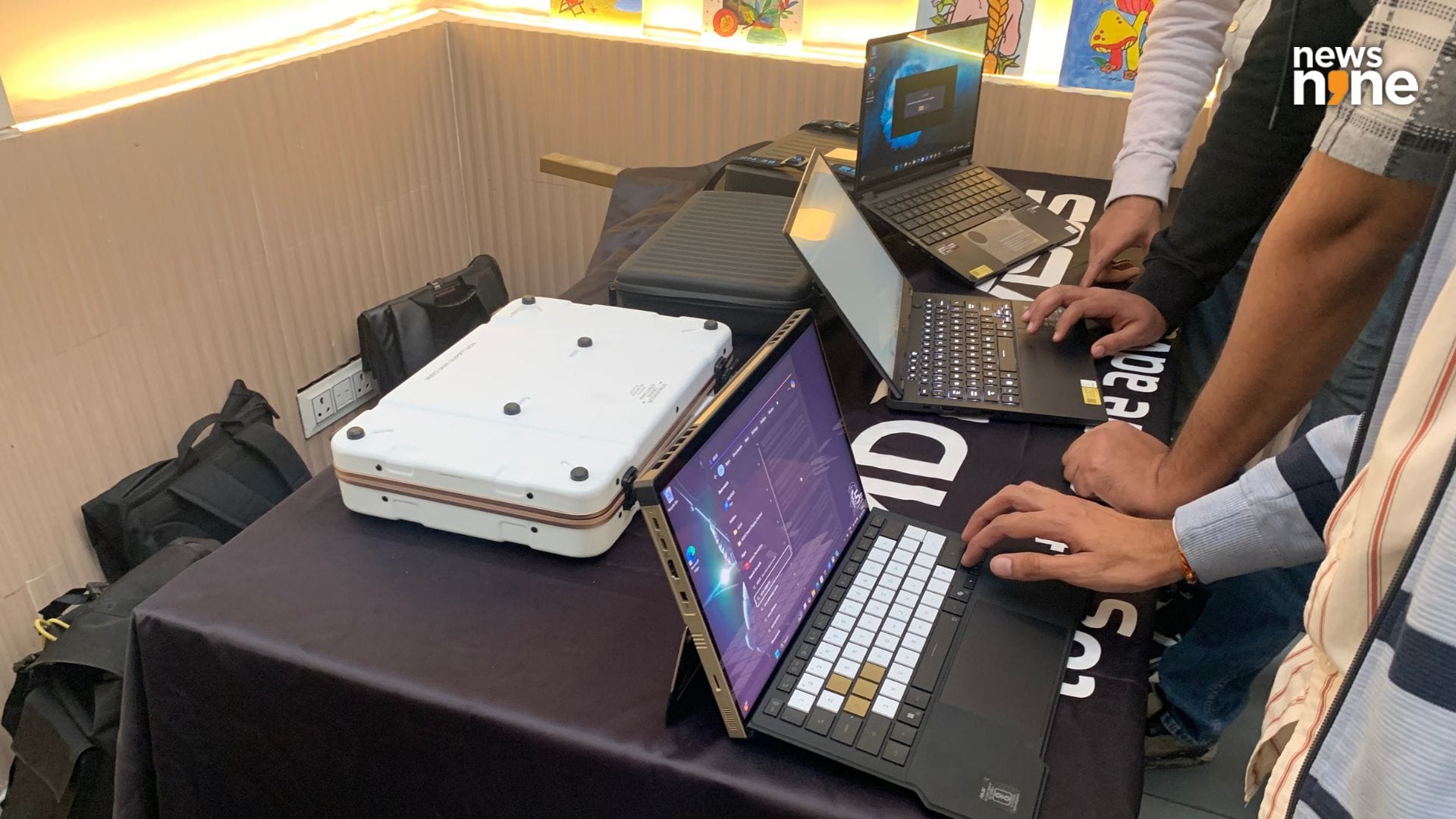
The TUF Gaming A14 is in the middle, flanked by the Kojima Flow on the left and the GoPro ProArt on the right. (Image Credit: Aditya Madanapalle/News9).
This is an innovative device that relies on the AMD chiplet codenamed the Strix Halo that uses unified memory to use the RAM as VRAM when needed. Users have the option of picking up this device with a Nvidia GeForce RTX 4060 GPU, but the performance of the integrated Radeon 890M iGPU comes close to the performance of a device with a discrete GeForce RTX 3050 graphics card. It is definitely sufficient for the device to be considered a gaming laptop even without a discrete GPU, and that is what is so special and exciting about this device. The battery life is really long, and you can use it as a Snapdragon notebook, just close the device in the night, and continue computing in the morning, without stressing about the battery. The mobility of this device is what gives it incredible utility.
Asus TUF Gaming A14 Build and Design
The 2026 TUF Gaming A14 is the smallest TUF gaming laptop so far by Asus. The device is 1.69 cm thin, and weighs 1.48 kg, which is an incredibly small and lightweight profile for a gaming laptop. The weight of the powerbrick has been reduced as well. Now it is better to carry around the charger as well, as this device really needs the power, and will not be able to sustain computing on a USB-C cable. You can survive, but unless you tweak the settings to opt for power use, the laptop will still discharge even when plugged in with a 65W USB-C power cable.
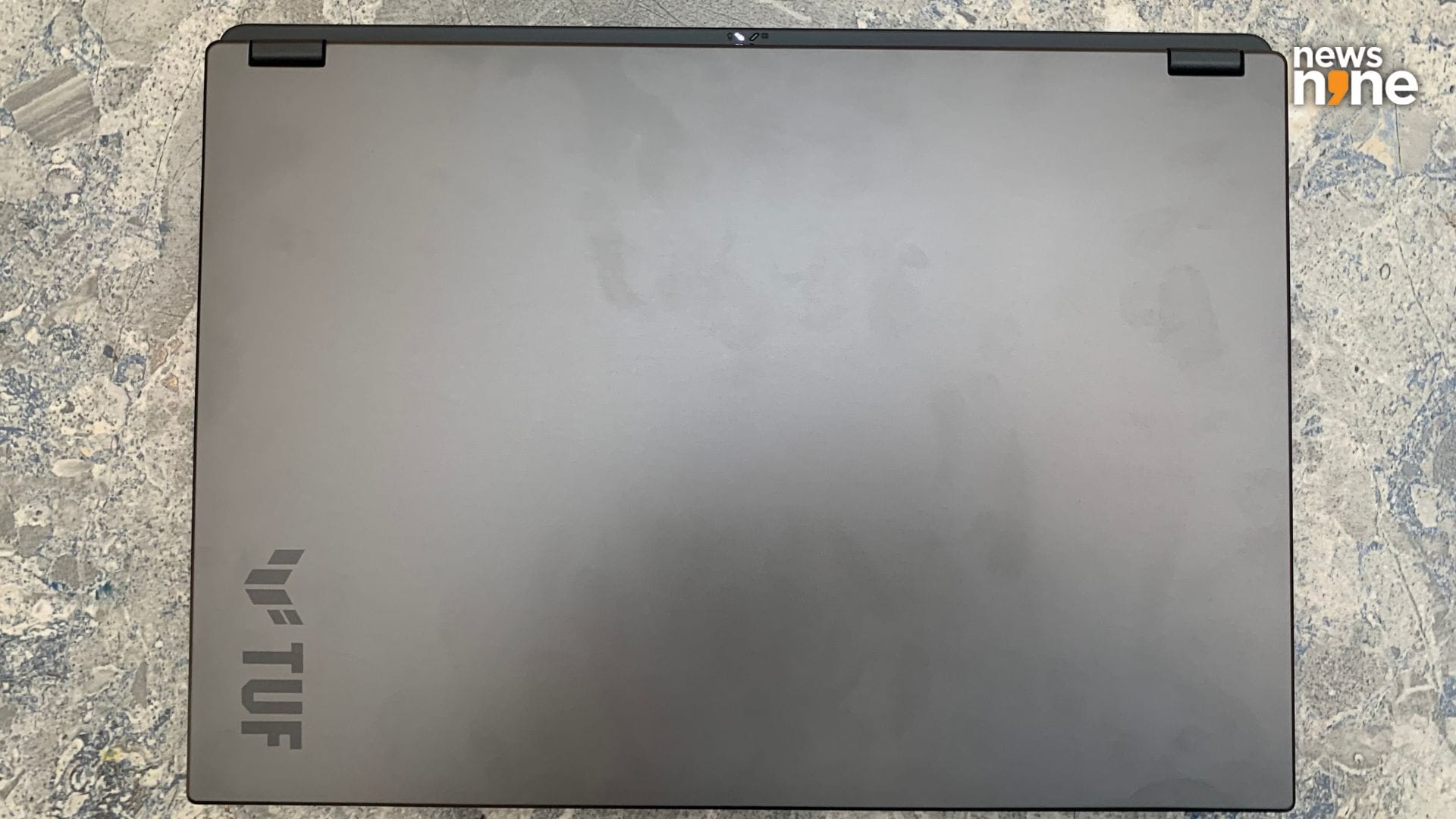
The aluminium lid is sparse except for the TUF branding in the corner. (Image Credit: Aditya Madanapalle/News9).
The lid is metal, with the corners and hinges of the aluminium milled by CNC. The base is made up of durable plastic. The laptop boasts of MIL-STD-810H military-grade construction, and can survive the temperature and humidity extremes of India. There is no need to be worried about any accidental knocks, bumps and drops. The device is also sleek and light enough to be handled in one hand. I really am partial to the 14-inch form factor because of just how convenient it is to use, and how rapidly you can start gaming. Now a 16-inch gaming laptop is barely even a laptop, more likely to be used as a desktop. If you want to game while lying down on the bed, without having to plug in a charger, then the TUF Gaming A14 has got you covered.
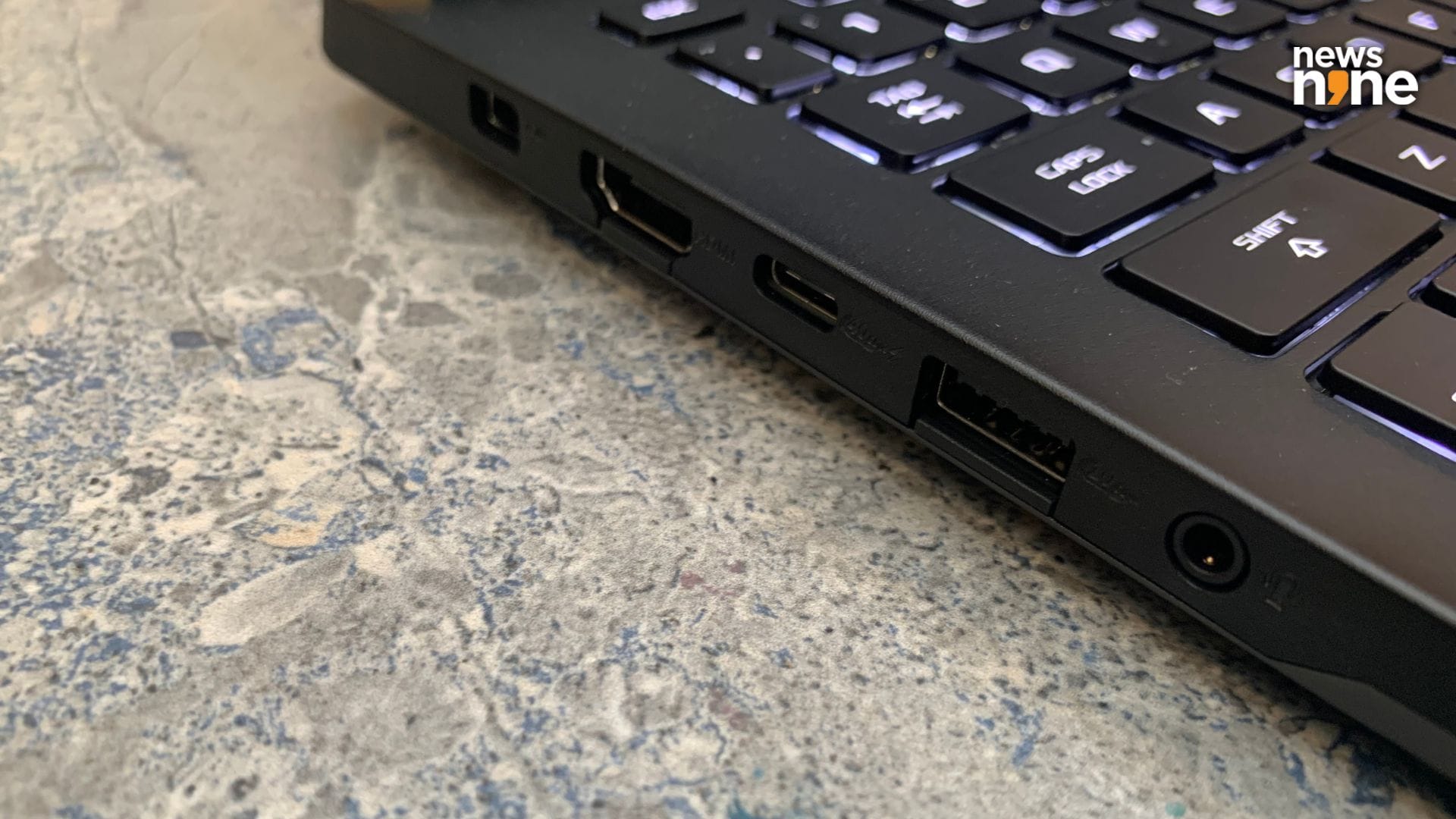
The ports on the left side. (Image Credit: Aditya Madanapalle/News9).
Now the well-designed keyboard is what makes the laptop suitable for all the activities associated with gaming, including streaming and voice communications. There are four dedicated buttons on the top to adjust the volume, cut off the mic, and fire up Armoury Crate, which provides you with all the granular options for tweaking the behaviour and performance of the device, as well as monitoring its status. The keyboard is built for pros, and you need to remember the default mappings of the keys, as they display icons for the function when the function button is pressed. The Function and Escape combo is used to switch this setting, which can also be done with MyAsus.
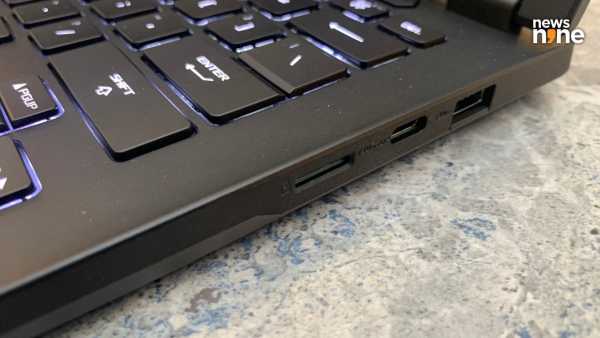
The ports on the right side. (Image Credit: Aditya Madanapalle/News9).
Now, this keyboard is a bit of a problem for users who are not familiar with computing. For example, the F12 key, which is used for screenshots in Steam, or for Developer Mode in browsers shows the Airplane Mode icon, but out of the box, you need to press function button and the Airplane Mode key to put the device into Airplane Mode. There is no dedicated Print Screen button, but F6 has been mapped to the Windows screenshotting tool, which really does a horrible job with too many options and AI integration as well. So this is a confusing setup, but it is something that we are seeing in a ton of Windows Laptops, and the keyboard layout seems to be directed more by Microsoft than by Asus.
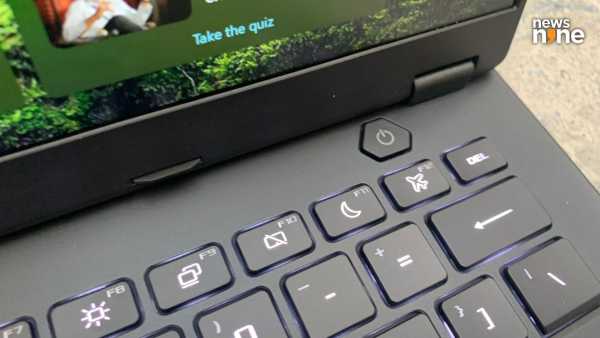
The power button occupies its own spot, and there is no Print Screen key. (Image Credit: Aditya Madanapalle/News9).
The trackpad is generously large, but not large enough to come in the way of the typing experience. The trackpad is made of glass, and is smooth to touch. One thing that we really liked is the keyboard. The keys have a 1.7mm travel distance. Most thin and light laptops have around 1.5mm travel distance. This actually makes a big difference in the typing experience, with the TUF Gaming A14 allowing us to type between 10-15 more words per minute compared to a thin-and-light notebook. The power button is away in a corner, has a different feel and pressure sensitivity, which makes it almost impossible to touch by mistake.
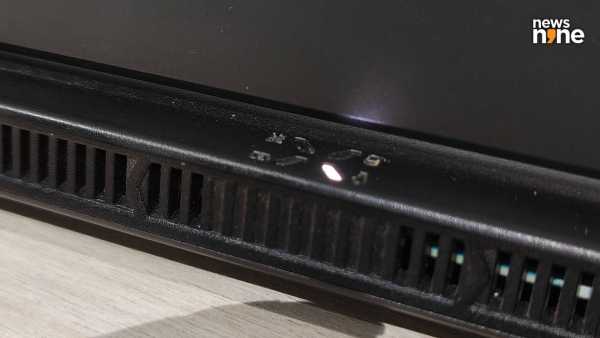
The indicator cluster on the back tells you what the laptop is up to at a glance. (Image Credit: Aditya Madanapalle/News9).
Now one thing that we really liked about the device is that even from the back, or while the lid is closed, you can tell what the laptop is doing because of the indicators on the back. There are no vents to the side, with all the vents at the back. The TUF branding is discrete, in a corner of the lid. The base of the device has geometric cutouts, in the shape of elongated diamonds. The speakers on the sides have diagonal cutouts. There are rubber on the base, that give the laptop a bit of breathing room. The central triangular foot is there in the TUF Gaming A14, but it is not a bright orange colour like other TUF Gaming laptops.
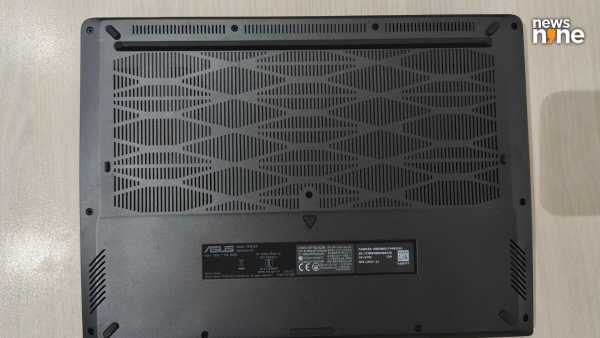
The thin, hardy plastic on the base is of such high quality that it feels and looks metallic. (Image Credit: Aditya Madanapalle/News9).
On the left side there is the power port, an HDMI port, an USB-C port, a USB-A port and the 3.5 mm audio port. On the right side, there is an SD Card reader, a USB-C port and a USB-A port. In all, the device provides a versatile set of input and output options, one that is suitable for creators using cameras as well. The lid opens up without any lift from the base, there is less flex and bend in the lid and the keyboard, and the lid opens up by 180 degrees. Note that there is no physical shutter on the camera. The build and construction of the TUF Gaming A14 is both refined and sophisticated, and this is a handy little laptop that really boasts of an impressive performance.
Asus TUF Gaming A14 Performance
The device is powered by an AMD Ryzen AI MAX+ 392 Processor clocked at 3.2GHz, supported by an AMD XDNA NPU and AMD Radeon 8060S Graphics. There is 32GB of LPDDR5X 8533 RAM on board. The device ships with 1TB of PCIe 4.0 NVMe M.2 SSD on-device memory. While the RAM cannot be upgraded in the future, the storage can, all the way up to 4TB. The performance of the device is pretty impressive, and so is the thermal stability. Some synthetic benchmarks are embedded below.
Asus TUF A14 2026 Benchmarks by Aditya Madanapalle
Now one thing that we were really impressed by is the speedy performance for on-device AI. While the laptop does not chew through prompts in a few seconds, it is still pretty impressive, with Stable Diffusion inference taking less than 20 seconds on average. It takes about 0:54 (average of three) minutes to generate a 30 second track on Audacity, using Intel’s OpenVino plugins. This is better on-device AI inference performance than the 2025 ROG Zephyrus G14, which packs in a Nvidia GeForce RTX 5050 laptop GPU. The Audacity generation time for a 30 minute clip took 4:49 minutes on the Zephyrus G14 machine, with Stable Diffusion on-device inference taking about 3:00 minutes for a 512 x 512 image.
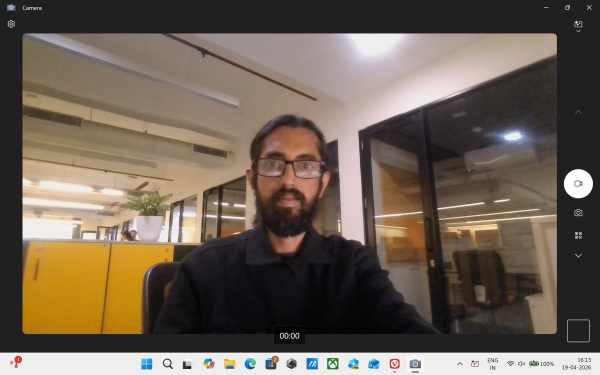
The camera is wide and has an impressive low-light performance. (Image Credit: Aditya Madanapalle/News9).
The camera is a 1080P FHD camera with IR for Windows Hello. The camera is wide enough to include multiple people from a team in a conference call. The great thing about the device is that the on-device AI audio processing is good enough to use the device for video conferencing even in fairly noisy environments, without the use of audio peripherals. The lid opening up by 180 degrees is also great for sharing the screen around a conference or coffee table. The low-light performance of the laptop is also really impressive, with the screen providing sufficient light for the sensor for those late-night gaming sessions. We really feel the need for a physical camera shutter here though.
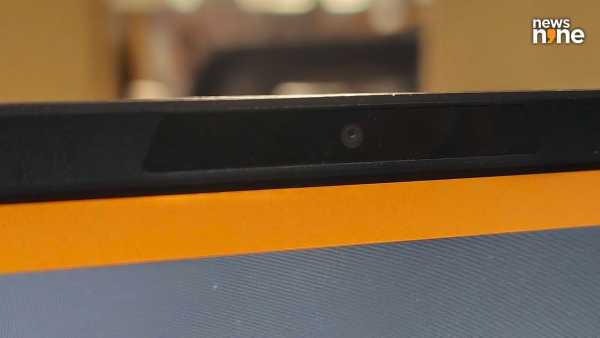
A physical shutter would provide a lot of peace of mind. (Image Credit: Aditya Madanapalle/News9).
Now, we pushed the device to the limit, adding tasks progressively till we saw the laptop struggling. So, it is possible to stream a game through OBS, while maintaining voice comms on Discord. This is just about everything that a gaming creator or streamer would need. The device also handles the latest AAA titles, although not at the highest settings and highest framerates. Even under heavy load, the fans do not get very loud, and the device warms up only slightly. The hot air blowing out of the back increases dramatically though. We also noticed that even when the battery life gets really low, there is not a drastic drop-off in the performance.
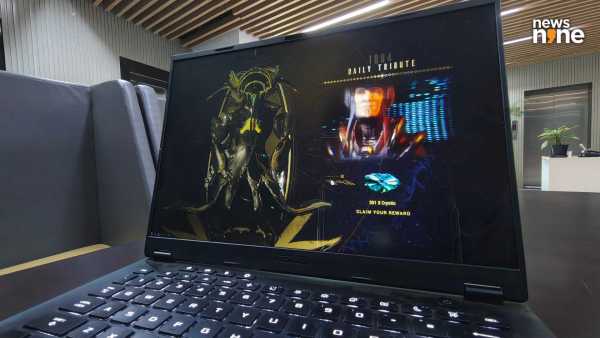
The gaming performance is impressive. (Image Credit: Aditya Madanapalle/News9).
The device lasts about an hour and a half for sustained gaming, which is really very impressive for a gaming laptop that barely work past 50 minutes for machines with a dedicated GPU. With the appropriate settings, it is possible to get through a full day’s work without needing to juice up. We also tried using the laptop with Nvidia’s new GeForce Now Gaming service, and were surprised to discover that with this combination, it was possible to game continuously for a good three hours before the device starting prompting for connecting the power cable. If you want to game on the go for extended durations, this is the perfect combination.
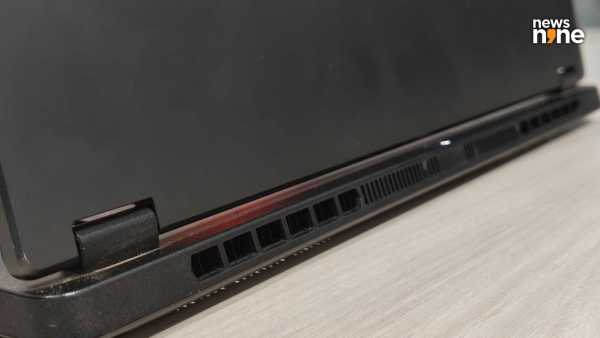
The vents are on the base and the back. (Image Credit: Aditya Madanapalle/News9).
The device ships with a 2.5K 165Hz display, and is vibrant and bright for most use cases. The display does a good job of diffusing bright lights, and in a well-lit environment, the glare from the IPS display is much reduced compared to an OLED display. The brightness goes up only to 400 nits, which can be a bit of a struggle if you are computing either in a bright, outdoor environment, or while commuting in a cab or a metro, with a dynamic lighting environment. In such situations, you have to move the display into shade to see what is happening on screen. This is an off-nominal computing scenario, and for the most part, the display is just fine.
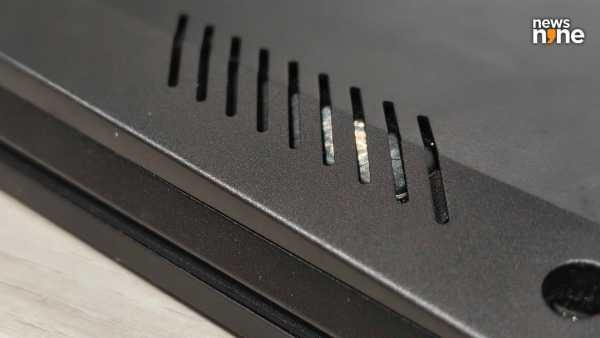
The speakers are positioned towards the front edge of the device. (Image Credit: Aditya Madanapalle/News9).
Now there are a pair of Dolby Atmos speakers that are positioned towards the forward and sides of the base. Some of the sound gets muffled because of just how close the laptop sits to the surface, with the quality improving noticeably when you lift the lid. While the audio setup is just fine for voice calls and videoconferencing, you are better off connecting external speakers for a great streaming experience. Now do not get me wrong, the sound is not bad, it is just that external speakers provide much more impact, especially in the lower frequencies. Still, the laptop provides a decent enough streaming experience, despite the underwhelming screen and audio setup.
Now Asus provides a ton of tools that lets you get the most out of the device, and this is something that we really rely on for our work. The GlideX software has become indispensable to me, to extend my computing environment to all screens and devices available in the vicinity. It allows for a number of versatile, custom setups depending on the task at hand and the type of work you are doing, and we will probably be writing a whole separate story on how great this tool is. Armoury Crate gives you granular control options over the device. Note that the keys are not RGB, and are back-lit by a white light, but you can set up effects such as breathing and strobing if you want, through Armoury Crate.
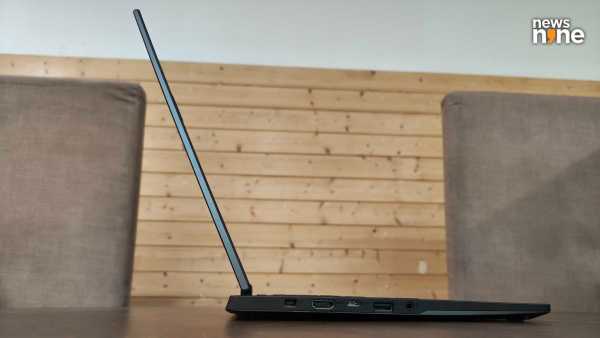
The device nearly disappears when seen on edge. (Image Credit: Aditya Madanapalle/News9).
What we liked most about the experience of the device is the ease of use. Getting up and running with intensive tasks such as 3D modelling or game development is fast and easy on the device. We were impressed by how rapidly we could edit and export videos, reducing the wait times between iterations. We imagine that compiling software on the device would be speedy as well. Games also load up really rapidly on the device, and it is just a pleasure to game on, especially without the power connected. You can move around easily with the device from say a desk to a conference room, using only one hand, which is difficult with a gaming laptop. The TUF Gaming A14 provides a combination of convenience and power that we have rarely seen.
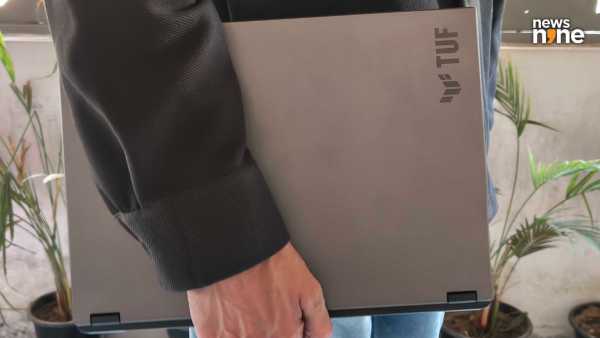
The TUF Gaming A14 is a gaming laptop that you can easily carry around in one hand. (Image Credit: Akshit Joshi/News9).
Now Asus is just giving you the hottest silicon on the market, but the thermal performance constraints of the device means that the AMD chiplet is not pushed to the full performance. The user does seem to be paying a rather steep price for not having a discrete graphics card at the end of the day. There is no problem with creators, the TUF Gaming A14 is perfect for streaming, recording and video editing, but an Rs 2+ lakh gaming laptop without a discrete GPU might be hard for gamers to justify. This aspect of the device may not be very appetising, at least for those who are unsure about the performance of a gaming laptop without a discrete GPU. Well, the iGPU delivers, and so does the Halo Strix, but there is no way to justify the price-to-performance ratio of this laptop, especially because it competes with a dGPU variant of itself.
Verdict
I really like the TUF series because it provides a robust construction at affordable price points, but this is not one of them, there are cheaper ROG machines! Now, even before the device was released, I was sure that the 2026 TUF Gaming A14 was going to be a spectacular device, but actually using it impressed me beyond my expectations. This AMD chiplet really does provide an impressive on-device performance, and it is exciting to see integrated GPUs become so powerful and chew through the benchmarks. This is among the hottest silicon on the market, and really makes sense for those who require a gaming laptop with a focus on mobility, utility and comfort.
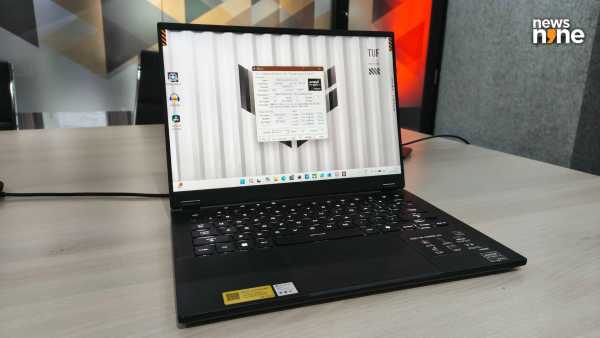
The Asus TUF Gaming A14 has a steep price, but provides you fresh silicon in an incredibly convenient gaming device. (Image Credit: Aditya Madanapalle/News9).
The device is good for creators and gamers for sure, and packs in impressive on-device AI capabilities as well. For a student who wants to pick up an exciting laptop that is powerful enough to last through college, the TUF Gaming A14 is a great choice as well. The list price of the device is Rs 323,990, but is available right now at a discount pricing for Rs 215,990, which we feel is a steal. If you are just looking for a Gaming Laptop at that range, you can easily get devices with Nvidia RTX 40 series GPUs that offer higher raw gaming performance at lower cost, with of course a bulkier build and much shorter battery lives. There is really no other device on the market that packs in the same processor in such a small form factor, so the TUF Gaming A14 is a really unique device that uses AMD’s Halo Strix Chiplet. It demonstrates the potential of iGPU and feels like using the future. This is an easy recommendation, if the price is not a factor, and a device that we would personally prefer to use.
-
Pakistan’s PM Shehbaz Sharif discusses 'regional situation' with Iranian President Pezeshkian

-
SP will form govt in UP in 2027, will have Congress with us: Akhilesh

-
Enjoy traveling to Gujarat at affordable rates

-
How can the defeat of daughters be the victory of democracy? CM Rekha Gupta cornered the opposition, raised questions on the intentions of Congress

-
Gold Silver Rate Today: Relief amid record breaking inflation, silver rises by ₹ 8,000 on Akshaya Tritiya but gold becomes cheaper