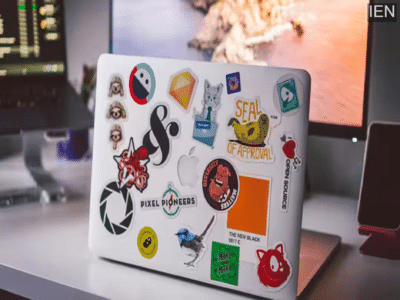

Laptop Sticker Risks: Stickers can certainly give a laptop a unique look, but if one ends up blocking a vent or a port, it could lead to significant problems.
Laptop Sticker Risks: People have diverse preferences when it comes to the aesthetics of their laptops; however, manufacturers typically do not offer personalized designs. Regardless of which brand you choose, you will generally receive a standard-looking device in a plain black or gray finish. While some models do come in slightly brighter colors, these still may not fully appeal to everyone’s tastes. Consequently, some users turn to stickers as a means of personalization. Stickers offer an affordable and simple way to decorate a laptop, but where you place them is a matter of critical importance. Today, we will explain exactly which mistake you must avoid when applying stickers.
Avoid This Mistake When Applying Stickers
Most people are aware of this fact, yet—often driven by design considerations—some individuals still end up placing stickers over vents or ports. If you plan to apply stickers, you must strictly avoid this error. Placing stickers over vents or ports prevents the heat generated within the laptop from escaping; as a result, the device will begin to overheat after even a short period of use. This not only negatively impacts performance but can also lead to issues regarding charging efficiency and battery life. Therefore, under no circumstances should you place stickers over the vents or ports. Social media platforms are filled with comments from users who have shared how they successfully resolved overheating issues simply by removing the stickers from their devices.
Where Can You Safely Place Stickers on a Laptop?
If you wish to give your laptop a unique aesthetic using stickers, you can certainly do so without causing any damage to the device. You may place stickers on any area of the laptop, provided that it does not obstruct any vents or ports. You can also choose to place stickers on the back of the lid; this is generally considered the safest and most recommended location. It features no vents to dissipate heat and also offers enhanced visibility.
It is also essential to keep the following points in mind:
Always use high-quality stickers to ensure they do not deteriorate quickly.
If you are using any electrical accessories, pay close attention to their quality as well.
Exercise extreme caution when removing stickers; even slight pressure carries the risk of damaging the device.
-
Gold Prices Rise Again: Delhi Sees ₹1.54 Lakh for 24K, Silver Slips Across India

-
WhatsApp Set for Major Redesign: New Logo Bar, Chat Bubbles & 24-Hour Channel Updates in Testing

-
CM Mohan Yadav Flags Off Heli Tourism Service For Bhopal–Orchha & Chanderi

-
Deepika Padukone Announces Pregnancy At 40: What Are Risks & Benefits Of Having A Baby In Late Forties

-
UK Board Class 12th Topper List OUT: Geetika, Sushila Mehndi Rata Share Rank 1 With 98%