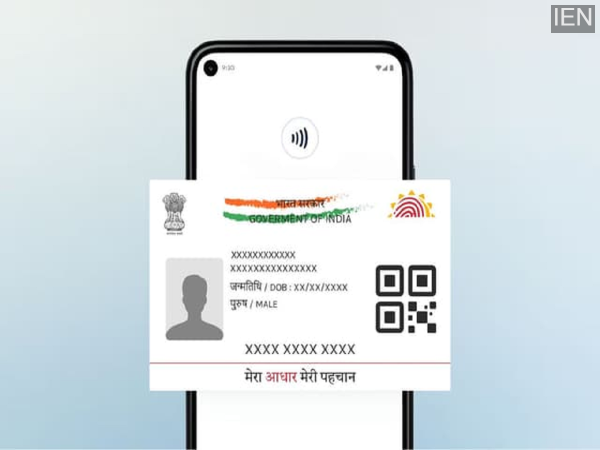
A new feature allowing users to add their Aadhaar to Google Wallet has officially launched in India. Now, users can verify their identity in a secure and hassle-free manner—without needing a physical card—while also benefiting from selective data sharing.
The momentum of ‘Digital India’ has taken another significant leap forward with this major update. Google has introduced a feature in India that allows users to save their Aadhaar card directly within Google Wallet. There is no longer any need to search for a physical card or log in to various websites to verify your identity. This new system paves the way for fast, secure, and incredibly simple identity verification.
What Has Changed, and Why Is This a Major Update?
Under this new facility, Aadhaar can be saved in the Wallet as a digital credential. This data remains stored in an encrypted format directly on the user’s phone, rather than on their Google account.
A standout feature is the ‘Selective Disclosure’ capability. This means that when you present your identity, the recipient will only see the specific information that is absolutely necessary. For instance, if a situation merely requires age verification, your entire Aadhaar data will not be shared.
This update has been rolled out in partnership with the UIDAI, further bolstering its credibility and reliability.
Where Can You Benefit from This Feature?
This feature is not merely for show; it has been designed to simplify everyday life.
Initial partners include PVR INOX, where ticket verification will become much smoother. Additionally, it will enhance profile trustworthiness on Bharat Matrimony and potentially expedite international visa processing through Atlys.
In the near future, platforms such as MyGate and Snabbit are also expected to integrate with this system, thereby digitizing residential society entry procedures and local service verifications.
How to Add Your Aadhaar to Google Wallet?
To utilize this feature, you must have an Android phone running on version 9 or higher; furthermore, having a screen lock enabled on your device is mandatory.
The process is remarkably simple: Open the official Aadhaar app, log in, verify your identity, and select the “Add to Wallet” option. Following this, it will be linked to Google Wallet.
The second method involves opening Google Wallet directly, tapping the ‘+’ icon, and selecting Aadhaar. You will then be redirected to the Aadhaar app.
If you see a “Reviewing your request” message, you will need to wait briefly; the system is currently verifying your details.
Usable Both Offline and Online
Once Aadhaar has been added to your Wallet, you can present it offline using NFC or a QR code. Additionally, it can be utilized for online services.
In other words, identity verification now requires neither physical paperwork nor a lengthy, cumbersome process.
Expanding Globally Alongside India
Coinciding with this launch in India, Google is also expanding its digital ID features to other countries. Passport-based digital ID rollouts are currently underway in Singapore, Taiwan, and Brazil.
This signals that, in the near future, digital identities could completely replace physical documents.
-
NDA Hat-Trick In Assam? Matrize Predicts Comfortable Victory For BJP-Led Alliance

-
Exit Polls: Vijay's Debut A Flop Show? Jana Nayagan Superstar Fails To Perform In Tamil Nadu

-
Congress-Led UDF Ahead In Kerala, Three Exit Polls Suggest Close Contest

-
MI VS SRH, IPL 2026: Will Rohit Sharma Play Against SRH At Wankhede?

-
IPL 2026: James Hopes Remains Positive As Punjab Kings Stay Top Despite First Defeat Against Rajasthan Royals