Use of Smart TV without internet
Nowadays, most people believe that internet is necessary to use Smart TV. But the reality is different from this. Even if your home WiFi is not working or the internet speed is slow, your Smart TV can still give you a great entertainment experience. Actually, smart TV has many such features, which you can use offline also. With a little intelligence and the right setup, you can watch movies, play games, work, and even share your mobile screen on TV even without the internet.
Here are 5 simple ways you can enjoy Smart TV even without WiFi.
mirror smartphone screen
If internet is not available, the simplest way is to mirror the phone screen to the TV. With this, you can view the photos, videos and downloaded content in your mobile on the big screen. Screen casting is easy for Android users, as most smart TVs have this feature built-in. At the same time, iPhone users may need a separate app in some cases. Apart from this, content can also be played without internet by connecting the tablet or laptop to the TV with an HDMI cable.
enjoy gaming
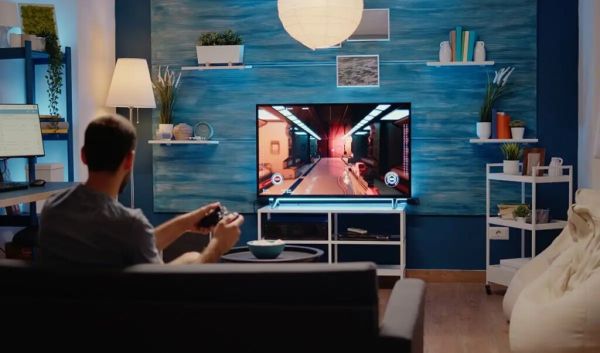
Internet shutdown does not mean that gaming will also stop. You can use your Smart TV as a gaming screen. Gaming consoles like the Sony PlayStation 5 or Microsoft Xbox Series Additionally, mini retro gaming consoles are also available, which come with old classic games pre-installed. With their help, you can play games for hours even without internet.
Use Smart TV as a monitor
Smart TV is not only useful for entertainment but also for work. Many smart TVs have apps for viewing and editing documents offline. If you have a wireless keyboard and mouse, you can easily use the TV like a mini computer. Another method is to connect your laptop to the TV with an HDMI cable. This will make the TV a bigger monitor and you can do presentations, document editing or other tasks even without internet.
Watch movies from pen drive or SSD
If you have already saved movies or videos in a pen drive or external hard drive, you will not need internet. Simply plug the drive into the TV’s USB port and play the video from the media player.
You can also watch your old memories like wedding videos, trip clips or downloaded movies. This method is especially useful when the internet is down for a long period of time.
TV channels are also a good option
After the advent of Smart TV, people have become more dependent on OTT platforms, but traditional TV channels are also a good means of entertainment. If there is no internet, start watching DTH or cable channels. News, movies, sports and music channels can give you a good time pass. Many times, this option proves to be the easiest and most reliable until the internet is restored. Smart TV does not depend only on the internet. You can take full advantage of it even without WiFi through options like screen mirroring, gaming console, HDMI connection, USB drive and TV channels. So the next time the internet goes down, there’s no need to worry—your Smart TV will still keep you entertained.
-
Tragic Accident in Dhar Claims Ten Lives, Including Children

-
Travis Head's Explosive Performance Leads SRH to Victory Over MI in IPL 2026

-
Voting Begins for West Bengal Assembly Elections 2026: Mithun Chakraborty Casts His Vote

-
Sagar Adani Highlights UAE's Potential OPEC Exit as Beneficial for India

-
Understanding the Importance of Marriage in Hinduism According to Garun Puran