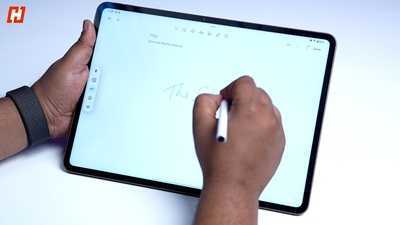
The OnePlus Pad 4 looks, at first, like a straightforward update.
It keeps most of what defined the Pad 3, including the large display, clean design, and strong performance. On top of that, it brings a newer chip, a slightly bigger battery, and a clearer push toward productivity.
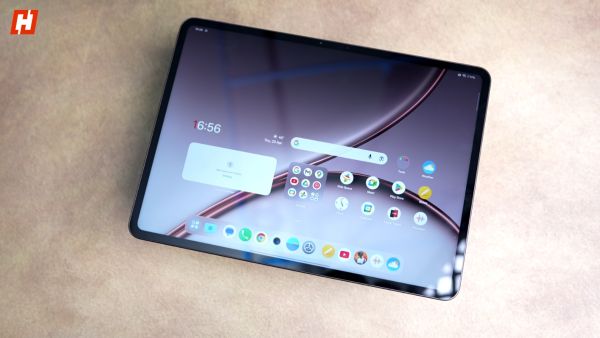 © Hook.Online
That also makes it a slightly more nuanced device to evaluate. The changes here aren’t immediately obvious. They don’t stand out in the first few minutes of use. Instead, they reveal themselves over time, in how consistently the tablet performs and how much more it leans into getting actual work done.
I’ve been using the Pad 4 for a few weeks now, and over that time, it’s settled into a pretty reliable rhythm. It’s easy to pick up, easy to depend on, and in some cases, easier than reaching for a laptop.
 © Hook.Online
It’s not without its trade-offs, though. And that balance only really becomes clear once you’ve spent some time with it.
OnePlus Pad 4 design: Pricing in IndiaThe OnePlus Pad 4 starts at ₹59,999 for the 8GB RAM and 256GB storage variant, while the 12GB RAM and 512GB model is priced at ₹64,999.
With bank offers and instant discounts of up to ₹5,000, the effective price drops to ₹54,999 for the base 8GB+256GB version, while the higher-end 12GB+512GB variant comes down to ₹59,999.
 © Hook.Online
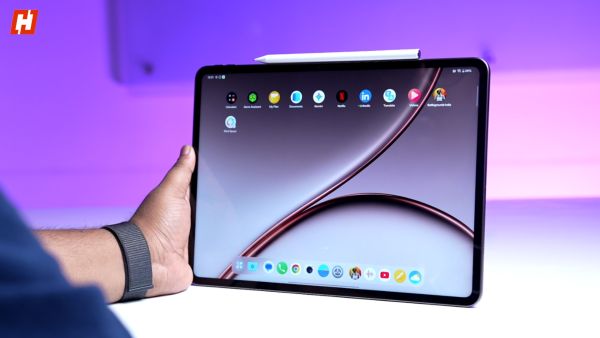
For a limited time, the OnePlus Pad 4 also comes with a complimentary OnePlus Stylo Pro stylus, which has been otherwise priced at ₹5,499, adding extra value if you are planning to use it for note-taking or sketching.
And finally, the Pad 4 also gets a folio case, which, for the launch, has been priced at ₹2,999.
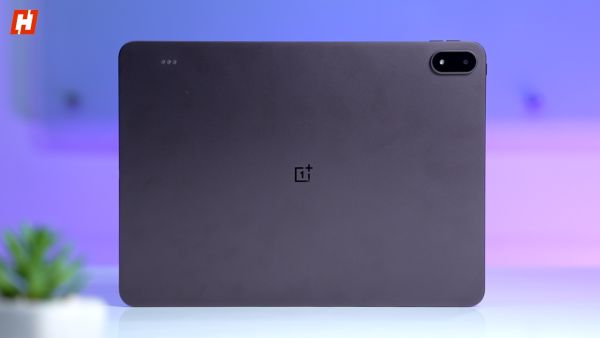
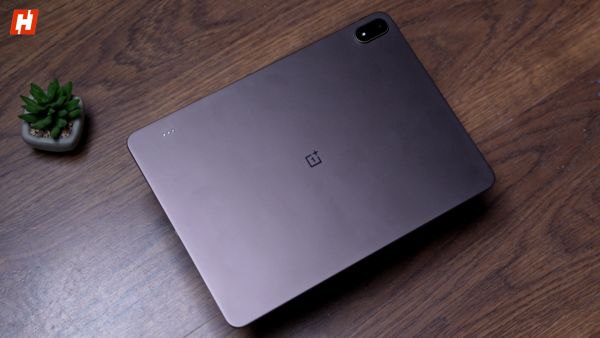
OnePlus Pad 4 design: Refined without reinventingThe design doesn’t change much at first glance, but the small tweaks here are more intentional than they seem.
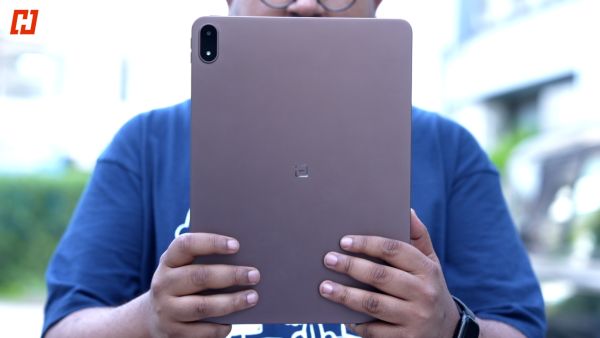
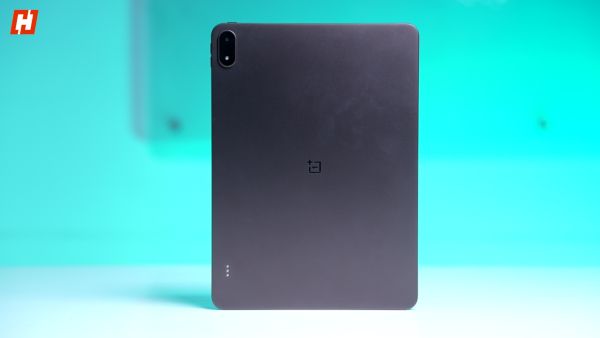
It’s thinner now at 5.94mm and still relatively light for its size at 672 grams. That combination makes it easy to carry around without thinking about it, which is exactly what you want from a large tablet.
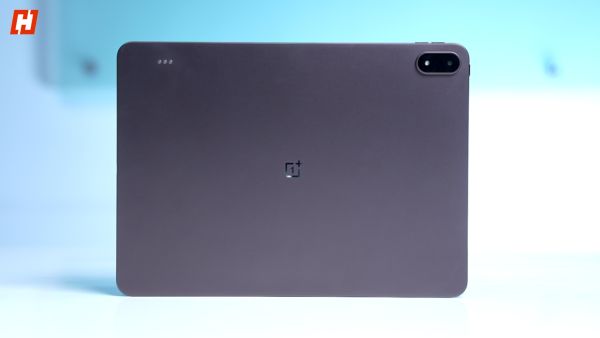
The metal unibody remains clean and understated. OnePlus hasn’t tried to add visual flair for the sake of it, and the result is a device that feels quietly premium rather than attention-seeking.
But there are a few subtle changes that affect how you actually use it.
The bezels are slightly slimmer, which improves the look but makes handheld use a bit less forgiving. On the Pad 3, there was more space to rest your fingers without interfering with the screen. Here, you’re more aware of your grip, especially during longer sessions.
 © Hook.Online
There’s also a more practical change: the pogo pins have been repositioned. They’ve moved up to the top edge, far opposite the camera module. On the Pad 3, they sat closer to the bottom, roughly in the middle. It’s a small shift, but it directly affects how the keyboard connects and also means the older keyboard doesn’t carry over.
OnePlus Pad 4 display: Still a core strength, but starting to feel familiarOnePlus hasn’t tried to change too much here, and that’s both the strength and the limitation of the display on the Pad 4.
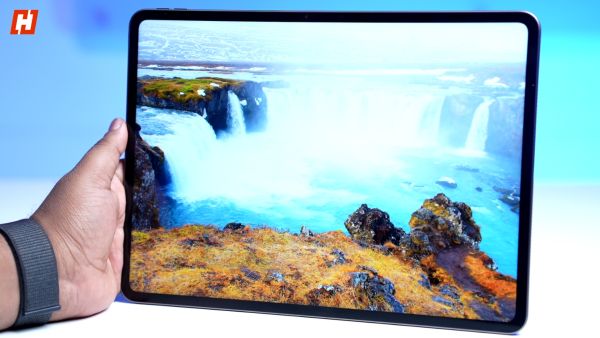
It continues with the same 13.2-inch 3.4K LCD panel, paired with a 144Hz refresh rate, Dolby Vision support, and 12-bit colour processing. The 7:5 aspect ratio also returns, and it remains one of the most practical choices for a tablet of this size.
 © Hook.Online
In day-to-day use, the display is still excellent. It’s sharp, fluid, and large enough to comfortably handle everything from reading documents to watching content. The aspect ratio, in particular, makes a noticeable difference when multitasking or working with text-heavy apps.
Brightness has been bumped slightly to 1000 nits in high brightness mode. It helps outdoors, but it’s not the kind of upgrade you immediately notice unless you’re using it in harsher lighting conditions.
At the same time, this is where the Pad 4 starts to feel a bit conservative.
For a tablet positioned this high, it would have been good to see OnePlus finally move to an AMOLED panel. The current display is still very good, but AMOLED would have brought deeper contrast, better HDR performance, and a more noticeable step forward compared to the previous generation.
As it stands, the experience remains familiar. It’s a great display, just not a significantly new one.
OnePlus Pad 4 performance: More power, better efficiencyThe biggest upgrade is the Snapdragon 8 Elite Gen 5 chip.
On paper, it’s a significant jump. OnePlus claims a 42% increase in benchmark scores compared to the previous generation, with AnTuTu numbers crossing 4.1 million, alongside improvements in both CPU and GPU efficiency.
 © Hook.Online
In everyday use, though, the difference isn’t immediately obvious.
That’s partly because the Pad 3 was already fast enough for most things you’d realistically do on a tablet. Apps opened quickly, multitasking felt smooth, and even heavier workloads didn’t really push it.
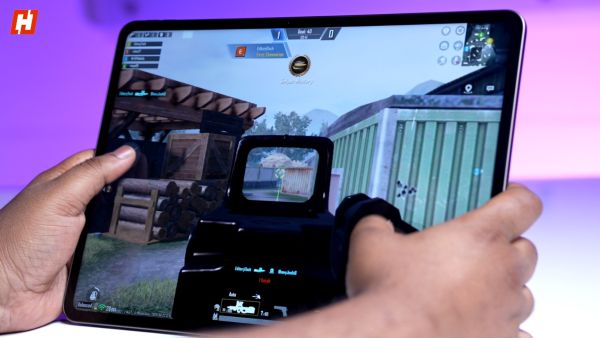
What the Pad 4 changes is consistency over time. The upgraded cooling system, with a larger vapour chamber, allows it to sustain performance better during longer sessions.
You notice it when you’re multitasking heavily or using the device continuously. It doesn’t slow down, and it doesn’t get noticeably warm.
RAM and storage also see some subtle shifts. The Pad 4 comes with 8GB or 12GB of LPDDR5X RAM, paired with either 256GB or 512GB of UFS 4.1 storage. The move to UFS 4.1 is a small but meaningful upgrade, especially for tasks like file transfers and app loading over time.
Interestingly, the Pad 3 offered higher RAM ceilings, going up to 16GB, though it used slightly older UFS 4.0 storage. In most real-world scenarios, that difference isn’t dramatic. Both tablets feel fast. But the Pad 4 feels like it’s been tuned to stay that way longer, rather than just peak higher.
 © Hook.Online
This isn’t a device that feels dramatically faster in short bursts. It feels more stable, more consistent, and ultimately more future-proof.
Connectivity remains largely unchanged between the two. Both tablets support Wi-Fi 7 and USB 3.2 Gen 1 Type-C, so wired transfer speeds stay the same. The Pad 4 does get an upgrade with Bluetooth 6.0, compared to Bluetooth 5.4 on the Pad 3.
There’s still no cellular option here, it’s Wi-Fi only. That might matter to some people, but in my use, pairing it with a 5G hotspot worked reliably enough that it didn’t feel like a limitation.
OnePlus Pad 4 audio: Still one of its strongest featuresAudio continues to be a strong point on the Pad 4.
You get an eight-speaker setup, with a mix of woofers and tweeters placed symmetrically on both sides. The result is a sound profile that feels full and balanced, whether you’re watching content or just listening to music.
 © Hook.Online
What stands out is how consistent it is. The tablet adjusts channels based on orientation, so the audio doesn’t feel off when you rotate it. It’s a small detail, but it makes a difference in everyday use.
Volume levels are more than enough for a room, and the sound holds up well without getting harsh at higher levels. If anything, this is one area where OnePlus didn’t need to change much. The Pad 3 already did well here, and the Pad 4 keeps that same standard.
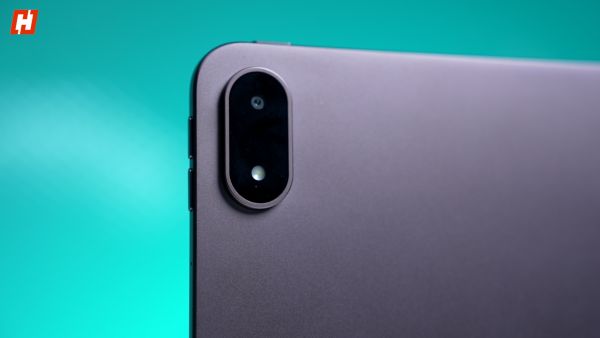
OnePlus Pad 4 cameras: Functional, nothing moreThe cameras on the Pad 4 are exactly what you’d expect from a tablet.
There’s a 13MP rear camera and an 8MP front camera. They work, they’re reliable enough for basic use, and that’s about it.
 © Hook.Online
The rear camera is fine for scanning documents or the occasional photo when your phone isn’t around. The front camera supports 1080p video and is the more relevant one here, especially for video calls. It gets the job done without any major issues.
But this isn’t a tablet you’re going to use for photography, and OnePlus doesn’t really position it that way either. Like most tablets, the cameras feel more like a utility than a feature. They’re here when you need them, and easy to ignore when you don’t.
OnePlus Pad 4 software: Where the direction becomes clearThe biggest shift with the Pad 4 isn’t hardware. It’s how OnePlus expects you to use it.
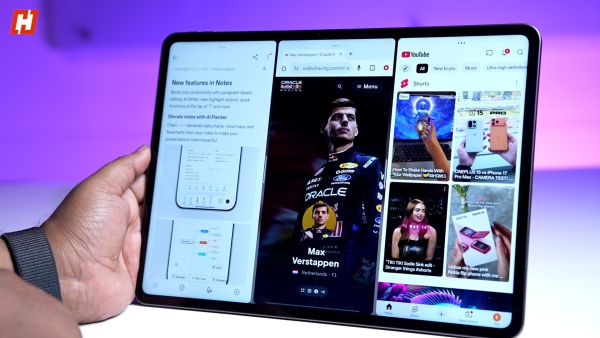
Running OxygenOS 16, the focus is clearly on productivity. You can run multiple apps at once, resize windows more freely, and move between tasks in a way that feels closer to a lightweight desktop setup than a typical tablet.
A big part of that is Open Canvas. It lets you run apps side by side and extend them beyond the screen, so you can swipe between them instead of cramming everything into one view. In practice, it feels more natural than traditional split-screen multitasking and makes better use of the large display.
 © Hook.Online
Multitasking overall is more flexible. You can have up to five apps open at the same time, depending on the configuration, and switching between them feels smooth and predictable. It’s not a full desktop experience, but it’s a step closer than most Android tablets manage.
File management has also improved. Drag-and-drop works more reliably, and support for external storage makes handling files feel less restrictive than before. It’s still not perfect, but it’s usable enough that you don’t constantly feel limited.
There’s also tighter cross-device integration. The Pad 4 can act as a second screen, and file transfers between devices are quicker and more seamless.
OnePlus has added AI tools like AI Writer and AI Summary, but they feel more like supporting features rather than something you rely on every day.
OnePlus is also promising around three years of Android updates and four years of security updates, which adds some reassurance if you’re planning to use this long-term.
OnePlus Pad 4 battery: Bigger capacity, same charging speedsBattery life on the Pad 4 improves, but not in a dramatic way.
It packs a 13,380mAh battery, which is slightly larger than what you got on the Pad 3 . On paper, OnePlus claims up to 20 hours of video playback and extended standby times, and in real use, it holds up well through a full day of mixed usage.
The difference isn’t huge, but it’s noticeable. Where the Pad 3 was already reliable, the Pad 4 feels a bit more relaxed about it. You’re less likely to think about charging midway through the day.
 © Hook.Online
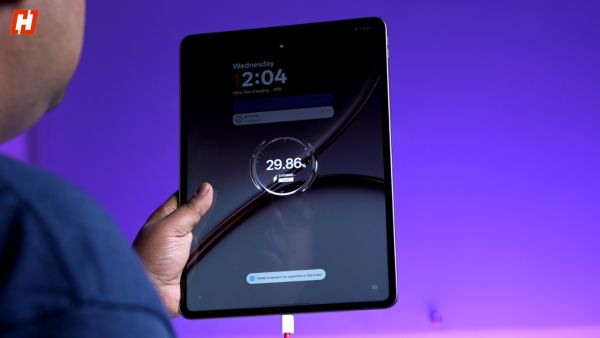
Charging stays the same at 80W SUPERVOOC. It’s still fast considering the battery size, and a full charge takes slightly over 90 minutes.
So this isn’t a battery overhaul. It’s a small step forward that fits the overall pattern of the Pad 4. Slightly better, slightly more efficient, and a bit more dependable over time.
OnePlus Pad 4 accessories: Still taking shapeThe accessories story around the Pad 4 feels a bit incomplete right now.
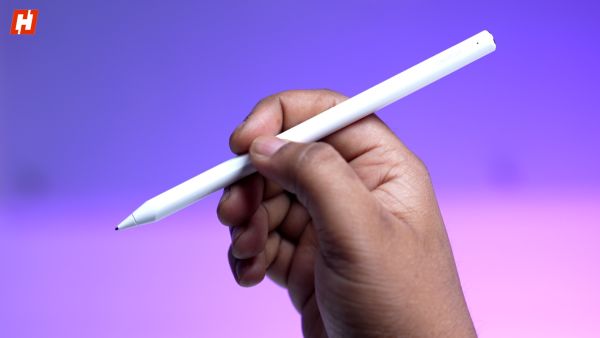
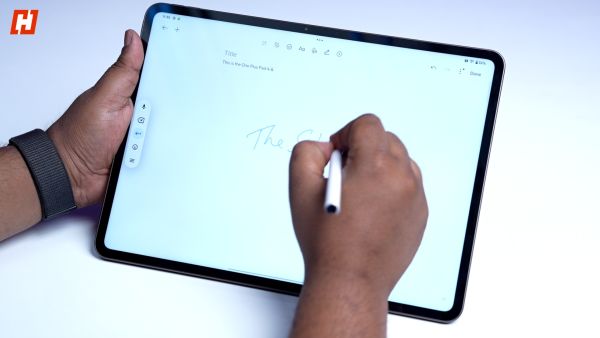
The new Stylo Pro is here, and it’s a noticeable upgrade. With 16,000 levels of pressure sensitivity, it feels more precise and more natural to use, especially for writing and sketching.
 © Hook.Online
OnePlus has also introduced different tip options this time, which subtly change the feel depending on whether you’re taking notes or drawing. It’s a small detail, but one that regular stylus users will appreciate.
OnePlus says a new keyboard is coming, but there’s no clear timeline yet, so it’s not something you can factor into your purchase right now.
There’s also a new folio case available, though OnePlus didn’t send that with our unit, so I wasn’t able to test it or comment on its quality.
 © Hook.Online
As it stands, the accessory ecosystem feels like it’s still coming together. The direction is clear, but the full setup isn’t entirely in place yet.
OnePlus Pad 4 verdict: A better tablet with room to growThe OnePlus Pad 4 is a better tablet than the Pad 3. That much is clear.
Performance is more consistent, the battery lasts slightly longer, and the overall experience feels a bit more refined. But at the same time, it doesn’t dramatically change how the tablet feels to use day to day.
The display is still excellent, but familiar. The design is cleaner, but not reimagined. And a lot of what works here is built on what was already working before.
 © Hook.Online
Where things get a bit complicated is with the accessories. OnePlus is clearly pushing the Pad 4 toward a more complete, laptop-style experience, but that setup isn’t fully in place yet. That makes this a strong but slightly transitional upgrade.
If you’re buying a tablet fresh, the Pad 4 still makes a lot of sense. It’s more future-ready and better aligned with where OnePlus wants this product to go. If you already have the Pad 3, though, the decision is less straightforward. The improvements are real, but they’re not urgent.
What the Pad 4 ultimately represents is a more mature version of the same idea. It’s not trying to impress you immediately. It’s trying to stay reliable over time.
And for the most part, it succeeds.
-
Healthy and tasty, this time it’s not curry but home made spicy amla pickle, the recipe is very easy.

-
Popcorn To Chicken Breast: 10 Foods That Can Speed Up Weight Loss, According To US Fitness Coach

-
World Refrigeration Day 2026: Importance, Theme & Global Impact

-
Do you sweat in the gym even in April-May? Know the right time and method of exercise

-
Correct ways and tips to apply perfume