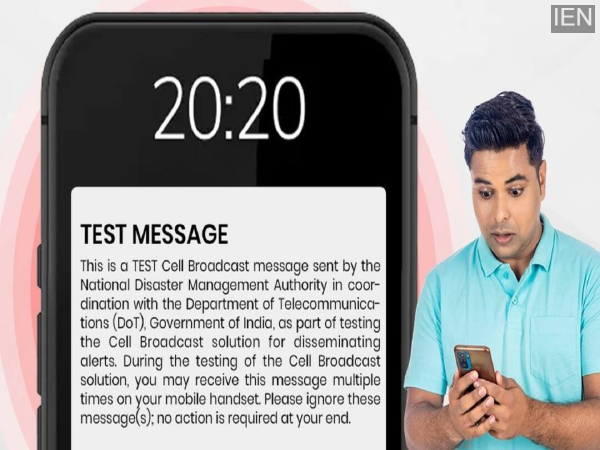
Cell Broadcast Alert: If your phone suddenly starts ringing within the next 1-2 days, do not be alarmed. In fact, the Department of Telecommunications and the National Disaster Management Authority are jointly conducting a nationwide trial of the Cell Broadcast Alert System. During this period, mobile users may receive alert messages. If you receive such a message on your phone, there is no need to panic; it is merely a trial. It is worth noting that Union Ministers Amit Shah and Jyotiraditya Scindia are set to launch a nationwide mobile-based disaster alert system on May 2nd. Let's understand what this system entails and what you need to do upon receiving an alert.
The Government's Appeal Regarding the Cell Broadcast Alert
During the launch of this system, a message will be sent to mobile phones across all state capitals and the Delhi-NCR region. In addition to Hindi and English, the message will also be available in regional languages. It will inform people that this is a trial run. The government has appealed to the public not to panic over the message, emphasizing that users are not required to take any action. This trial is being conducted solely to test the functionality of the system.
Alert Messages Have Been Sent Previously
This is not the first time that alerts are being sent to mobile phones via this system. According to reports, 134 billion alert messages have already been transmitted through this system. It is designed to be used to alert people during natural disasters, severe weather conditions, and situations such as cyclones. The new iteration of this system now incorporates 'Cell Broadcast' technology alongside traditional SMS services. This enhancement ensures that alerts can be delivered to people's phones even in areas with weak mobile network coverage.
Who Will Receive the Alert?
During the trial, the message will be delivered only to those users who have enabled the necessary settings on their mobile phones. Please also note that you may receive this message repeatedly. If this setting is not enabled on your phone, you will not receive the alert message. Upon receiving the message, simply press the 'OK' button.
Enable This Setting to Receive Emergency Alerts
If you wish to receive emergency alerts on your phone, you need to enable a specific setting. To do this, go to your phone's Settings and tap on 'Safety & Emergency'. Here, you will find the 'Wireless Emergency Alerts' option. Within this section, enable 'Test Alerts'.
-
Gender investment gap — Are women catching up with men?

-
GT vs RCB, IPL 2026 Match Highlights: Gujarat Titans Beat Royal Challengers Bengaluru by 4 Wickets as Arshad, Rashid Shine; Jason Holder's Catch Turns the Game

-
Shah Rukh Khan & Deepika Padukone's Pics From King's Shoot In Cape Town Leaked; Fans Say 'Great Styling'

-
Sensex, Nifty end week lower as global tensions and oil surge weigh on markets

-
Ettinahole works to resume in a week, says D K Shivakumar