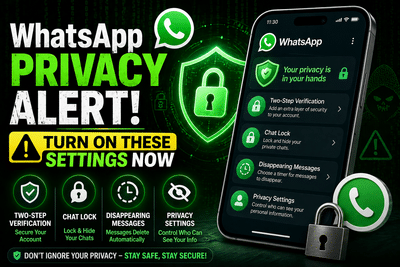
With billions of users worldwide, WhatsApp has become a vital communication tool in everyday life. However, its massive popularity also makes it a prime target for hackers and cybercriminals. While the platform offers end-to-end encryption, relying solely on this feature is not enough to ensure complete privacy. If your device falls into the wrong hands or your settings are not properly configured, your personal data and conversations could be at risk.
In today’s digital environment—where data breaches and scams are increasingly common—it is crucial for users to take proactive steps to secure their accounts. Fortunately, WhatsApp provides several built-in privacy and security features that, when used correctly, can significantly strengthen your protection. Here’s a detailed guide to the most important settings you should enable right away.
Control Who Can See Your Personal InformationOne of the simplest ways to improve your privacy is by managing who can view your profile details. WhatsApp’s Privacy Checkup tool allows you to customize visibility for your profile photo, last seen status, about section, and status updates.
You can choose options like “My Contacts,” “My Contacts Except,” or “Nobody” to restrict access. Setting sensitive details like “Last Seen” or “Status” to limited visibility helps prevent strangers from tracking your activity. You can also control who can add you to groups or call you, and even silence unknown callers automatically—reducing spam and unwanted interactions.
Use Disappearing Messages for Extra SafetyAlthough messages on WhatsApp are encrypted during transmission, they still remain stored on your device. This can be risky if your phone is compromised. To minimize this risk, you can enable the Disappearing Messages feature.
This tool allows messages to automatically delete after a set duration—24 hours, 7 days, or 90 days. You can apply this setting to individual chats or make it the default for all new conversations. While it adds an extra layer of privacy, users should remember that recipients can still take screenshots or save messages before they disappear.
Enable Two-Step Verification for Stronger ProtectionYour phone number is the key to your WhatsApp account, making it highly sensitive. Enabling Two-Step Verification adds an additional security layer beyond the standard OTP.
With this feature, you set a unique PIN that must be entered whenever your account is accessed on a new device. You can also link an email address to recover your account if needed. WhatsApp has also introduced passkey support, offering an even more advanced level of protection. Ignoring this feature could leave your account vulnerable to unauthorized access.
Lock Your Chats with App Lock and Chat LockEven if your messages are encrypted, someone with physical access to your phone can still view them. To prevent this, WhatsApp offers an App Lock feature that requires biometric authentication—such as fingerprint, Face ID, or passcode—to open the app.
For even greater security, the Chat Lock feature allows you to hide specific conversations in a separate locked folder. These chats can only be accessed through biometric verification, ensuring your most sensitive conversations remain private. In urgent situations, you can also quickly clear messages from this secure folder.
Activate Advanced Privacy FeaturesMany of WhatsApp’s most powerful security tools are hidden within the Advanced Privacy Settings, and they are often turned off by default. Enabling these options can significantly boost your safety.
Key features include blocking messages from unknown numbers, hiding your IP address during calls, and disabling link previews to prevent data leaks. While some of these settings may slightly affect convenience or call quality, the added protection is well worth it.
Why These Settings Matter More Than EverAs cyber threats continue to evolve, simply relying on default app settings is no longer enough. WhatsApp has introduced features like encrypted backups and AI-driven security tools, but user awareness and proper configuration remain the most critical factors in ensuring safety.
By taking a few minutes to review and enable these privacy settings, you can transform WhatsApp from a basic messaging platform into a highly secure communication tool.
Final TakeawayIn an age where digital privacy is constantly under threat, small steps can make a big difference. Adjusting your WhatsApp settings today can help protect your personal information, prevent unauthorized access, and keep your conversations safe.
Don’t wait for a security breach to act—secure your account now and stay one step ahead of cyber risks.
-
CM Stalin tenders resignation: DMK sources

-
CM Stalin tenders resignation: DMK sources

-
Gas pipeline leak triggers fire in Bidar; major accident averted

-
Bengaluru: Six arrested with MDMA, hydro ganja worth Rs 20 crore

-
Asthma patients using salbutamol blue inhalers told contact GP as 'dangerous' alert issued