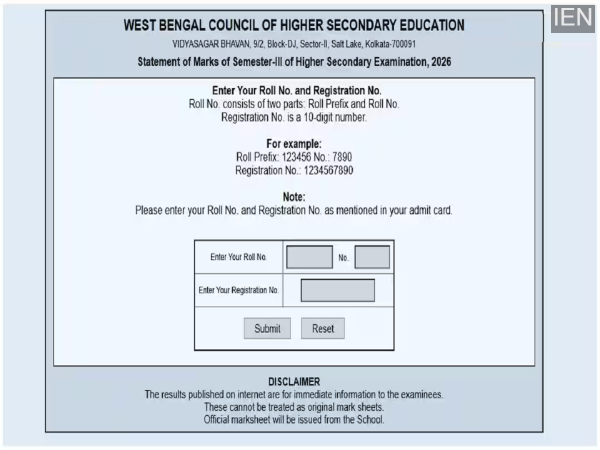
WBBSE Madhyamik 10th Result 2026: This year, the West Bengal Board Class 10 examinations were conducted in February. Lakhs of students appeared for the exams and are now eagerly awaiting their results.
WBBSE Madhyamik 10th Result 2026 @wbresults.nic.in: The wait for Class 10 students of the West Bengal Board of Secondary Education (WBBSE) is set to end today (May 8). The West Bengal Board will announce the results for the Madhyamik (Class 10) examination today—May 8, 2026—at 9:30 AM. Students who appeared for the examination this year will be able to check their results on the Board's official websites: wbresults.nic.in and wbbse.wb.gov.in. Additionally, for the convenience of students, several other platforms have been made available through which they can easily download their mark sheets.
It is worth noting that the West Bengal Board Class 10 examinations were held in the month of February this year. Lakhs of students participated in the exams and are now eagerly awaiting the outcome. Board officials had previously announced that the results would be released on May 8 at 9:30 AM. Meanwhile, the direct link to check the results is expected to be activated on the official websites around 10:00 AM.
How to Check Your Result on the West Bengal Board Website?
- First, visit the Board's official websites: wbresults.nic.in or wbbse.wb.gov.in.
- Click on the 'WBBSE Madhyamik Result 2026' link located on the homepage.
- You will then be redirected to a new page where you will need to enter your Roll Number and Date of Birth.
- After entering the required details, click on the 'Submit' button.
- Your result will be displayed on your screen.
- Download the result and take a printout for future reference.
How to Obtain Your Marksheet on DigiLocker?
- Students can easily access their digital marksheet through DigiLocker as well.
- First, download the DigiLocker app or visit the official website: digilocker.gov.in.
- If you have already created an account, log in; otherwise, sign up using your Aadhaar number.
- Navigate to the 'Education' section and select the 'West Bengal Board of Secondary Education'.
- Next, select 'Class 10 Marksheet' and fill in the required details, including your Roll Number and the Year of Examination.
- Your marksheet will be saved to your DigiLocker account.
How to Check Results via SMS?
In case of internet connectivity issues, students can also access their results via SMS.
Go to the message box on your mobile phone.
Type: WB10
Send this message to 5676750.
You will receive your result via SMS.
Information to Verify on Your Marksheet
After downloading their results, students should carefully verify all the details provided on their provisional marksheet.
- Student's Name
- Roll Number
- Father's/Guardian's Name
- Date of Birth
- School Name
- Marks obtained in each subject
- Total Marks
- Pass/Fail Status
If there are any errors in the marksheet, students should immediately contact their school authorities.
What are the Passing Marks?
To pass the West Bengal Board Class 10 examination, students are required to secure a minimum of 25% marks in each subject (combining both written and practical examinations). If a student fails in one or two subjects, they will be given an opportunity to appear for a supplementary examination; details regarding this will be announced by the Board after the declaration of results.
How to Obtain the Original Marksheet?
The marksheet obtained from the website or DigiLocker is provisional in nature. Students will receive their original marksheets from their respective schools a few days after the declaration of the results. The Board will send the mark sheets to the schools, after which students will be able to visit their schools to collect them.
-
Gas or period pains that are ignored can be a cancer risk, doctors warn women

-
Capture every moment now! The market was shaken by the new Vivo smartphone, the rivals broke sweat with the powerful camera

-
India-EU’s big initiative: ‘Treasure’ will emerge from battery waste, recycling mission worth Rs 169 crore started

-
Top 5 youngest foreign players to score centuries in IPL: Cooper Connelly Read

-
Liverpool scales back plans for ticket price increases after protests from fans