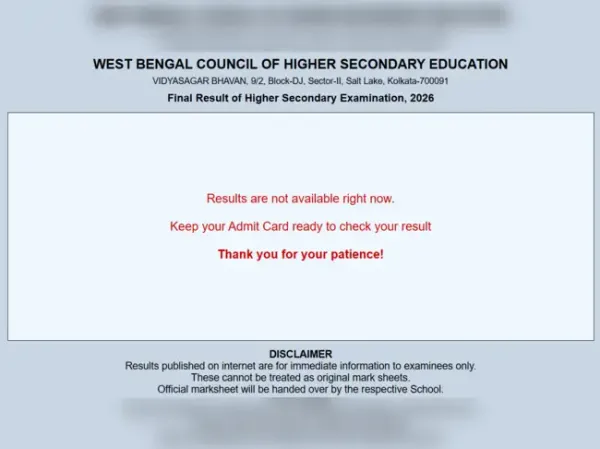
In a big relief to more than 7 lakh students, the West Bengal Council of Higher Secondary Education (WBCHSE) is announcing the WB Higher Secondary (HS) Class 12 result today. The results will be announced through a press conference at 10.30 am and the online link will be activated from 11 AM onwards.
Once results are announced, students will be able to check their scorecards through the official websites of the council at wbchse.wb.gov.in and result.wb.gov.in.
Time: 11 AM
Official websites are: wbchse.wb.gov.in, result.wb.gov.in and DigiLocker
ALSO READ: CBSE Class 12 toppers list 2026
Go to the official result website, wbresults.nic.in or result.wb.gov.in
On the homepage, search and click on the “WB HS Result 2026” link
A new window will open, enter the Class 12 roll number
Submit the details and the marksheet will appear on the screen
You can download and save the result for future use
Visit the DigiLocker website or open the mobile app
Log in using your registered mobile number
New users must first complete registration with an Aadhaar-linked mobile number
After signing in, go to the “Issued Documents” section
Select the option related to education or board certificates
Choose the West Bengal Council of Higher Secondary Education from the list
Enter the required details, including roll number and examination year
Submit the information to access the marksheet
Download and save the digital copy for future use
Once results are announced, students will be able to check their scorecards through the official websites of the council at wbchse.wb.gov.in and result.wb.gov.in.
WBCHSE HS Class 12 Results Date, Time, official websites
Date: May 14, ThursdayTime: 11 AM
Official websites are: wbchse.wb.gov.in, result.wb.gov.in and DigiLocker
ALSO READ: CBSE Class 12 toppers list 2026
How can I check my WB HS Results 2026 online?
Students can follow the steps given below to download the West Bengal Uchch Madhyamik result 2026:Go to the official result website, wbresults.nic.in or result.wb.gov.in
On the homepage, search and click on the “WB HS Result 2026” link
A new window will open, enter the Class 12 roll number
Submit the details and the marksheet will appear on the screen
You can download and save the result for future use
How to download WBCHSE HS Results on DigiLocker?
Students can also access their digital marksheets through DigiLocker by following these steps:Visit the DigiLocker website or open the mobile app
Log in using your registered mobile number
New users must first complete registration with an Aadhaar-linked mobile number
After signing in, go to the “Issued Documents” section
Select the option related to education or board certificates
Choose the West Bengal Council of Higher Secondary Education from the list
Enter the required details, including roll number and examination year
Submit the information to access the marksheet
Download and save the digital copy for future use