Instagram 'Instants': How to disable the feature and unsend photos
15 May 2026
Instagram has recently launched a controversial new feature called "Instants," aimed at sharing real-time, disappearing photos.
The update was touted as a way to share authentic moments as they happen. However, its instant-send nature has left many users confused and concerned about their privacy.
This article will guide you through disabling the feature and retracting any accidentally shared photos.
A brief introduction
Feature details
When users first access the new Instants section by tapping a mini photo stack in their inbox, they are greeted with a brief introduction.
The app explains that Instants disappear, there is no viewers list, and reactions and replies remain private.
However, what Meta doesn't clarify is that photos taken via this feature are automatically sent to all friends on the user's list unless they manually select "Close Friends" first.
Users accidentally sharing photos with unintended recipients
Privacy concerns
The lack of clear instructions for sending an image has led to many users accidentally sharing photos with unintended recipients. Some didn't even realize a photo had been sent at all.
The instant-send nature of the feature has frustrated many Instagram users, who are used to reviewing and curating their content before sharing it.
How to turn off 'Instants'
Disabling guide
To disable the new Instants feature, users need to go to their profile and click on a three-line menu at the top right.
From there, they should scroll down to "Content Preferences" and toggle the "Hide Instants in Inbox."
This will remove any trace of the Instants feature and any received Instants.
For those who don't want to disable it completely, there's an option to temporarily stop receiving them by swiping right on the pile of Instants in their inbox.
Accidentally shared an instant? Here's what you can do
Retraction process
If a user accidentally shares an Instant, an "Undo" option appears below the shutter button. This lets them retract the photo before it is viewed by others.
Alternatively, users can go to their archive by tapping on a four-box icon at the top right of the camera and delete an Instant. This action will unsend it for friends who haven't opened it yet.
-
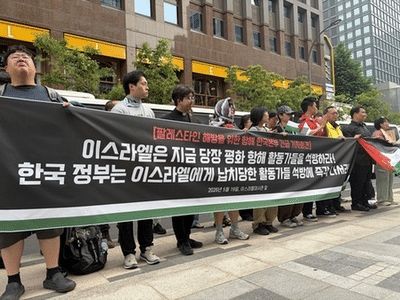
Israeli forces seize humanitarian aid flotilla carrying South Korean activist: Civic group
-
Australia's Victoria State warns of rising climate risk to infrastructure
-
Rajasthan PTET 2026: Application Deadline for Rajasthan PTET Exam Extended—Opportunity to Fill Out Forms Now Available Until This Date..
-
I shop at Sainsbury's and Tesco-but there's 1 item I always buy from M&S

-
CRPF Recruitment 2026: Today is the last date to apply for 9,175 CRPF Constable posts...