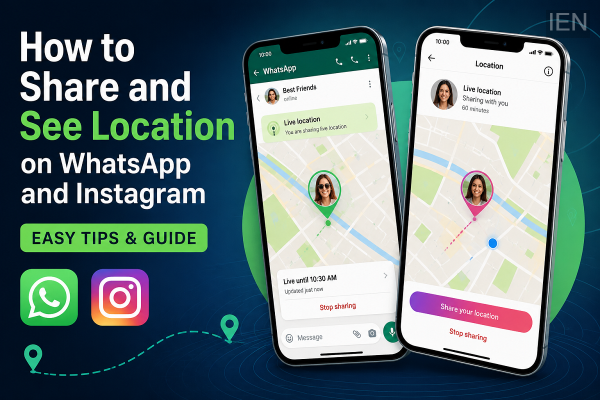
In today's connected world, location-sharing features have become an essential part of staying in touch with friends and family. Whether you're trying to meet someone in a crowded place, ensure a loved one reaches home safely, or coordinate a trip with friends, both WhatsApp and Instagram offer convenient ways to share location information.
If you've ever wondered how to view a friend's location on WhatsApp or Instagram, here's everything you need to know about these features, how they work, and the privacy settings you should keep in mind.
WhatsApp Live Location: How It Works
WhatsApp allows users to share their real-time location with individual contacts or groups for a limited period. The feature uses your phone's GPS to update your location continuously until the selected time expires or you manually stop sharing.
To use Live Location on WhatsApp:
- Open the chat with the person or group you want to share your location with.
- Tap the attachment (paperclip) icon on Android or the "+" button on iPhone.
- Select Location.
- Choose Share Live Location.
- Pick a sharing duration, such as 15 minutes, 1 hour, or 8 hours.
- Optionally add a message and tap Send.
Once shared, the recipient can view your movements in real time on the map until the sharing period ends.
How to See a Friend's Location on WhatsApp
You can only view someone's location if they have intentionally shared it with you.
To check it:
- Open the WhatsApp conversation where the location was shared.
- Tap the live location message.
- The map will open, displaying the person's current location and movement if live sharing is active.
If live location sharing has ended or was never enabled, you will not be able to track their location.
Instagram Location Sharing: What You Should Know
Instagram also offers location-related features, but they work differently from WhatsApp.
Users can:
- Share their current location in direct messages (where available).
- Add location tags to Stories and posts.
- Share places while chatting with friends.
However, Instagram does not allow users to continuously track another person's live location in the same way WhatsApp does.
How to Share Your Location on Instagram
If the feature is available in your region:
- Open Instagram and go to Direct Messages.
- Open the chat with the person you want to share your location with.
- Tap the location-sharing option (if available).
- Confirm your selection and send your location.
Availability may vary depending on your country, app version, and device.
Privacy Comes First
Both WhatsApp and Instagram are designed to protect user privacy. Neither platform lets users access another person's location without their explicit permission.
Before sharing your location, keep these safety tips in mind:
- Share your location only with trusted people.
- Stop live location sharing once it is no longer needed.
- Review your app's location permissions regularly.
- Avoid sharing your location publicly unless necessary.
Can You Track Someone Without Their Permission?
The answer is no.
Neither WhatsApp nor Instagram allows users to secretly monitor or track another person's location. Any app or service claiming to provide hidden location tracking through these platforms should be treated with caution, as it may compromise your privacy or security.
Final Thoughts
Location-sharing features on WhatsApp and Instagram make it easier to stay connected and coordinate with friends and family. While WhatsApp offers a dedicated Live Location feature for real-time tracking with consent, Instagram's location tools are more limited and focus primarily on sharing places rather than continuous tracking.
Always remember that location sharing is entirely optional and works only when the user chooses to share it. Using these features responsibly helps maintain both convenience and privacy while staying connected.
-
Indian Startup Funding Slips 9% To $5.2 Bn In H1 2026

-
Arunachal flood toll rises to 4 with over 90,000 affected

-
Post Office Small Savings Schemes: Government Announces Fresh Decision on PPF, SCSS and SSY Interest Rates

-
TCA Issues Stern Warning to HCA Over Jurisdictional Disputes

-
Abhinav Mukund Praises Harshit Rana as India's Top ODI Bowler