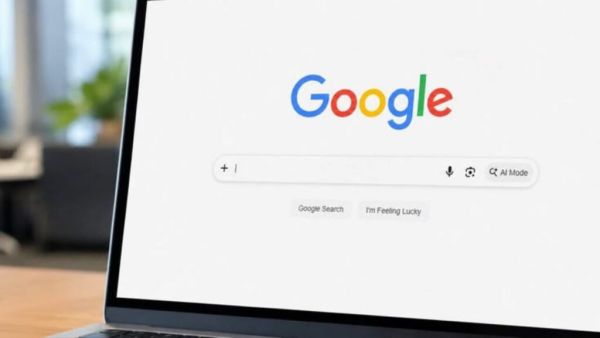
- Enabling Google Security Checkup and Two-Step Verification (2FA) strengthens account security.
- Check passwords in Google Password Manager regularly and use a different, strong password for each account.
- Keep recovery phone number, recovery email updated and remove access to unnecessary third-party apps immediately.
Google Account Tips: Smartphones have become an important part of people’s lives in today’s digital age. Along with smartphones, Google account has also become a part of our daily life. Today, Google Account is not limited to your email. Your photos, contacts, passwords and a lot of personal information are saved in your Google Account.
Why did Apple suddenly stop leather iPhone Cases? What is the reason? You will also be surprised to read
In such a situation if your Google account gets hacked, all your personal information can go to the hackers and you can suffer huge losses. But Google offers some security features to its users, with the help of which you can keep your data safe. Today we are going to tell you about 5 such settings of Google Account, which can keep your account safe.
Google security checkup feature
Google’s Security Checkup feature checks the security of your account. With the help of this feature, you can constantly check which device your account is logged into. Apart from this, with the help of this feature, you can monitor all the activities of your account. Therefore, you can periodically check the security of the account using this feature.
Check saved passwords periodically
Google also takes care of the security of users’ accounts. Google Account offers Google Password Manager feature to users. It periodically checks saved passwords. If the password you set has been weakened or your password has been exposed in a data leak, it is important to change it immediately. Always set a unique and strong password for each of your Google accounts.
Always keep the recovery phone number and email updated
This feature is used when you forget your password. If you ever forget your account password or your account is locked, you can use the recovery phone number and recovery email feature. This is why it is very important to keep the recovery phone number and recovery email updated.
Two Step Verification
Google offers two step verification (2FA) feature for its users. If you have not yet turned on this feature for your Google Account, first turn on the Two Step Verification (2FA) feature. After this it will not be enough to just enter the password, you will also have to enter an authentication code from your phone. Because of this, even if your password is leaked, no one will be able to log into your account easily
Scam Alert: Oh Godsss I made the payment online, but the goods have not been delivered! The new scam blew everyone’s sleep; Stay safe
Don’t give access to third party apps
Usually we login to different websites and apps through Google account without any thought. Over time, many of these apps become useless, but they still have Google Account permissions. Allowing all such unknown or unnecessary apps should be avoided.
-
Official: Real Madrid complete the signing of Denzel Dumfries on a deal running until 2030

-
Indian Railways: Journey from Uttarakhand to Maharashtra Made Easier; Jhansi and Lalitpur Get a New Train

-
Electricity Bill: How to avail the electricity bill subsidy in UP and what documents are required? Find out here.
-
8th Pay Commission: Fortune smiles on central government employees—will basic salary really rise by 283%?

-
'Have Been Playing Good Cricket': Ishan Kishan Backs India After England Defeat