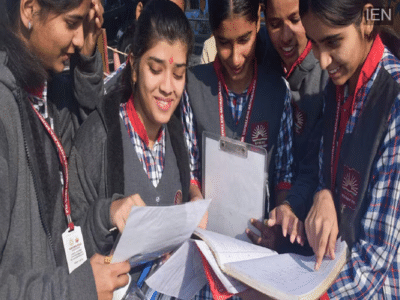
CBSE Second Board Result: The CBSE may release the results for the Class 10 second board examination at any time. However, the Board has not announced an official time for the release.
CBSE Second Board Result: The Central Board of Secondary Education (CBSE) could release the Class 10 second board exam results at any moment today. Although no specific time has been announced, students are advised to keep their login credentials ready and keep a close watch on the official website. Once the results are declared, students will be able to download their scorecards online.
Lakhs of students who appeared for the second board examination are awaiting their results. CBSE conducted the Class 10 second board exam between May 15 and May 21. This exam was held under the 'two-board-exam system' introduced as part of the National Education Policy (NEP) 2020. Candidates who opted to improve their marks from the first board exam or appeared for compartment subjects participated in this examination.
Websites where results will be released
Once declared, students can view their results by visiting the official CBSE websites: cbseresults.nic.in, results.cbse.nic.in, and cbse.gov.in. Additionally, digital marksheets will be available via DigiLocker and the UMANG app. Students facing issues due to heavy website traffic can also utilize alternative methods such as SMS, IVRS, and the CBSE mobile app.
How to download the CBSE Class 10 Second Board Result
To view the result, first visit the official CBSE website: cbseresults.nic.in.
Click on the link for "CBSE Class 10 Second Board Result."
Enter your roll number, school number, admit card ID, and date of birth (if required).
After entering all the details and clicking submit, the result will appear on the screen. Students can download their provisional marksheets and also take a printout.
How to download the digital marksheet from DigiLocker
Students can download their marksheets by logging into the DigiLocker app or website. To do this, they must enter the 6-digit security PIN provided by the school, their roll number, and other necessary details. Afterward, they can navigate to the 'Issued Documents' section, select the option for the CBSE Class 10 marksheet (2026), and download the digital marksheet. This marksheet will be considered officially valid.
Make sure to verify these details on the marksheet
After downloading the result, students should carefully check their name, roll number, parents' names, school name, subject-wise marks, total marks, and pass/fail status. If any error is found, they should contact their school immediately.
Opportunity for re-evaluation after the result
If a student is not satisfied with their marks, they can apply for re-evaluation in accordance with the procedure prescribed by the board. For this, one must first obtain a photocopy of the evaluated answer sheet. After reviewing the answer sheet, an application for re-evaluation can be submitted within the stipulated timeframe.
-
MP News: India’s first private launch vehicle Vikram-1 successful, CM Mohan Yadav called it a historic achievement. Mp News Vikram 1 Private Launch Vehicle Success Skyroot Aerospace Cm Mohan Yadav Pm Modi Space News

-
Who Is Aniqa Jamal Iqbal? Meet Pakistan's First-Ever Miss World Contestant in 73 Years

-
Illegal dairies in Yamuna floodplain: NGT seeks report from MCD in 6 weeks. Ngt Pulls Up Mcd Over Illegal Dairies On Yamuna Floodplains Seeks Report
-
Monsoon Gardening Tips: 7 Popular Indoor Plants That Need Extra Attention During Rainy Season

-
Jewelery collection will be ready for ₹ 500, buy 4 fancy items. Jewelery Collection Under 500 Fancy Items For Beautiful Look