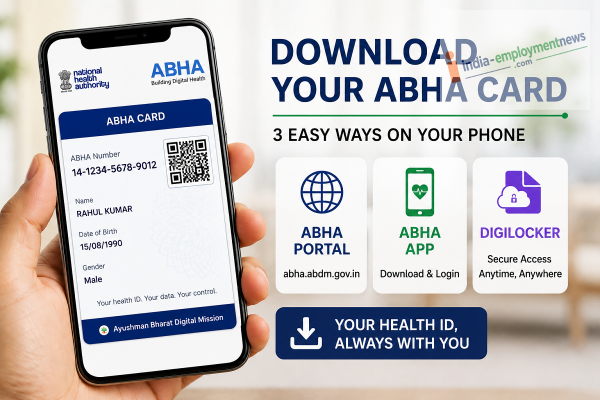
Keep your digital health ID handy by downloading your ABHA card through the ABHA portal, mobile app, or DigiLocker.
The Ayushman Bharat Health Account (ABHA) Card is a key part of the Ayushman Bharat Digital Mission (ABDM), allowing individuals to securely access and manage their digital health records. Instead of carrying paper prescriptions, diagnostic reports, or medical files, users can store and access their health information digitally through their ABHA account.
If you already have an ABHA number, you can easily download your digital ABHA card on your smartphone using official government platforms. Here are three simple ways to do it.
Method 1: Download the ABHA Card from the Official ABHA Portal
You can download your card directly from the official ABHA website.
Steps:
-
Visit the official ABHA Portal.
-
Click Login.
-
Sign in using your 14-digit ABHA number or your registered mobile number.
-
Complete the OTP verification process.
-
Open your dashboard.
-
Click Download ABHA Card.
-
Save the PDF to your phone or computer.
This method allows you to access the latest version of your digital health card anytime.
Method 2: Download Using the ABHA Mobile App
The official ABHA mobile application also lets users view and download their health card.
Steps:
-
Install the ABHA App from your device's app store.
-
Log in using your registered mobile number or ABHA number.
-
Complete OTP verification.
-
Open your profile.
-
Tap View/Download ABHA Card.
-
Save the card to your smartphone for offline access.
The app also provides access to various digital health services linked to your ABHA account.
Method 3: Download Your ABHA Card via DigiLocker
If your ABHA card is linked with DigiLocker, you can retrieve it through the government-backed document storage platform.
Steps:
-
Open the DigiLocker app or website.
-
Sign in with your registered mobile number.
-
Search for ABHA Card or Ayushman Bharat Health Account.
-
Select the appropriate issuer.
-
Complete the verification process.
-
Download or save the digital document to your account.
DigiLocker allows you to access your government-issued documents from one secure location.
What Is an ABHA Card?
The ABHA Card is a unique digital health identity issued under the Ayushman Bharat Digital Mission. It helps individuals securely link and access their health records across participating healthcare providers.
Depending on the services you use and the permissions you provide, your ABHA account can be linked with:
-
Digital prescriptions
-
Laboratory reports
-
Medical records
-
Hospital visit history
-
Health documents from participating healthcare facilities
Users remain in control of how their health information is shared.
Why Keep a Digital Copy?
Downloading your ABHA card offers several advantages:
-
Easy access during hospital visits.
-
No need to carry physical health documents.
-
Secure storage on your smartphone.
-
Quick sharing with healthcare providers when required.
-
Convenient access from official government platforms.
Final Thoughts
The ABHA Card makes it easier to manage your digital health identity and access medical records when needed. Whether you choose the official ABHA Portal, the ABHA mobile app, or DigiLocker, downloading your card takes only a few minutes. Keeping a digital copy on your phone ensures your health ID is always available whenever you visit a healthcare provider.
-
England’s Triumphs and Disappointments from the 2026 World Cup

-
Delhi Capitals Player Faces Arrest After Calcutta High Court Order In Rape Case

-
International Chess Day 2026: Can Chess Really Boost Children's Brain Power? Doctors Reveal Truth

-
Britain Gets Its 7th Prime Minister In Just 10 Years As Andy Burnham Takes Charge

-
Andy Burnham Becomes New UK Prime Minister After Meeting King Charles III