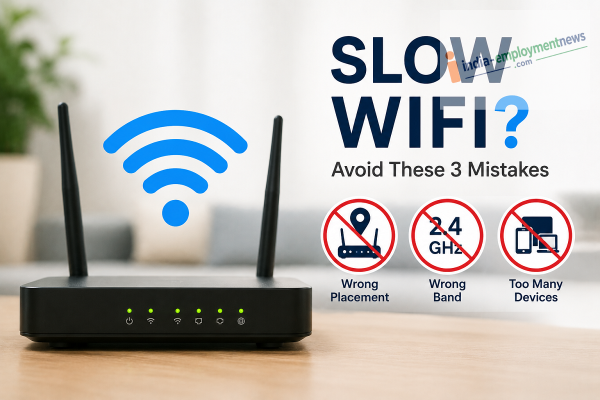
A poorly placed router, the wrong frequency band, and too many connected devices can all reduce your Wi-Fi performance. Here's how to fix them.
A fast and reliable Wi-Fi connection has become essential for work, online classes, streaming, gaming, and smart home devices. However, many people experience slow internet speeds even after subscribing to high-speed broadband plans.
While internet service providers are often blamed, the real issue is frequently inside the home. Incorrect router placement, network congestion, and outdated settings can weaken Wi-Fi signals and affect browsing, video calls, and downloads.
If your Wi-Fi feels slower than expected, these three common mistakes may be the reason.
1. Placing the Router in the Wrong Location
One of the biggest reasons for weak Wi-Fi coverage is poor router placement.
Wi-Fi signals can be blocked or weakened by:
-
Thick walls
-
Large furniture
-
Metal objects
-
Mirrors
-
Home appliances
For better performance, place your router:
-
Near the center of your home.
-
On a shelf or other elevated surface.
-
In an open area with minimal obstructions.
-
Away from microwaves and other electronic devices that may cause interference.
A well-positioned router helps distribute signals more evenly throughout the house.
2. Sticking to the 2.4 GHz Band When 5 GHz Is Available
Many modern dual-band routers support both 2.4 GHz and 5 GHz Wi-Fi networks.
While 2.4 GHz offers wider coverage, it is often more crowded because many household devices operate on the same frequency.
Switching compatible devices to the 5 GHz band can provide:
-
Faster download speeds.
-
Lower latency.
-
Reduced wireless interference.
-
Better performance for HD streaming and online gaming.
Keep in mind that the 5 GHz band has a shorter range, so it works best when you are relatively close to the router.
3. Leaving Too Many Devices Connected
Every connected device shares your available network bandwidth.
Even when devices are not actively being used, they may continue to:
-
Download updates.
-
Sync photos and files.
-
Run cloud backups.
-
Refresh apps in the background.
As more devices compete for bandwidth, Wi-Fi performance can slow down.
To improve speed:
-
Disconnect devices you are not using.
-
Turn off Wi-Fi on idle smartphones, tablets, or laptops.
-
Remove unknown devices from your network.
-
Restart your router occasionally to refresh network connections.
Extra Tips to Improve Wi-Fi Performance
You can further optimize your home network by following these simple practices:
-
Update your router's firmware regularly.
-
Use a strong Wi-Fi password to prevent unauthorized access.
-
Restart your router every few weeks.
-
Upgrade to a newer Wi-Fi 6 or Wi-Fi 7 router if your current device is outdated.
-
Consider a Wi-Fi mesh system if you have a large home with dead zones.
When the Problem May Be Your Internet Plan
If you've optimized your router but still experience slow speeds, the issue may lie elsewhere.
Check whether:
-
Your broadband plan meets your household's needs.
-
Your ISP is experiencing outages.
-
Your router is old and unable to deliver your subscribed speed.
-
Multiple users are streaming or downloading simultaneously.
Running an online speed test can also help determine whether you're receiving the speeds promised by your internet provider.
Final Thoughts
Slow Wi-Fi doesn't always mean you need a more expensive internet plan. In many cases, simply relocating your router, switching to the 5 GHz band, and reducing the number of connected devices can significantly improve your network performance. A few small changes can make everyday browsing, streaming, and video calls much smoother.
-
Delhi Capitals Player Faces Arrest After Calcutta High Court Order In Rape Case

-
International Chess Day 2026: Can Chess Really Boost Children's Brain Power? Doctors Reveal Truth

-
Britain Gets Its 7th Prime Minister In Just 10 Years As Andy Burnham Takes Charge

-
Andy Burnham Becomes New UK Prime Minister After Meeting King Charles III

-
'End Sit-In, Assist Administration In Restoring Normalcy': Nadda