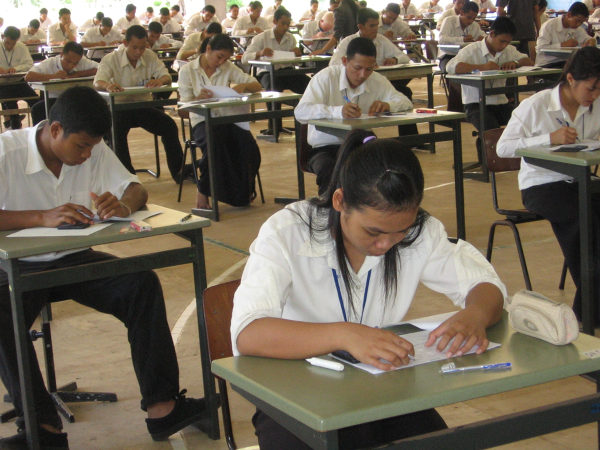
The Central Board of Secondary Education (CBSE) has released the date sheet for the Class 12 supplementary examination. Candidates who applied for the Class 12 supplementary exam will soon be able to appear for the test on the dates announced by the board. The CBSE Class 12 supplementary examination will be conducted this month, i.e., in July. Students are advised to intensify their preparations to ensure a good performance in the exam.
**Exam Date**
The CBSE supplementary examination is scheduled for July 28, 2026. The exam will be held in a single shift from 10:30 AM to 1:30 PM. However, for certain subjects—such as Yoga, Data Science, Painting, and AI—the examination will be conducted from 10:30 AM to 12:30 PM.
**Additional 15 Minutes**
CBSE has made arrangements to provide an additional 15 minutes to all participating students before the commencement of the exam. Students are also advised to reach the examination center well before the scheduled time on the day of the exam.
**CBSE Board Class 12 Supplementary Date Sheet 2026 LINK**
https://www.cbse.gov.in/cbsenew/documents/Supplementary_Datesheet_XII_17072026.pdf
**Important Instructions for Candidates**
CBSE has issued important guidelines for students appearing in the examination. Bringing smartwatches, mobile phones, or Bluetooth devices to the examination center is strictly prohibited. Strict action will be taken against students who violate these rules.
Disclaimer: This content has been sourced and edited from Dainik Jagran. While we have made modifications for clarity and presentation, the original content belongs to its respective authors and website. We do not claim ownership of the content.
-
High BP: Not just for adults! Children can also have high blood pressure, know the reasons

-
Space Exploration Day 2026: 9 interesting facts related to space, which you will be surprised to know

-
Trendy green bangles set in Saavan: Know how to style it

-
Good news for GTA Online players! Get Free New GT Supercar… Just Follow These Simple Steps

-
Are you troubled by the slow speed of your phone? Make your home screen better with these easy Android tricks