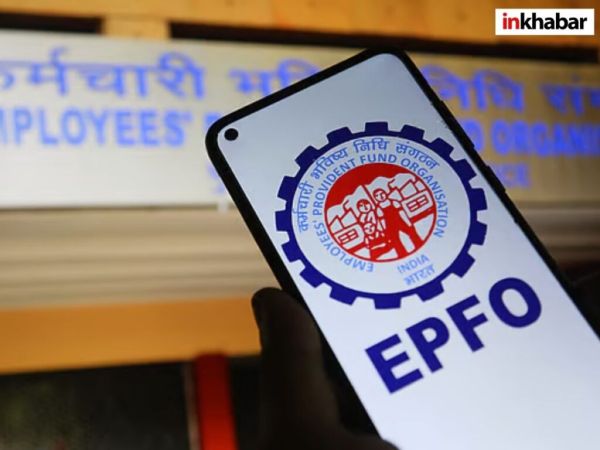
EPFO KYC Update Online: Employee Provident Fund (EPF) is a safe, long-term investment tool and retirement saving option for salaried people in India. If the total amount including your basic salary and dearness allowance (DA) is ₹ 15,000 or less, then you can open an EPF account. If this amount is more than ₹ 15,000 every month, then you also have the option of choosing Voluntary Provident Fund (VPF).
According to media reports, the Finance Ministry has approved EPFO’s proposal of 8.25% interest rate on EPF and VPF contributions of salaried citizens for the current financial year (FY2025-26). The process of depositing EPF interest was expected to be completed by July 15 this year. This is the third consecutive time that EPF subscribers are getting 8.25% interest rate on their provident fund savings deposited with the retirement fund body.
Let us see how EPF subscribers can electronically update KYC (Know Your Customer) details for their account using the official portal of the retirement savings fund body.
How to update KYC for your EPFO account, know step-by-step guide
The special thing is that EPFO has made it mandatory to link Aadhaar for services like fund withdrawal, fund transfer and claim settlement. Generally this work is done by the employer, but if you want, you can also complete the Aadhaar seeding process yourself using Umang app. E-KYC is also necessary for identity verification, which requires documents like Aadhaar, PAN card and bank account information.
KYC updates are mainly done through EPFO portal. Know how it is done:
- Log in to the official website of EPFO and click on ‘Profile Information’ in the left side panel.
- If Not Available is written next to your PAN or bank account information, then you will have to update them.
- Start the KYC process by going to Manage.
- Click on Bank option, enter your bank account number and confirm it. Enter your IFSC code and click on Verify IFSC to confirm the branch details.
- Accept the disclaimer, click on Save and verify using Aadhaar OTP.
- Now select the PAN option and enter your 10 digit number and your name exactly as it is written on the card.
- Accept the disclaimer, click on Save and verify using Aadhaar OTP.
- After submission, the bank KYC request is first sent to your bank branch for verification. After this the status changes to Pending with Employer for Digital Signing.
- After this your employer will have to approve it using his DSC. This two-step process may take seven to 10 working days. If it remains pending for a long time then contact HR directly.
Complete the e-nomination process after KYC.
The nomination process required for your EPFO account can be completed on the portal only after KYC is done.
- Login to EPFO portal and go to Manage E-Nomination.
- Update your profile information, including adding a photo (size less than 100 KB) and your address.
- After this, add the nominee information by clicking on Add Family Detail. Include information like their Aadhaar number, photo (size less than 100 KB), their relationship with you (spouse, children, dependents) and what share or percentage you want to give to each of them.
- Click on “E-sign”.
- Enter your Aadhaar number or Virtual ID and complete the verification.
- The system digitally signs your nomination using Aadhaar authentication and saves it in EPFO records.
- Keep in mind that you will have to complete the Aadhaar OTP-based e-sign process otherwise your nomination will remain pending and will not be valid.
The post EPFO KYC Update: Update your KYC in minutes sitting at home! Know the complete step-by-step process online appeared first on Latest.
-
Where hills meet the Deccan: Assam finds a home in Hyderabad

-
This Rs 600 passport is India’s hottest new travel trend

-
152 paper leaks in a decade: Rahul guns for Modi apology

-
Prabhas and Katrina Kaif may share screen for the first time

-
Amid CJP protests, is Aamir Khan’s 3 Idiots returning to theatres?