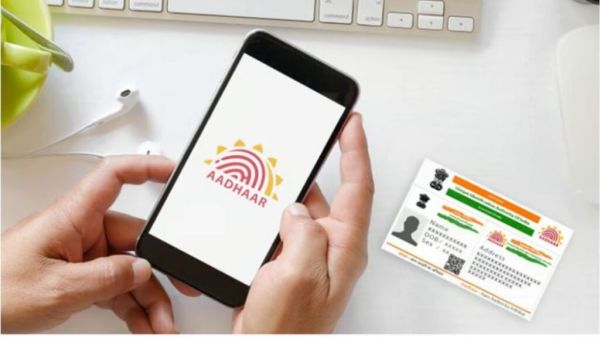
- Entering wrong Aadhaar number, VID or Enrollment ID while downloading Aadhaar can cause the process to fail.
- Not getting OTP on registered mobile or no mobile number link is also a common reason.
- Download may be interrupted if UIDAI server is overloaded; Please try again later.
Today Aadhar Card It has become an important document for all of us. From opening a bank account to purchasing a mobile SIM card, Aadhaar card is used for many tasks. In this case, if we lose our Aadhaar card, we get very worried. This can cause a lot of work to stop. But now you don’t need to worry. Many times one has to face many problems while downloading Aadhaar card online. Many people do not know what to do. Actually the problem is very small only we don’t know the answer to solve it. Problems are experienced while downloading Aadhaar card online due to entering wrong Aadhaar number, not getting OTP on mobile number or weak internet connection. Also sometimes, due to heavy traffic on UIDAI servers, Aadhaar online download is not possible. Let’s know how to solve this problem.
Tech News: Gobolt launches new earbuds with ANC support! Get complete freedom from noise, know the feature
Incorrect filling of Aadhaar Number, VID or Enrollment ID
The most common reason for not downloading Aadhaar card online is filling wrong information. Often the 12-digit number, 16-digit Virtual ID and 28-digit Enrollment ID are mistyped in haste. Even if one digit is missed, the information cannot be verified by the UIDAI system and the download process stops. That’s why while filling the information, double check that it is filled correctly or not.
Non-receipt of OTP on Registered Mobile Number
UIDAI sends a one-time password (OTP) to your registered mobile number to download e-Aadhaar. If the mobile number is not linked with Aadhaar card or there is a network week or there is no signal to the phone then there is a problem in getting the OTP on the mobile phone. Often it may take few minutes for OTP to arrive as the network is busy. So don’t panic, wait for some time and click on send OTP option once again. If your mobile number has changed, it is very important to update it in Aadhaar card.
‘Vi’ relief for Mumbaikars in heavy rains; Safe shelter and mobile charging facility will be available in ‘V’ stores
UIDAI Server is overloaded
Often the problem is not with you but with the UIDAI Server. When a large number of people start downloading the Aadhaar card on the website at the same time, the server gets overloaded. In such a case the website becomes slow which causes problems in downloading Aadhaar card. If the problem persists after trying again and again, take a break and try again. Traffic is light early in the morning or late at night.
-
You can now book excess luggage on trains in India

-
LS proceedings adjourned till noon over NEET paper leak protest
-
LIVE: ‘Won’t leave Jantar Mantar until Pradhan resigns,’ CJP to PM Modi
-
IShowSpeed & Carlos Alcaraz Dance To Michael Jackson's Song At Justin Bieber's FIFA World Cup Afterparty | Video

-
Samay Raina reacts to student protests with a pointed message